8 Ways Event Apps Improve Attendee Experience
August 31, 2026 · Alexander · 15 minute read
Table of Contents
- 1. Centralise agendas, speaker details and venue information in one place
- 2. Reduce access friction with links, QR codes and browser-based access
- 3. Help attendees plan their day with personal agendas and saved sessions
- 4. Keep attendees updated when schedules, rooms or logistics change
- 5. Make sessions more interactive with polls, Q&A and feedback tools
- 6. Support networking through profiles, attendee lists and contact options
- 7. Improve usability across devices, WiFi, and accessibility needs
- 8. Turn app engagement into useful post-event insight
- Know When an Event App is Worth It
- How LineUpr Helps Reduce Attendee-experience Friction
- FAQs
A poor attendee experience rarely comes from one big failure. It usually comes from small moments of uncertainty that build throughout the event.
An attendee arrives and has to search their email for the agenda. They walk into the venue and aren’t sure which room they’re going to, especially in multi-track events. A session changes, but the printed programme still says something else. They want to ask questions after a session, but there’s no simple, anonymous way to do it. They meet someone, then forget their name after the event, so they can’t follow-up.
These are the moments an event app is supposed to improve.
This doesn't mean you should give attendees another piece of technology to manage or add features for the sake of it. A good event app improves attendee experience when it makes the event easier to understand, follow, and participate in while it is happening. Here are eight ways it can do that.
1. Centralise agendas, speaker details and venue information in one place
Most attendee frustration begins with basic uncertainty. What time does the next session start? Which room is it in? Who is speaking? Where is the lunch area? Has the agenda changed?
Without an event app, these answers are often scattered across emails, PDFs, printed programmes, signage, and last-minute messages. That creates a fragmented experience. Attendees may have the information somewhere, but not necessarily where they need it.
An event app improves the experience by becoming the event’s central information hub. The agenda, session details, speaker information, and important notices can be in one place. Attendees no longer need to search through emails or carry a printed programme that may become outdated.
This becomes especially important at conferences, where attendees often move between sessions, speakers, rooms and networking spaces. Strong mobile event apps for conferences help people follow the programme without relying on a static schedule.
The same principle applies to company meetings, leadership days and internal conferences. Internal event apps work best when they help employees find the right information quickly without switching between emails, shared documents and printed agendas.
This way, attendees won’t have to piece the event together from five different sources. A good event app gives them one reliable place to understand what is happening now.
2. Reduce access friction with links, QR codes and browser-based access
An event app only improves attendee experience when people can access it at the moment they need it.
That seems obvious, but it’s where many event app experiences become more complex than they need to be. If an attendee has to find the right app in an app store, wait for a download, create an account, remember a password, accept permissions, or troubleshoot weak venue WiFi just to check the agenda, the app has already added friction.
This is why how attendees access an event app is part of the attendee experience.
A browser-based event app, for example, gives attendees a shorter path. LineUpr follows this model: attendees can open the event app from a link or QR code in their browser, instead of installing a mobile app first. You can share that access point in confirmation emails, badges, venue signage, registration desks, or the event website. You can also promote the event URL before and during the event so attendees know where to find the app when they need it.
Here’s an example of how that could look like for your event:
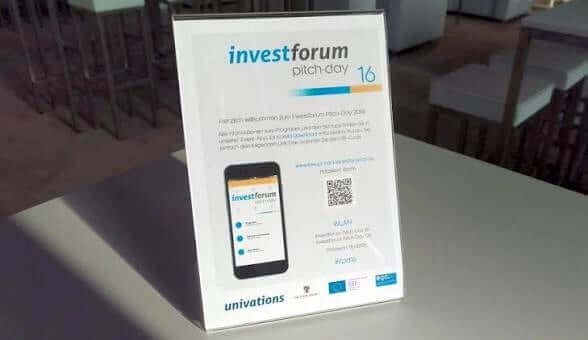
For context, at Silicon Saxony Day, app use and feedback collection helped the organisers understand attendee interaction rather than relying only on impressions after the event. The event had attendees from their 20s to retirement age range, and everyone was able to “handle the app” and use live voting features. When they checked the metric, they had found that the adoption rate was 90%, and on average, they visited the app 2.82 times, opening 8.33 pages in each session.
The shorter access path doesn’t make every feature automatically useful, but it removes the first barrier, so attendees can go from “Where is the information?” to “Here is the information” faster.
Want attendees to open the app from a link or QR code? See how a browser-based event app works in practice.
3. Help attendees plan their day with personal agendas and saved sessions
A packed event agenda can look impressive to organisers and exhausting to attendees. Multiple tracks, workshops, networking slots, and sponsor activities can make the programme richer, but they also make decisions harder to make. Attendees may spend too much time scanning the full programme, comparing sessions, and trying to remember what they planned to attend.
Event apps improve this part of the experience by helping attendees narrow the event down to what matters to them.
A personal agenda or favourites feature can help attendees turn a full programme into their own route through the day. Instead of repeatedly returning to the complete schedule, they can save the sessions they care about and check a shorter view when moving between activities.
Here’s what it looks like with LineUpr:
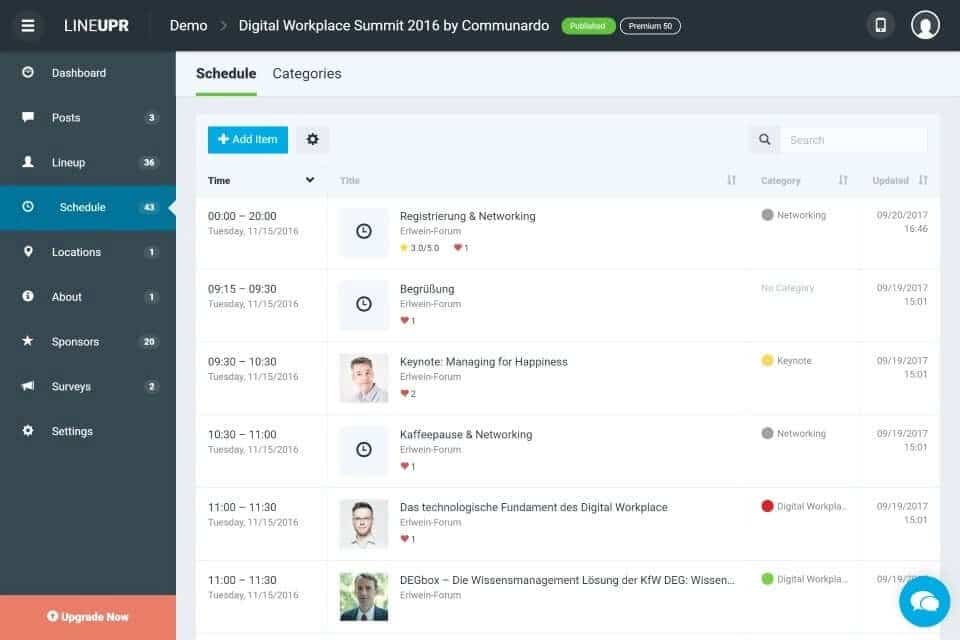
This is valuable because attendees don’t have to keep the whole programme in their head. They can save what matters, check their next step quickly, and stay aware of changes without constantly returning to the full agenda.
For the organiser, the practical advice is to make the full agenda clear without forcing attendees to keep reprocessing it. Session titles should be specific, descriptions should help attendees understand whether a session is relevant to their role or interests. Tracks and categories should make the decisions easier too. If two sessions seem similar, the difference between them should be easy to spot.
The goal is to help attendees decide which activities or programs to commit to as quickly as possible.
4. Keep attendees updated when schedules, rooms or logistics change
Printed plans are useful until something changes. The time slotted for a session can change and the details printed on the programme may no longer be accurate. None of these is unusual because events are live environments and things change quickly. But the attendee experience depends on how clearly those changes are communicated.
An event app improves this by giving you one source of truth. Instead of relying only on printed programmes, scattered emails or verbal updates, you can update the digital agenda or send a message through the app.
This doesn't mean every attendee will see every update instantly. Some may not check their phones at that exact moment, and some may have notifications disabled. But with an event app, you have a better communication channel than a static piece of paper.
The key is to use updates for information that genuinely affects the attendee’s next action. For example, organisers at GRENKE AG’s corporate conference used LineUpr’s real-time event updates to help attendees receive schedule and logistics changes. They loved the ability so much, their event team raved about it even after the event.
The takeaway here is that event apps can improve attendee experience by making important changes visible in the same place attendees already check for event information.
There is also a benefit for staff. When the event app is current, staff members can direct attendees to the same information instead of giving inconsistent answers at different points in the venue.
5. Make sessions more interactive with polls, Q&A and feedback tools
Many event sessions follow the format where the speaker talks, the audience listens, a few people ask questions at the end.
That can work well. But it also means participation often depends on the attendee’s confidence, available time, access to a microphone and the room’s social dynamics. Some attendees have good questions but don't want to speak publicly. Others may hesitate because they're unsure whether their question is relevant. In large rooms, only a small number of people eventually contribute before time runs out.
An event app can reduce that participation barrier.
Live polls, Q&A, upvoting and feedback tools give attendees easy ways to participate in the event. A poll can show how the room is thinking about a subject and the Q&A features can be used to collect more questions than you’d typically be able to get. You can then get attendees to upvote questions that matter so the moderator can push that to the speakers. This way, everyone feels represented and the speaker can address every relevant question that matters to your attendees.
Live polls and event feedback features also work best when they are tied to real decisions: which questions the moderator should prioritise, which topics need more explanation, which sessions were most useful, or what should change at the next event.
The value of an event app then depends on how the organiser uses the tools. A strong participation setup could look like this:
A short poll at the beginning to understand the audience’s level of knowledge.
A Q&A channel opened throughout the session, not only at the end.
Upvoting so the moderator can identify shared concerns.
A focused feedback question immediately after the session.
A clear follow-up if unanswered questions will be addressed later.
This gives attendees more than one way to be present. They can listen, ask, vote, respond or reflect without every interaction depending on speaking into a microphone.
6. Support networking through profiles, attendee lists and contact options
At many professional events, attendees already want to meet people. The problem is that they may not know who is present, who is relevant, how to approach them or when a conversation would make sense. An event app can help by making people easier to discover and contact.
Profiles, attendee lists, interest information, contact options and appointment tools can turn vague networking intent into a more practical action. Instead of hoping to bump into the right person, an attendee can search through the directory, identify whose profile relates to what they do or are interested in, and reach out.
This way, event apps for attendee networking are most valuable when they make relevant connections easier. You can also support better networking by creating dedicated networking windows and explaining how attendees are expected to use the app. This gives attendees enough context to find relevant people and enough direction to know how the networking feature should be used.
7. Improve usability across devices, WiFi, and accessibility needs
Events rarely happen under perfect digital conditions. Venue WiFi may be weak, mobile data may be inconsistent, and some attendees may be using older devices or smaller screens. Others may be less confident with event technology or rely on accessibility features such as screen readers, zoom, or keyboard navigation to access the app.
An event app improves attendee experience when it still works under those conditions. Important pages should load clearly on mobile, QR codes should be easy to scan from a realistic distance, and the app should be tested across different devices, screen sizes, and browsers before the event. A browser-based app can reduce one part of the friction because attendees don’t need to install anything first, but you still need to test the full attendee journey.
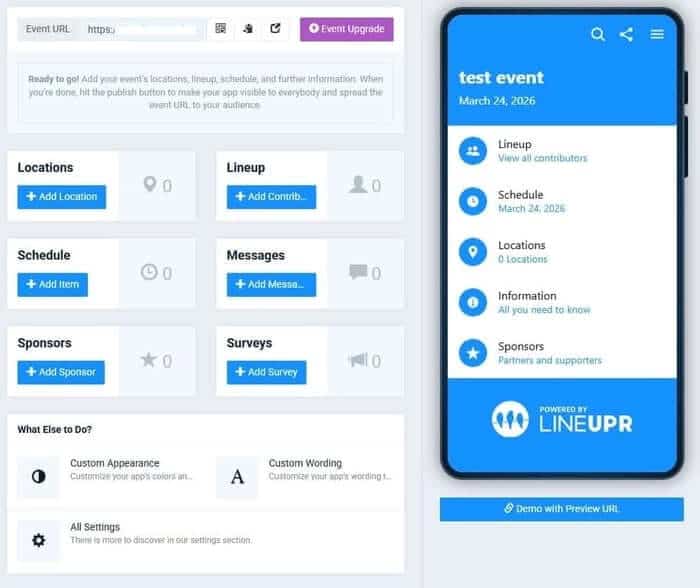
Progressive web apps can support offline access through service workers and caching, which means previously loaded content may remain available when connectivity becomes unreliable. For attendees, event information doesn’t disappear completely the moment venue WiFi becomes weak.
Accessibility should also be treated as part of attendee experience. According to W3C’s mobile accessibility guidance, if a digital agenda is hard to read, buttons or links difficult to tap, poorly labelled or impossible to navigate with assistive technology, it excludes some attendees from information others can reach easily.
Want attendees to navigate your event app easily? See how a LineUpr event app works in practice.
8. Turn app engagement into useful post-event insight
Event app analytics can be useful, but only when organisers measure the right things.
A common mistake is treating activity as proof of attendee experience. Opens, clicks, page views and messages can show that attendees used parts of the app. They don't automatically prove that attendees felt informed, confident, engaged or satisfied.
A better measurement model starts with the in-app experience.
If the goal was access, measure how many eligible attendees opened the app and when they first used it.
If the goal was orientation, look at agenda views, map views or number of saved sessions.
If the goal was participation, track poll responses, Q&A submissions, upvotes and feedback completion.
If the goal was networking, examine profile views, contact exchanges or meeting requests.
If the goal was communication, review whether important updates were published clearly and whether staff received fewer repeated questions.
The measurement ladder should look like this:
Reach: Did attendees get into the app?
Use: Which parts did they actually use?
Task completion: Did the app help them do something useful?
Participation: Did they interact, ask, answer, save, connect or respond?
Attendee experience signal: Did feedback suggest the app reduced confusion or improved the event?
This matters because a high number of clicks may indicate interest, but it may also indicate that information was hard to find. A low number of support questions may mean attendees were confident, but it may also mean they gave up and relied on printed materials.
With LineUpr, people of different technological abilities were all able to use the app and organisers can track what they used to see if it aligned with their goals for the event app.
Create your first no-download event app with LineUpr and test the features for free.
Know When an Event App is Worth It
With all the above said, you might wonder whether every event needs an app. Not always. An event app is most valuable when the event has enough complexity that attendees need help finding information, following changes, participating, connecting, or giving feedback.
It is usually worth considering when the event includes:
Multiple tracks or parallel sessions.
Frequent schedule or room changes.
A large or mixed audience.
Networking between attendees.
Live polls, Q&A or session feedback.
Exhibitors, sponsors or partner information.
Hybrid or multi-location participation.
A need to reduce printed materials.
A need to keep information current during the event.
Hybrid and internal events add another layer because remote audiences need a shared event experience even when everyone isn't in the same room. In those cases, hybrid event apps for internal events need to support access, updates and participation across more than one attendee context.
There are also events where an app may be unnecessary. A small dinner with one fixed agenda, no room changes or networking requirement may not need a dedicated event app. A simple email or landing page may be enough.
How LineUpr Helps Reduce Attendee-experience Friction
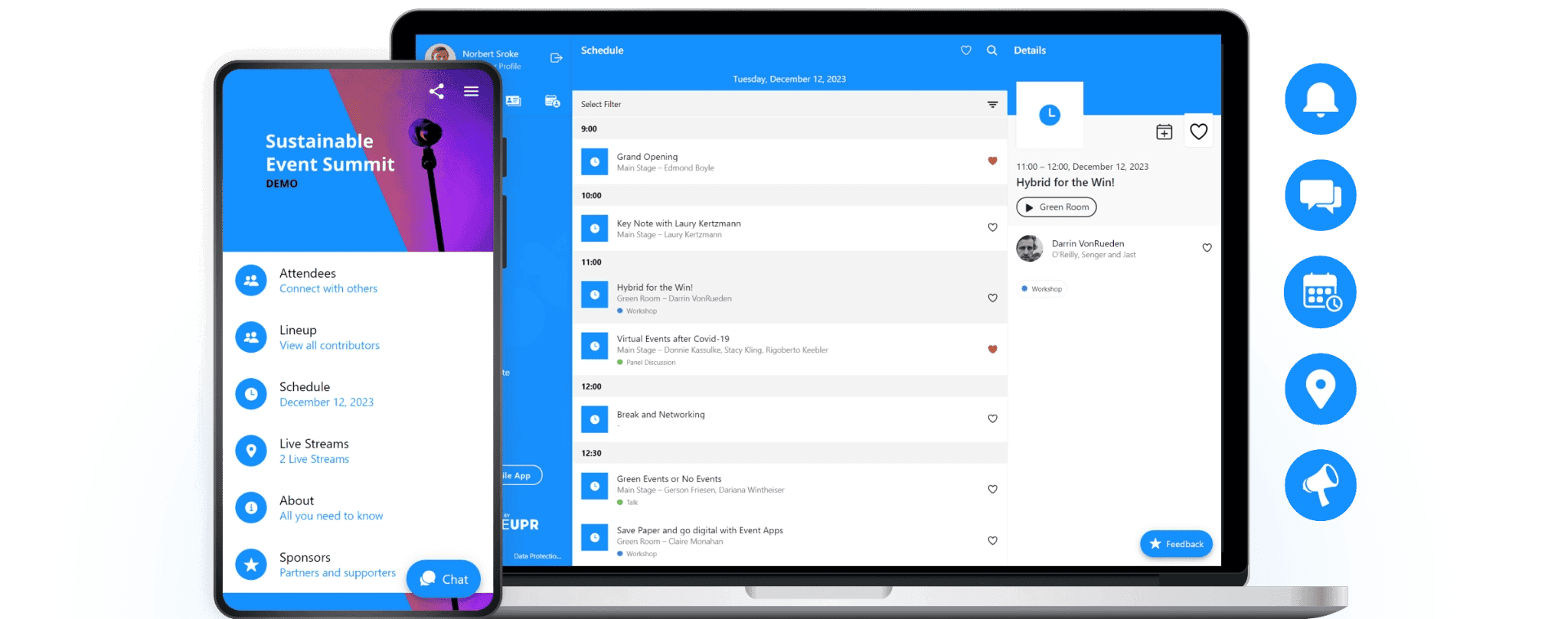
LineUpr helps by making the event app easier to reach before attendees can see any benefit from what's inside. Instead of sending people to an app store, you can share the event app through a direct link or QR code. Attendees then open it in their browser, so the first step is closer to opening a webpage than installing software.
That changes how the app fits into the event journey. The same link or QR code can be placed in confirmation emails, joining instructions, printed badges, venue signage, registration desks and presentation slides. When an attendee needs the agenda or an update on changes, the organiser can point them to one access route rather than asking them to search, download and log in.
Once opened, LineUpr gives attendees one place to check essential event information, follow updates, take part in polls or Q&A, and submit feedback. Because the app is designed as a progressive web app, content that has already loaded can remain available when venue WiFi or mobile signal becomes unreliable.
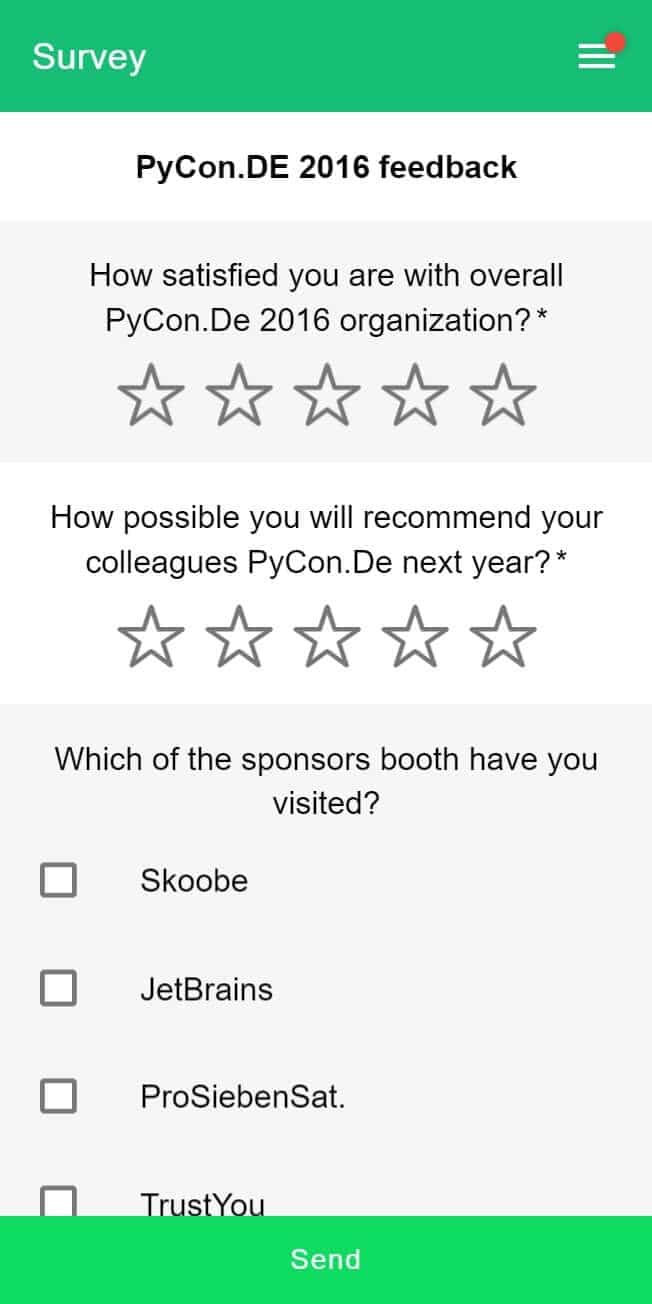
For organisers, this means the digital experience can support the event without becoming another barrier. However, LineUpr doesn’t improve attendee experience simply by adding more features. It helps when those features are easy to reach, easy to reuse during the event and connected to the moments where attendees need information or want to participate.
Sign up to get started with your first event app.
FAQs
1. What is the difference between attendee engagement and attendee experience?
Attendee engagement is about what people do: answer polls, ask questions, save sessions, complete feedback forms or connect with others. Attendee experience is broader. It includes how informed, included and supported attendees feel throughout the event. Engagement can improve experience, but only when the interaction is useful rather than forced.
2. Do attendees need to download an event app?
Not always. Some event apps require an app-store download, while others like LineUpr can be opened directly through a browser. A browser-based event app reduces the steps between the attendee and the information they need. This ease of access is important because the easier the event app is to access, the better.
3. Is a web-based event app better than a native mobile app?
It depends on the event. Native mobile apps can be useful when an event needs deeper device-level functionality. But for many conferences, internal events and professional gatherings, a web-based app is more practical because attendees can open it through a link or QR code without downloading anything first. The better choice is the one that reduces friction for your specific audience.
4. How do you know whether an event app actually improved attendee experience?
Look beyond simple activity metrics. App opens, clicks and page views show use, but they don't automatically prove a better experience. Stronger signals include fewer repeated questions, faster access to event information, useful poll or Q&A participation, completed feedback forms, fewer complaints about confusion, and post-event feedback showing that attendees felt better informed or supported.