We Compare 6 Mobile Event Apps That Aren’t Overkill for Small Conferences
April 9, 2026 · Wout Criekemans · 22 minute read
Table of Contents
- 1. LineUpr: Best For Conference Teams That Need a Professional Event App Without the Overkill Features
- 2. Sched: Best for Conferences That Need to Manage Speaker Submissions and Multi-Track Schedules
- 3. EventCreate: Best for Organizers Who Need a Professional Conference Website With Built-In Registration
- 4. Nunify: Best for Conferences Where Attendee Networking and Engagement Are the Primary Outcome
- 5. Guidebook: Best for Associations and Institutions Running Recurring Annual Conferences
- 6. Yapp: Best for Budget-Conscious Teams Who Need a Simple, No-Frills Conference App Fast
- Found The Right Mobile Event App for Your Next Conference?
If you research mobile event apps for conferences online, most of the results you’ll see are platforms that primarily serve large conferences. For an organisation running less than 5 conferences a year with around 300 attendees, these options won’t be a good fit.
Instead, the best mobile event app for smaller conferences will be a platform that:
Get attendees into the app without friction: Event apps like Whova, Cvent, Eventmobi all require attendees to download an app to access your event information. For a 1,000-person conference with a dedicated team managing onboarding, that's workable. For a 300-person event it's a liability. Unless you have an ongoing promotion to boost app download, your attendees will arrive without the app installed. And with everything else happening on the day, there's no reliable way to fix that.
Save you and co-organisers setup time with a simple interface that makes it effortless to create event schedules, add locations, and line up speaker and sponsor details — without overwhelming a small team that is also handling everything else.
Cover the essential attendee engagement tools without charging you for the ten features a 2,000-person trade conference would use. Some of the options you'd find, like Whova, require premium payment to access live polls; which then unlocks sponsor monetization and exhibitor management tools that a 300-person professional conference simply doesn't have.
In this guide, we cover 6 mobile event apps for in-person conferences with 200–500 attendees, starting with LineUpr; the only option on this list where you can build and launch a fully functional conference app for free today, and run your entire event for under $200.
Tool | Pricing | Best For | Key Downside |
LineUpr | $179–$489/event; Flex Subscription saves up to 60% | Small conference teams that need a professional, zero-friction event app without enterprise overhead | No built-in registration or ticketing — works alongside your existing tools |
Sched | $600/year (unlimited events) | Multi-track academic conferences with Call for Papers workflows | Thin engagement features at base plan; check-in process reported as clunky |
EventCreate | $348–$588/year; Attendee App is a separate add-on at undisclosed pricing | Fast public-facing conference website design templates with built-in registration | Attendee app not included in any standard plan — requires a sales conversation to price |
Nunify | Custom pricing — demo required | Conference with attendee networking and gamified engagement | No publicly available pricing; native app requires download |
Guidebook | From $1,999/event (up to 200 attendees) | Associations and institutions running recurring annual conferences under one branded hub | Highest entry price on this list; native app download required |
Yapp | $399–$799/year (per app) | Budget-conscious teams who need a simple native conference app fast | Requires app store download; content import locked behind paid tier; no attendee-to-attendee messaging |
1. LineUpr: Best For Conference Teams That Need a Professional Event App Without the Overkill Features
LineUpr is a web-based event app designed for conference organisers who need to deliver a professional attendee experience without the weeks of setup, vendor onboarding, and feature complexity that make most event apps impractical for a team of one or two.
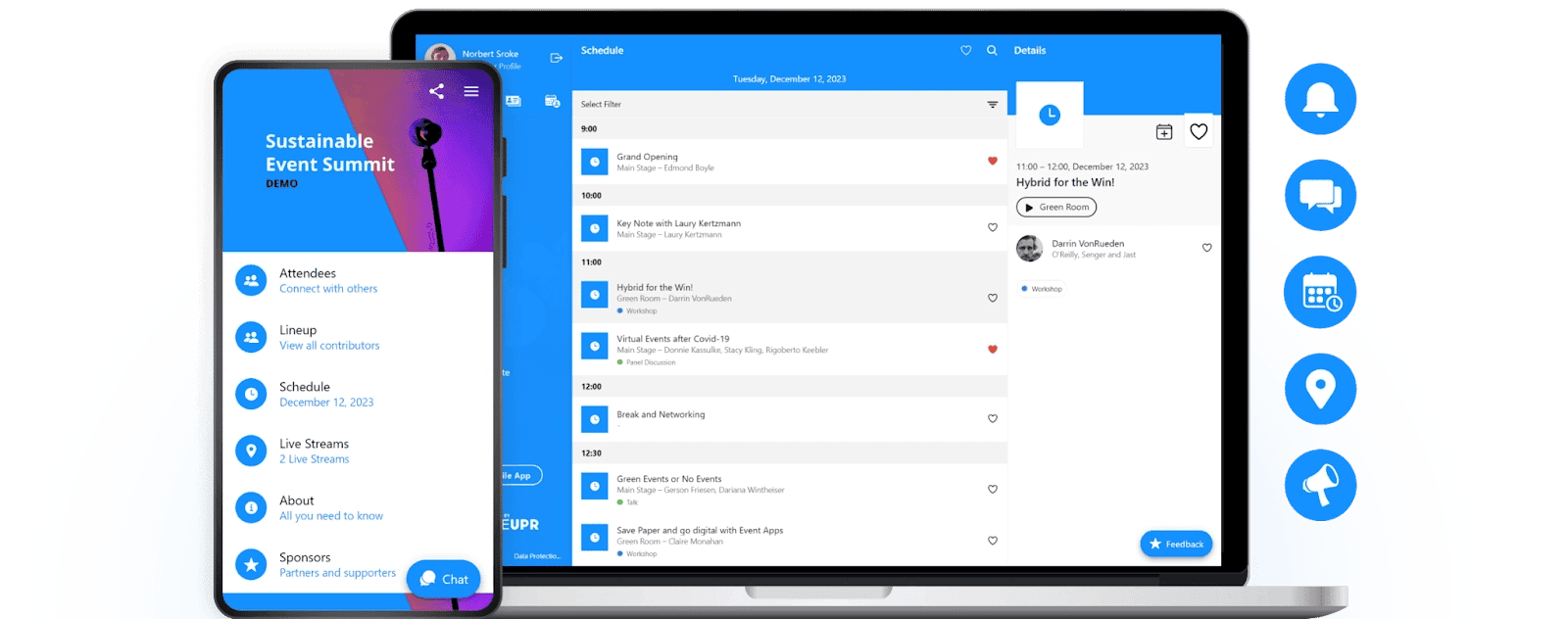
Whether you're running a 300-person association conference, a corporate annual summit, or an academic symposium, LineUpr ensures you can deliver a professional, memorable event experience your attendees will talk about, without the dedicated team, technical resources, or enterprise budget that most event apps assume you have.
Why We Chose LineUpr
Among all the mobile event apps on this list, LineUpr is the only option where you can build and launch a fully branded conference app for free, and run your entire event for under $200.
Here's how it works:
Get a fully branded conference app live in hours
For most conference organisers, getting a professional event app live feels like it requires either hiring someone or signing a contract with a platform that takes weeks to implement. By the time you've completed onboarding, your event is three weeks away and you're still configuring features you don't need.
LineUpr removes that bottleneck with a self-service visual editor built for non-technical organisers. You can build a complete event app: agenda, speaker profiles, venue maps, and sponsor listings without code or IT involvement.
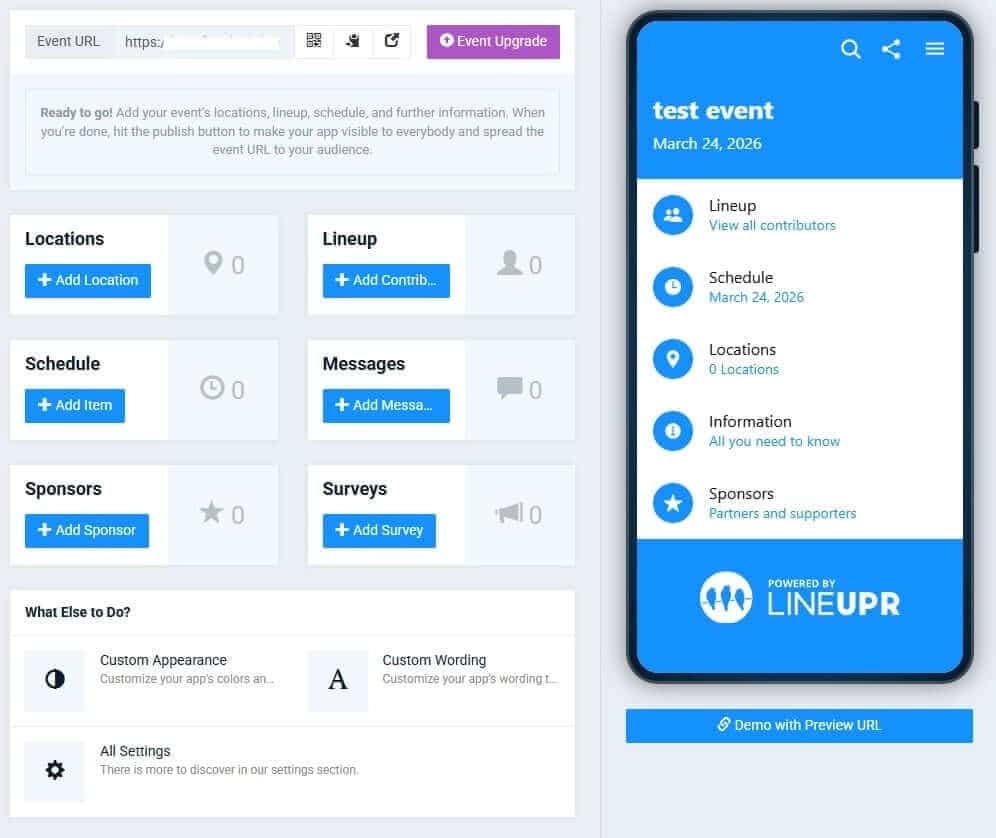
In a few hours, you can set up:
A complete session schedule attendees can navigate on their own — multi-track agendas, room assignments, and speaker linkages that answer every "where do I go next" question without anyone having to ask you
Speaker and sponsor profiles that make your event look professionally produced. With bios, photos, and social links that give your lineup the credibility it deserves on a screen attendees actually open
Venue maps and floor plans that get people to the right room — without a volunteer stationed at every corridor directing traffic
Push notifications that keep every attendee on the same page in real time — so a last-minute room change or schedule update reaches everyone in seconds, not after half the room has already gone to the wrong place
Attendee networking tools that turn a conference into a community — profiles, in-app chat, and contact exchange that give attendees a reason to keep the app open between sessions
Perform Better Europe's marketing manager described the process as "child's play." The backend interface is, in the words of another organizer, "clear and self-explanatory, "meaning the same person managing the event logistics also builds and launches the app.
Want to see how it works? Get you free access now. No credit card required.
Give every attendee instant access to the full conference experience
Most organisers assume a professional conference app means a native app; something attendees download from the App Store or Google Play. But native apps work best when you have the audience volume and resources to drive downloads before the event.
At a 200 to 500 person conference, what you actually need is an app every attendee can access the moment they arrive or before, without any pre-event coordination on their end. LineUpr uses a Progressive Web App system that makes this possible.
The way it works is that you:
Setup the essentials like sponsors, schedule, and location, in a few hours
Generate a link or QR code.
Attendees click on the link and your event app opens instantly in their browser. Fully branded & ready to use. No download, no account, no app store.
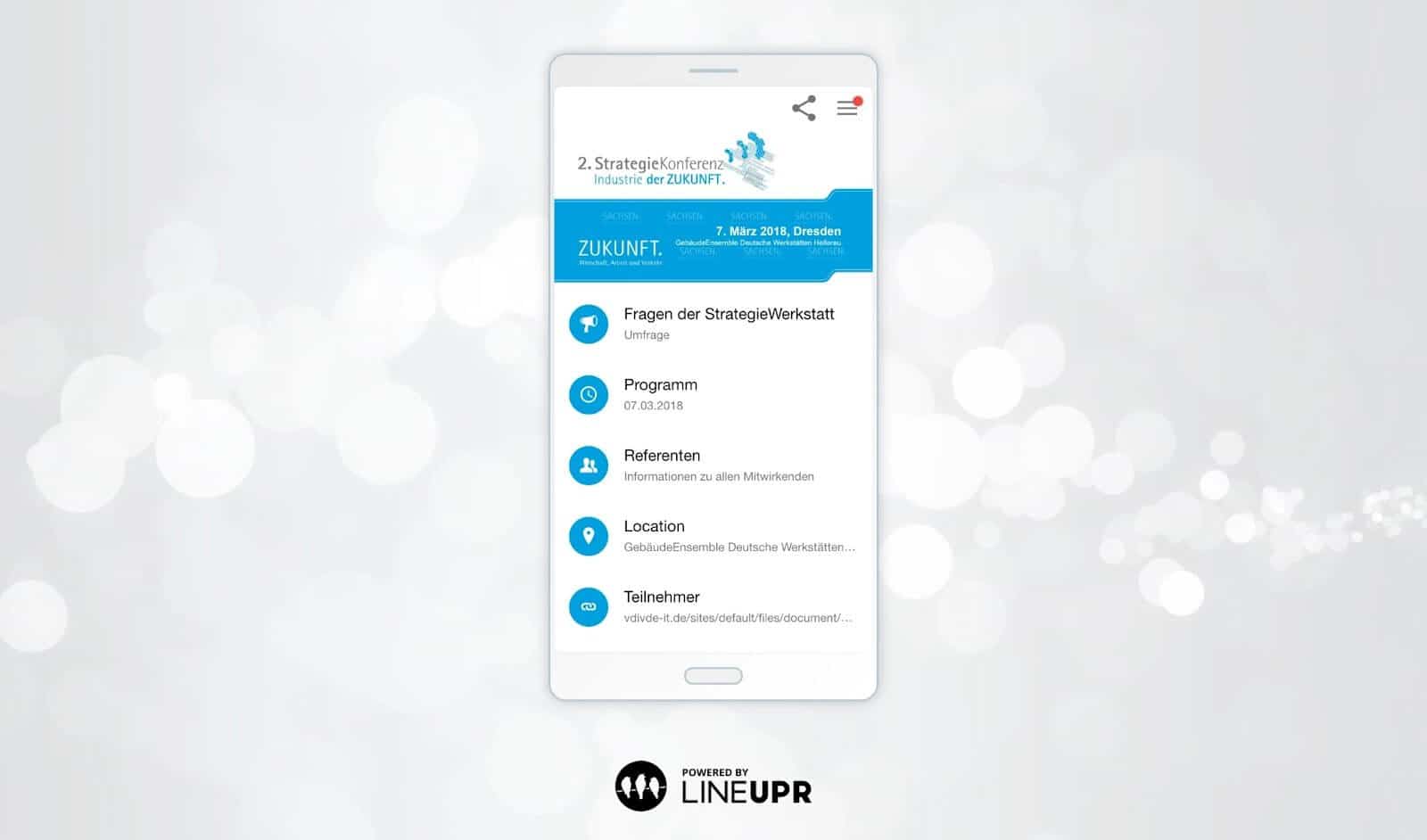
And because LineUpr is cached on attendees' devices at first load, it also works when venue WiFi struggles, which is precisely when attendees need it most.
Want to see how it works? Get free access now! No credit card required.
Turn passive conference attendees into active participants — during the session, not two weeks later
Most conferences lose audience attention in the second half of the day because interaction happens too late. Sessions become one-directional, Q&A is limited to a few voices, and feedback is collected after the event, when most attendees barely remember what was discussed.
LineUpr shifts that interaction into the session itself. Organizers can run live polls with results projected in real time, giving presenters immediate feedback and giving attendees a visible reason to engage. When the results update on screen, the dynamic in the room changes.
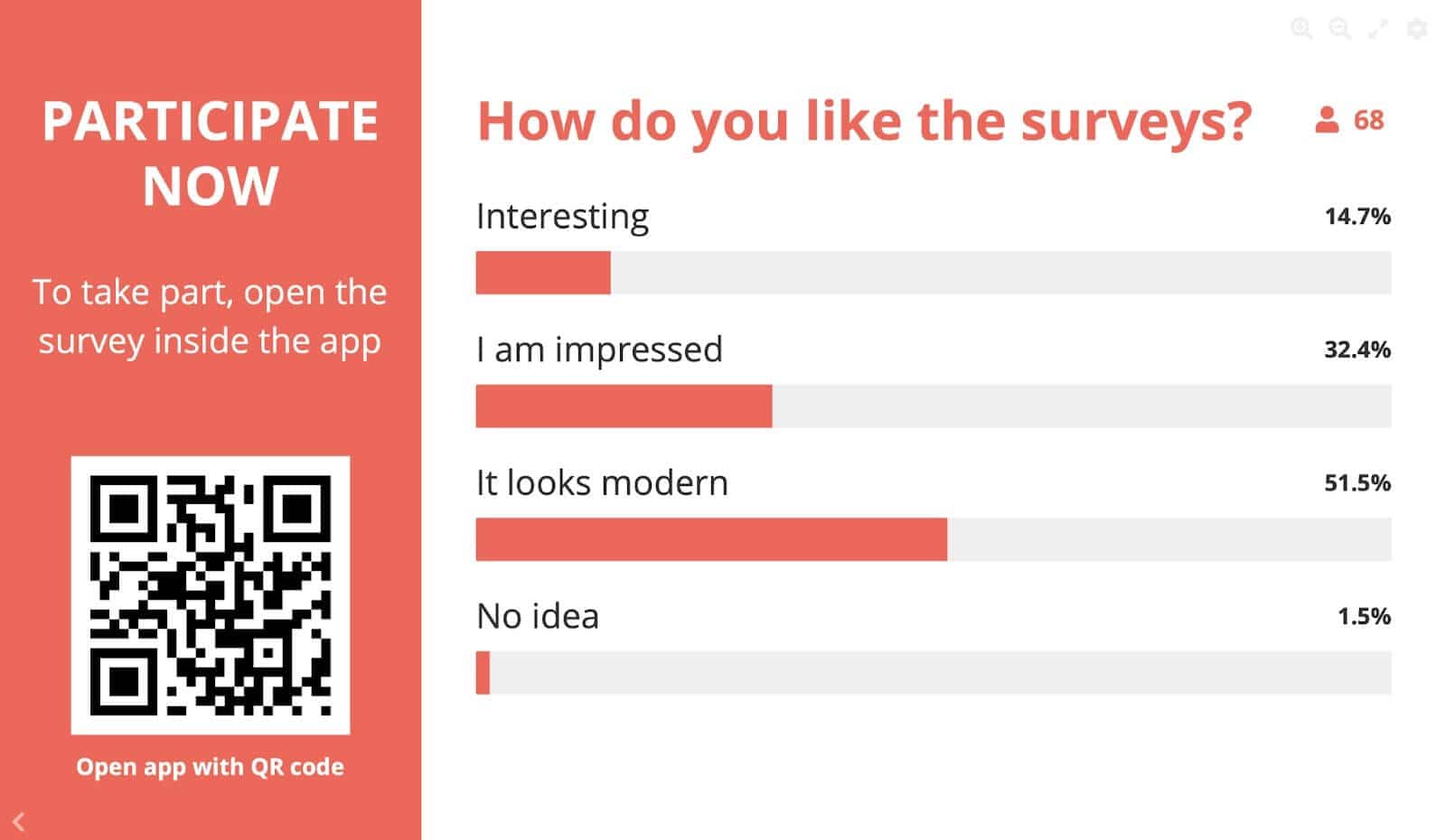
The same applies to Q&A. Instead of relying on who is willing to speak publicly, attendees submit and upvote questions, so the most relevant ones surface. This increases participation in rooms where seniority or unfamiliarity would otherwise keep people silent.
At StrategieWerkstatt, 35% of attendees participated in live surveys on the day without repeated prompting, and feedback was captured before attendees left the room — while the experience was still fresh.
Ready to build your conference app before your next event? Start for free! Build and preview your complete app at no costs, and publish when you're ready.
Ready to build your conference app before your next event? Start for free. Build and preview your complete app at no cost, and publish when you're ready.
Pricing
LineUpr costs between $179 and $489 per event, depending on features, with a free tier to build and preview before spending anything.
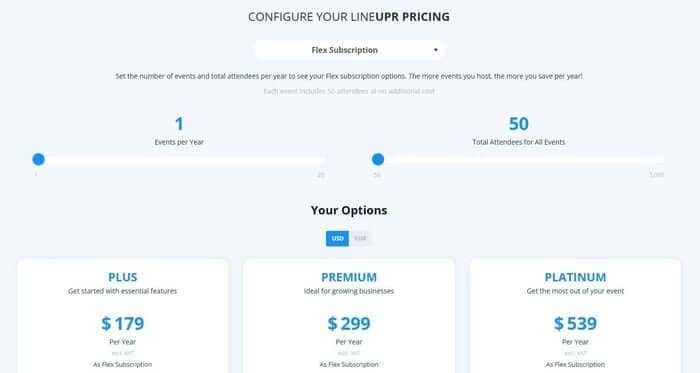
The Flex Subscription brings the per-event cost down by up to 60% for teams running multiple events without annual contracts or per-seat fees. Every pricing tier comes with the key essential features listed below:
Key Features
Offline access
Event agenda management.
Pros
Transparent, per-event pricing with no annual commitment required
Free tier to build and test before paying. No credit card needed
Zero download friction drives significantly higher attendee adoption rates
Fully self-service. No developer, agency, or IT dependency
Real-time updates mean your agenda is never outdated
GDPR-compliant, hosted on German servers, with a strong data privacy posture
Highly rated support team (G2: 4.9, Capterra: 4.9)
Cons
Advanced analytics are limited to external tools via Google Analytics/Matomo integration
Registration, ticketing, and badge printing work via integration with tools that handle these.
Try LineUpr for free and build your complete event app before committing.
2. Sched: Best for Conferences That Need to Manage Speaker Submissions and Multi-Track Schedules
Sched is an all-in-one event management platform covering registration, ticketing, scheduling, attendance tracking, and a branded mobile app.
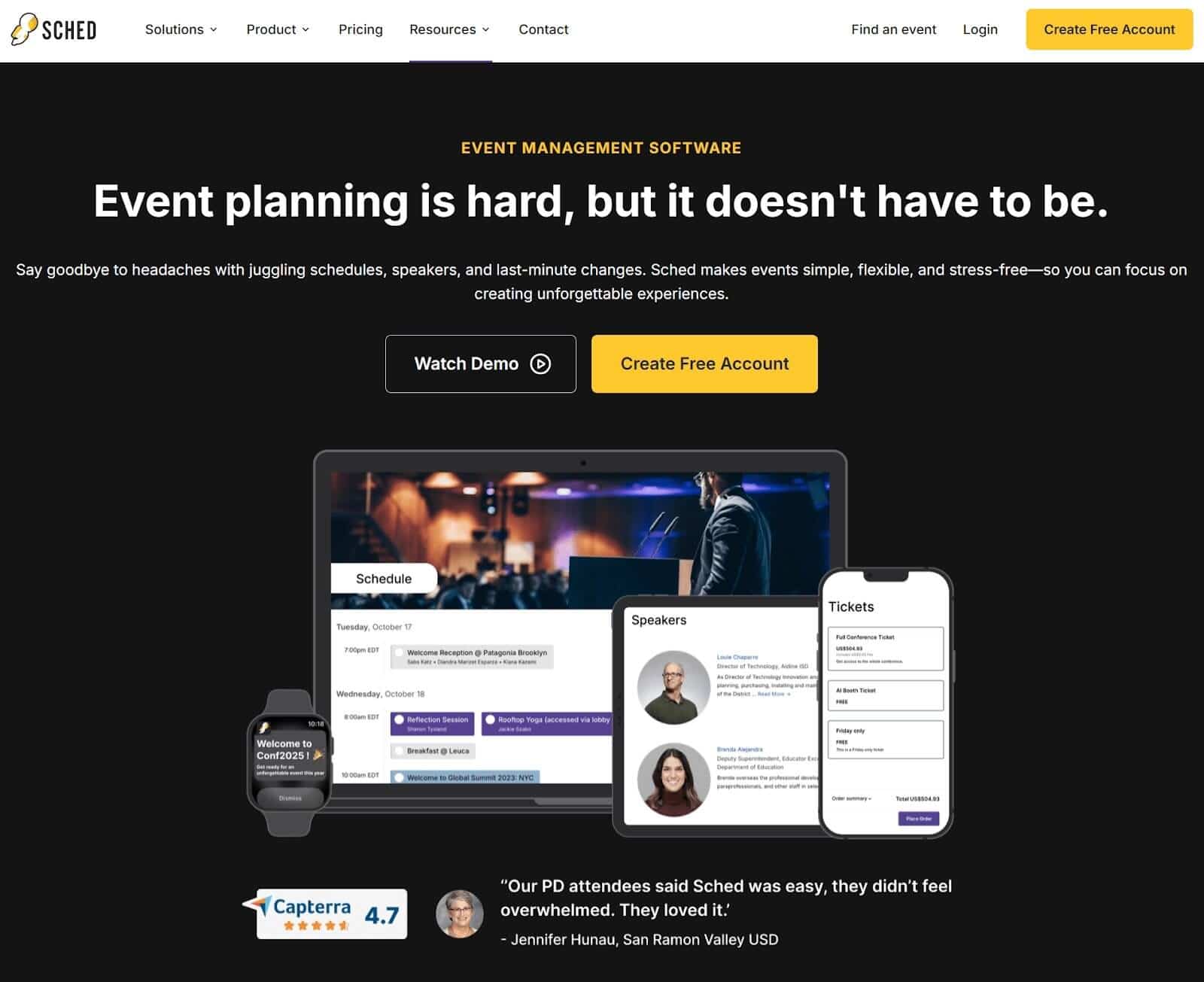
It supports in-person, virtual, and hybrid events and is particularly well established among academic institutions, universities, and professional associations running content-heavy, multi-track conferences where managing the speaker pipeline is as complex as managing the event itself.
Why We Chose Sched
Among the tools on this list, Sched is the only option that handles the full speaker submission process — from open call to approved session — inside the same platform your attendees use on event day.
Most conference organisers running academic symposia, research forums, or multi-track professional conferences manage their Call for Papers process through a patchwork of Google Forms, email threads, and spreadsheets — then rebuild everything manually in their event app.
Sched simplifies this by letting you collect submissions, manage reviews, and organize sessions in one place, with approved speaker details syncing directly into the event schedule. Once a speaker is approved, their details sync instantly into the event schedule — no manual copying, no duplicate data entry.
For conferences where the content lineup is the primary attendee draw, this removes the most error-prone part of the pre-event workflow entirely.
Key Features
Branded mobile event app with offline access
Call for Papers with multi-speaker support
Multi-track scheduling with session categories
Flexible check-in options including QR codes
Real-time in-app push notifications
Pros
Call for Papers tool is free for anyone, regardless of plan
Discounts available for educators, nonprofits, and multi-year commitments
Transparent pricing with no requirement to book a sales call before getting started
Cons
Check-in process is reported as less smooth by some users, with attendance tracking requiring additional configuration
Sponsor exhibition profiles, direct attendee messaging, and custom survey tools are not available at the entry-level price point
Customer support availability has been flagged as a friction point, with limited real-time access to assistance
Pricing
Sched starts at $50/month, billed annually at $600/year per event. The entry tier does not include sponsor and exhibitor profiles, direct attendee chat, or customisable surveys. A 14-day free trial is available with no credit card required.
3. EventCreate: Best for Organizers Who Need a Professional Conference Website With Built-In Registration
EventCreate is an all-in-one event management platform built around a drag-and-drop event website builder. It covers registration, ticketing, attendee management, scheduling, speaker and sponsor management, and email communications in one place.
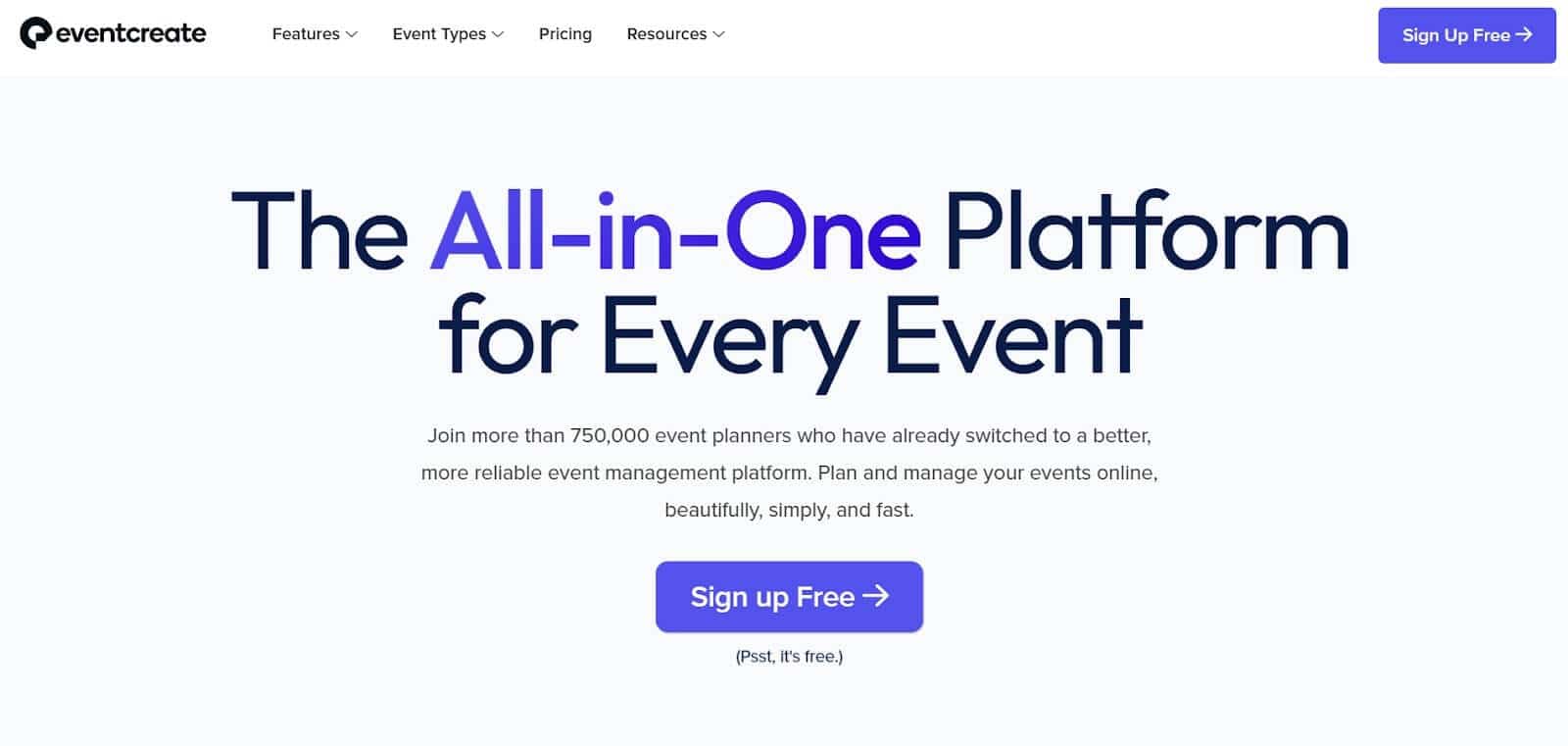
Making it a suitable option for conference organisers whose primary need is a professional public-facing event presence combined with registration and attendee management in one place.
Why We Chose EventCreate
Among the tools on this list, EventCreate offers the most extensive library of professionally designed, conference-ready website templates — giving organisers who need a credible public event presence a faster starting point than building from scratch.
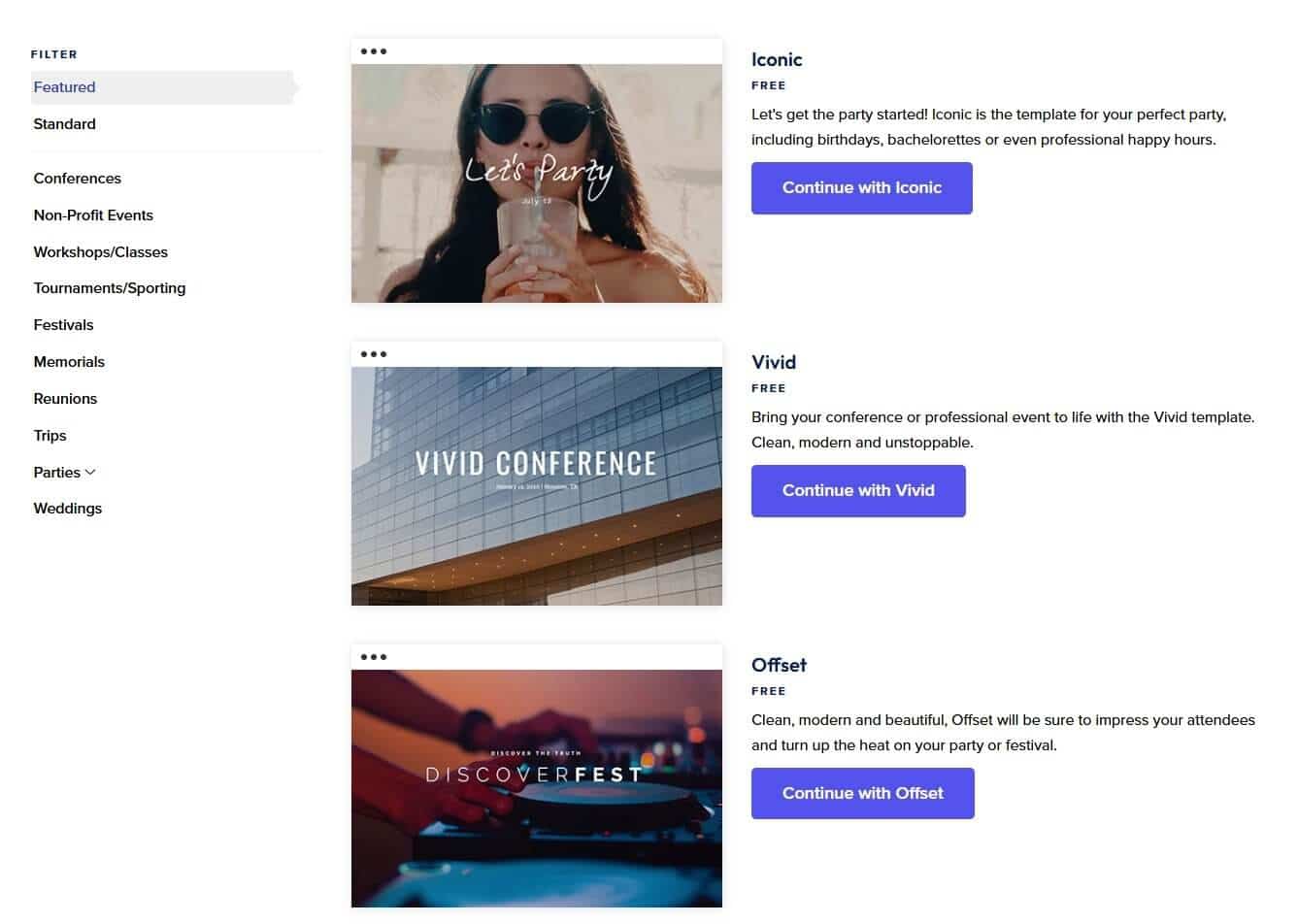
EventCreate's website builder lets organisers choose from handcrafted templates, then add content, import images or videos, customise fonts, and modify the design without any coding or server setup.
For conferences where the event website doubles as the registration and information hub — association annual meetings, professional summits, or public-facing industry conferences — this removes a meaningful piece of pre-event production work.
Key Features
Drag-and-drop event website builder with conference-specific templates and custom domain support
Registration and ticketing with custom form questions, ticket types, and attendee analytics
Speaker, sponsor, and exhibitor management with centralised content updates
Schedule maker with session tracking and personalised attendee agenda views
QR-based check-in app included on paid plans
Pros
Fastest path to a professional, branded conference website without a web developer
Comprehensive feature set covering the full pre-event workflow — invitations, registration, ticketing, communications, and attendee management — in one platform
Free trial available with no credit card required
Strong review scores across Capterra, G2, and GetApp
Cons
The Attendee App is not included in any standard plan — it is listed as a paid add-on requiring a sales conversation.
Collaboration has a hard pricing wall — the entry paid tier ($29/month, $348/year) supports only one collaborator and 250 attendees per event. Adding a second co-organizer requires jumping to the Business plan at $49/month ($588/year)
No published pricing for the Attendee App add-on — the feature most relevant to this article's reader requires contacting sales before you know what it costs
No evidence of PWA architecture — attendees are likely required to download a native app, introducing the adoption friction this article's criteria specifically flag
Pricing
EventCreate's standard plans start at $29/month billed annually ($348/year), covering unlimited events and up to 250 attendees per event with one collaborator.
The Business plan at $49/month ($588/year) supports up to 500 attendees and three collaborators. The Attendee App is a separate add-on at undisclosed pricing. A free trial is available covering one event and up to 50 attendees.
4. Nunify: Best for Conferences Where Attendee Networking and Engagement Are the Primary Outcome
Nunify is an all-in-one event management platform covering registrations, ticketing, event websites, a branded event app, onsite check-in, and gamification — built for in-person, virtual, and hybrid events.
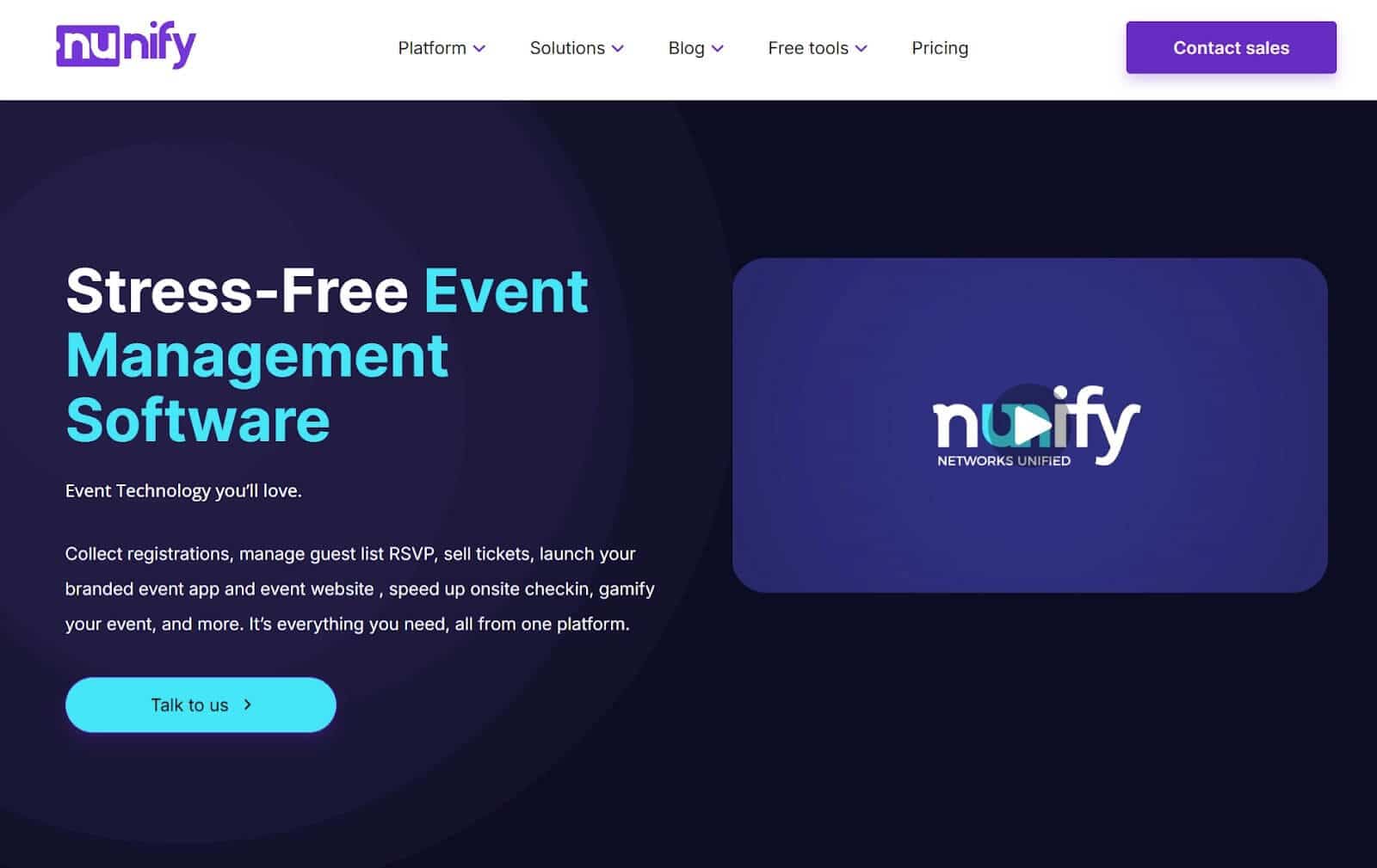
It sits closer to the enterprise end of this list in terms of feature depth, but is frequently cited by organisers as a more accessible and better-priced alternative to tools like Whova — particularly for conferences where structured attendee networking is a core deliverable, not a secondary feature.
Why We Chose Nunify
I chose Nunify because it's the only mobile event app on this list with a built-in AI-powered matchmaking system that connects attendees based on shared interests and complementary profiles — turning your conference app into an active networking engine, not just a schedule viewer.
Nunify's advanced recommendation system matches attendees based on their interests and complementary profiles to provide high-value suggestions and create connections that matter.
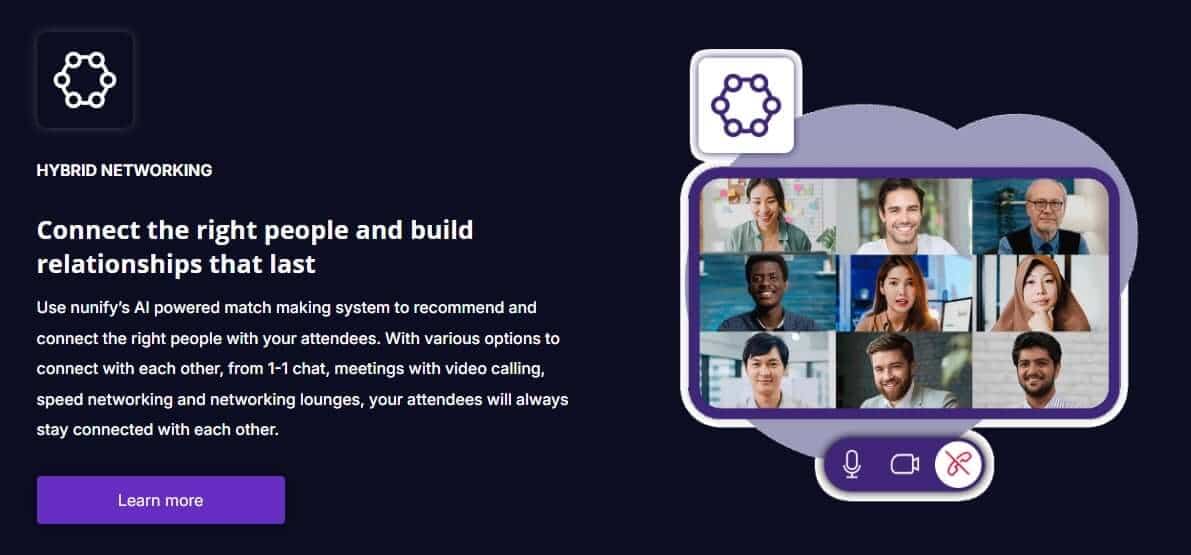
For conferences where attendee networking is the stated reason people show up — industry associations, professional development summits, or corporate events where cross-team connection is the goal — this goes well beyond what a standard event app delivers.
Attendees can connect through 1-1 chat, video meetings, speed networking sessions, and networking lounges, with the AI layer handling the introductions so attendees aren't relying on corridor conversations to find the right people.
Nunify's gamification system layers on top of this, assigning points for interactions within the app, letting attendees advance through levels, earn badges, and compete on a live leaderboard — giving organisers a mechanism to drive participation toward specific sessions, sponsors, or networking moments rather than leaving engagement to chance.
Key Features
AI-powered attendee matchmaking with speed networking, video lounges, 1-1 chat, and meeting booking
Gamification system with points, leaderboards, badges, quizzes, scavenger hunts, and photo and video contests
Branded event app with registration, ticketing, onsite check-in, and live engagement tools in one platform
Real-time push notifications and schedule management with live updates
GDPR compliant, ISO 27001 certified, with 24/7 support included
Pros
Support team is consistently praised across reviews — responses typically within 24 hours, with teams going beyond standard troubleshooting to help configure features to specific event needs
Attendee engagement features — particularly chat and social wall — generate noticeably high participation even at first use
Scalable to organisation size — small teams report being able to use only the modules they need without being forced into features that don't fit their event
Frequently mentioned as a well-priced alternative to Whova for organisers who want networking depth without enterprise-level commitment
Cons
Experience inconsistency between iOS and Android has been flagged by users, with the Android experience reported as less polished
No publicly available pricing — a sales conversation is required before you know what it costs, which makes budget planning harder in early evaluation stages
Feature depth may be more than a straightforward 200-person conference needs: The networking and gamification infrastructure is powerful but adds configuration complexity
Pricing
Nunify does not publish pricing publicly. Multiple user reviews describe the pricing as straightforward and reasonable relative to feature depth, and it is consistently cited as more affordable than Whova. However, getting the exact figures requires direct contact. No free trial is publicly listed.
5. Guidebook: Best for Associations and Institutions Running Recurring Annual Conferences
Guidebook is an event app and management platform built for organisations that run conferences on a recurring calendar and need a consistent, professional mobile experience their attendees recognise from year to year.
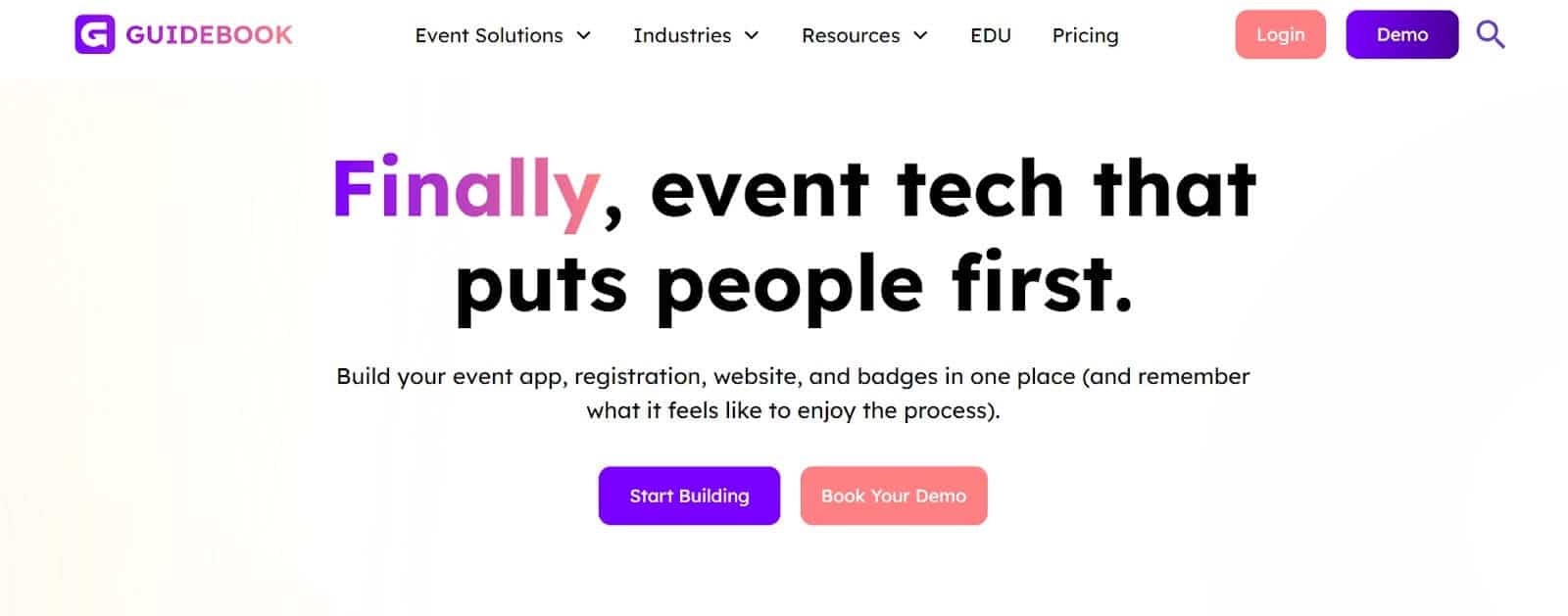
It covers registration, check-in, badges, scheduling, and a branded attendee app with customers skewed heavily toward higher education, professional associations, and nonprofits, where the conference app is as much a brand touchpoint as it is a logistics tool.
Why We Chose Guidebook
Guidebook’s Branded Spaces is a standout feature among mobile event apps for conferences. It is a centralised, custom-branded hub where organisations can house multiple event guides in one place, giving attendees a seamless, on-brand experience across every event they run.
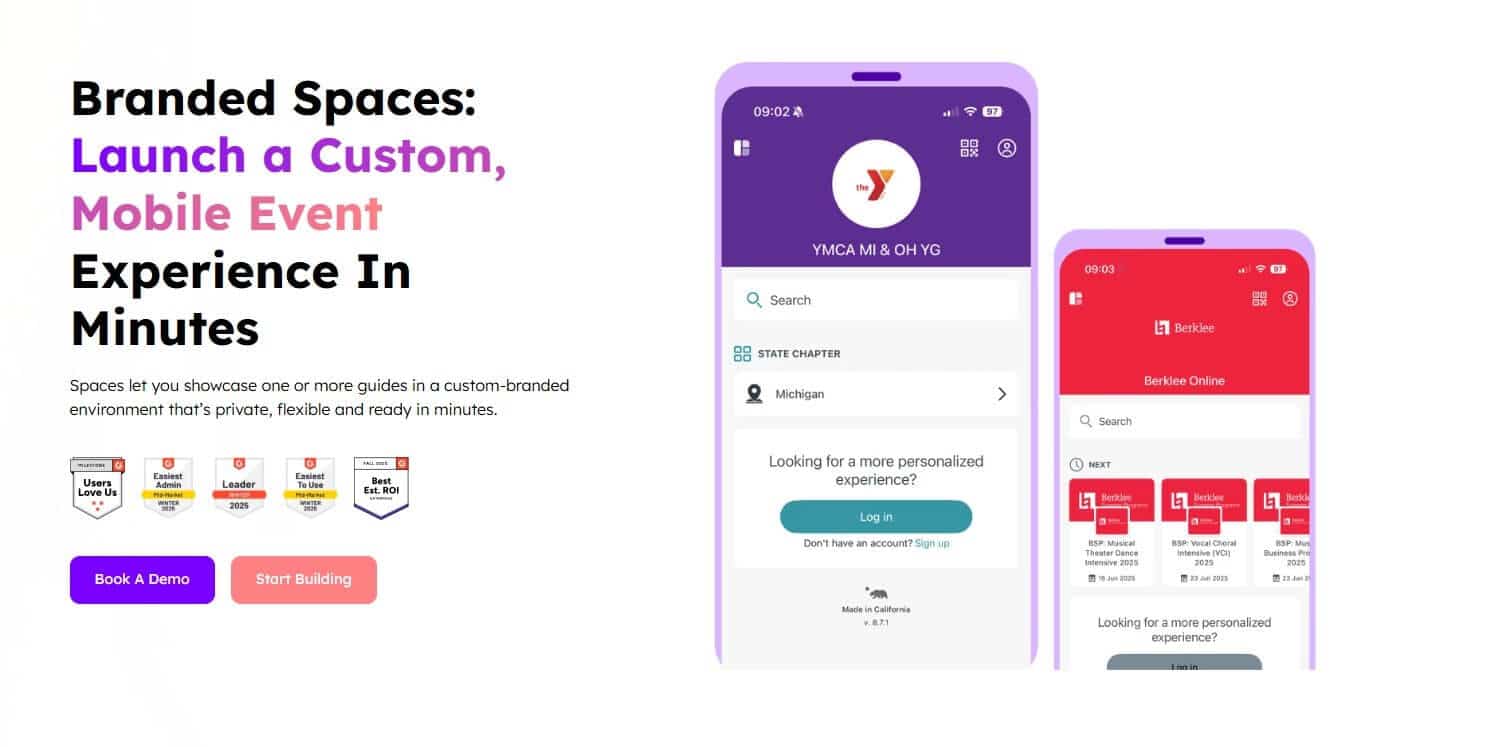
For a single annual conference, this may be more than you need. But for associations hosting an annual conference, a regional summit, and a member training day Guidebook’s Branded Spaces lets you organize all your event apps in one private, flexible hub that's ready in minutes, without app store approval delays.
Attendees open the same branded experience every time, building familiarity and trust across events rather than starting from scratch with each one.
Key Features
Branded Spaces — a centralised hub for organizing multiple event apps under one custom-branded experience
Native iOS and Android apps with offline access, making 80%+ of content available without connectivity
Real-time push notifications, live polls, forms, surveys, and session feedback collection
Session registration with room capacity limits, waitlists, and attendance verification
Registration, badge design, and QR check-in included across plans
Pros
Strong track record with higher education, associations, and nonprofits — with a 10% nonprofit discount available
No hidden fees — pricing is transparent with clear upfront costs per plan
Dedicated Account Manager included on Event, Year-Round, and Unlimited plans
Particularly well suited for organisations replacing printed programs across recurring annual events
Cons
Entry price is $1,999 for up to 200 attendees — the highest starting price on this list, and meaningful for teams evaluating cost against event scale
Native app architecture means attendees need to download the app — the adoption friction our article's criteria specifically flag applies here
The Branded Spaces feature and multi-event hub architecture are most valuable to organisations running several events per year; for a single annual conference, the pricing may be harder to justify
Append after the Cons block closes: "If the pricing or native app requirement rules Guidebook out for your event, our full guidebook alternative breakdown covers every option worth considering at that budget.
Pricing
Guidebook's Small Event plan starts at $1,999 for up to 200 attendees. The Unlimited plan is custom-priced and includes a fully branded native app for iOS and Android. "A nonprofit discount of 10% is available on all plans. If that starting price doesn't match your event budget, see our guidebook alternative comparison for tools suited to smaller conference scales."
6. Yapp: Best for Budget-Conscious Teams Who Need a Simple, No-Frills Conference App Fast
Yapp is a drag-and-drop event app builder designed for marketers, event organisers, and association leaders without a design or development background. It is a lightweight option that delivers the conference app essentials without the overhead of a full event management platform.
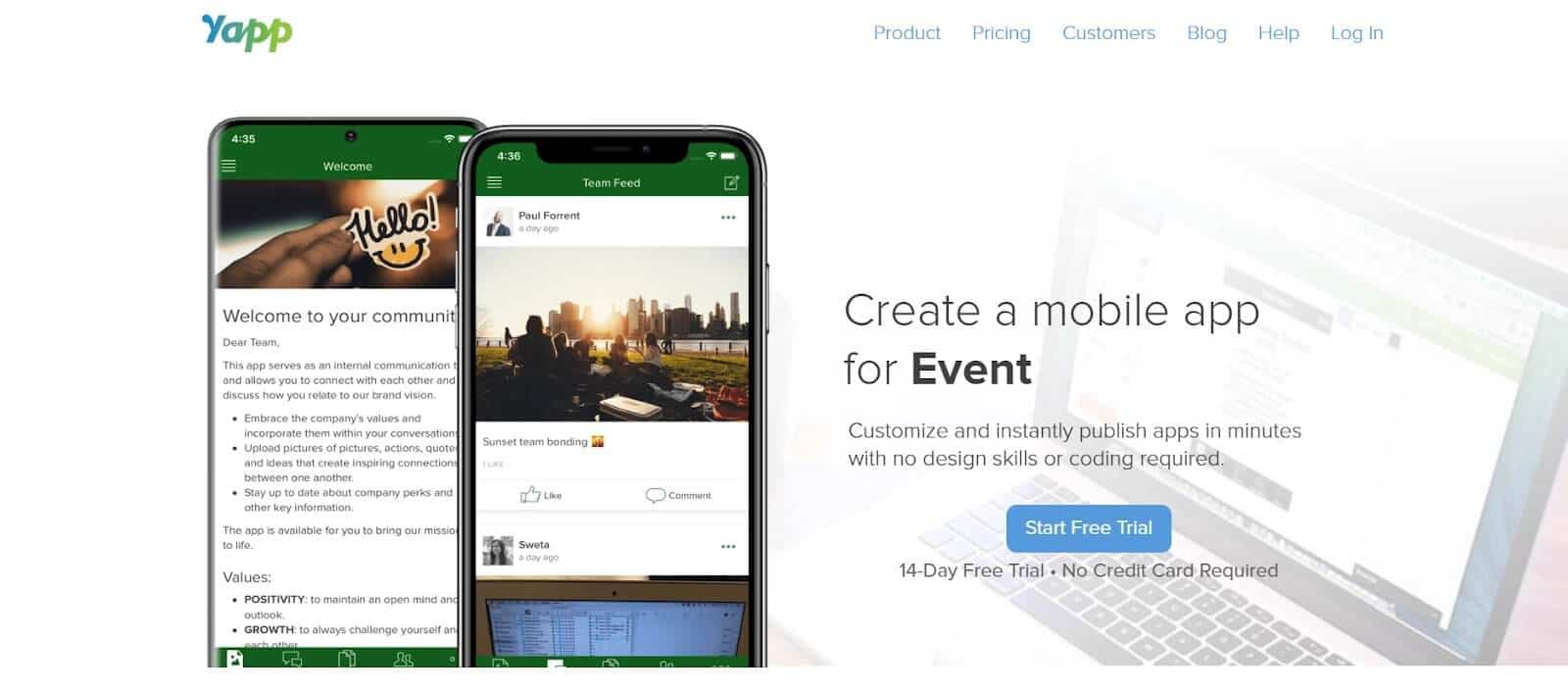
Trusted by organisations including Microsoft, Capital One, Toyota, and the YMCA, it has a long track record with smaller teams and budget-constrained organisations who need to get a professional app live quickly.
Why We Chose Yapp
Yapp’s pricing is a standout feature. For nonprofit teams, small associations, or organisers running a single annual conference on a tight budget who still want a native iOS and Android experience for their attendees, Yapp offers that at a per-app annual pricing starting at $399, it is one of the lowest published price points for a fully functional native conference app.
Yapp uses a container app model that allows for instant publishing and updating without needing approval from the Google Play Store or Apple App Store. It’s not exactly as easy as Lineupr’s PWA access, but it equally removes one of the most common delays associated with native app delivery.
Key Features
Drag-and-drop app builder with rich digital schedules, speaker bios, venue maps, and sponsor profiles
Unlimited push notifications and unlimited pages with instant publishing
In-app social feed where attendees can share photos, videos, and comments
Live polling and real-time attendee engagement analytics
CSV bulk upload for speakers and sponsors — available on Core plan and above
Pros
Consistently rated 4.8/5 for ease of use across Capterra, G2, and GetApp — one of the highest ease-of-use scores in the mobile event apps category
Particularly well suited for nonprofits and budget-conscious teams — straightforward pricing that doesn't require a sales conversation
Organizers who return to Yapp after trying more expensive platforms consistently cite its simplicity and the ability to publish changes immediately without involving a third party
14-day free trial with no credit card required
Cons
Users say content updates made after attendees have already downloaded the app are not always syncing correctly
Content import is locked behind the Core plan ($649/yr) — the Basic plan ($399/yr) requires manual data entry, which adds meaningful setup time for conferences with large speaker or session rosters
No direct attendee messaging or group chat — the social feed is available but 1-1 communication between attendees is not supported
Pricing
Yapp's Basic plan is $399/year for one app with one administrator. The Core plan — the most popular — is $649/year and adds content import, post scheduling, app privacy controls, analytics, and priority support. The Team plan is $799/year and adds multiple administrators, phone support, and social feed moderation. All plans are annual and cover a single app for up to one year of hosting. A 14-day free trial is available with no credit card required.
Found The Right Mobile Event App for Your Next Conference?
Every tool on this list solves a real problem for a specific type of organizer. If you run two to five conferences a year without a dedicated event tech team, and your primary constraints are setup time, attendee adoption, and a budget that has to make sense before you enter a sales conversation — LineUpr is the tool built for that situation.
You can have the full app live before the week is out. Attendees open it from a link or QR code and they're already inside — no download, no account, no friction. And you pay per event, for the features you actually need, with nothing bundled for a conference you're not running.
If that sounds like the right fit, you can build your complete conference app for free.
What is the best free mobile event app for conferences?
Apps like LineUpr, Yapp, Eventcreate, and Sched are some of the strongest conference event apps with free access. LineUpr’s free tier lets you build and preview a complete, fully branded event app. You only pay when you're ready to publish and go live, with full events starting from $179. No credit card is required.
Do mobile event apps work on Android?
Yes many mobile event apps work on Android and IOS devices. The experience depends on whether the app is a native app or a Progressive Web App (PWA). Native apps require attendees to find and download the app from the Google Play Store. PWA don’t require any downloads.
Do I need a separate registration tool if I use a conference app?
It depends on which tool you choose. Several options on this list — including Sched, EventCreate, Nunify, and Guidebook — include registration and ticketing as part of their platform, so you can manage the full attendee journey in one system. LineUpr and Yapp focus on the attendee-facing event experience and do not handle registration natively. If you already have a registration system you're happy with — Eventbrite, Tito, or a custom form — tools like LineUpr and Yapp work alongside them without requiring a migration.
What is the difference between a native app and a web app for conferences?
A native app is downloaded from the App Store or Google Play and installed on an attendee's device. A Progressive Web App (PWA) runs in the browser and requires no download, attendees access it via a link or QR code. Both approaches have genuine trade-offs. Native apps typically offer more robust offline functionality, a more polished device-native experience, and can be found via app store search. Web apps remove the download barrier entirely, work across all devices without separate builds, and can be accessed instantly, but depend on an initial internet connection to cache content.