The 7 Best Event Apps for Attendee Networking, by Event Size
July 19, 2026 · Wout Criekemans · 17 minute read
Table of Contents
Most event apps promise networking; some even with the latest AI matchmaking power, but none of that matters if your event size doesn't match the capabilities of the tool.
In fact, the wrong networking app can make the room feel smaller than it is at a 300-person event — even if it has the most state-of-the-art matchmaking feature.
Not because the tool itself is bad, but because, in most cases, AI matchmaking needs detailed attendee profiles to provide good suggestions.
And when the room is already small enough that people find each other on their own, and a half-filled attendee list never gives the algorithm enough to work with, the feature you were sold on sits idle, and the tool underdelivers.
So in this article, we review seven event app builders that support attendee networking and the event size they're a good fit for.
If your event is 200 - 500 people and registration is already handled, you can skip the short list and build your event networking app for free. Preview how attendees can interact with each other's profiles and schedule 1:1 video calls or meetings at your event. No credit card needed.
Here’s an overview of the top seven event apps for attendee networking:
Tool | How attendees get in | Best fit | Networking model | Starting price |
LineUpr | Browser link or QR code, no download | 200–500 attendees, registration already handled | Attendee profiles, public and private chat, contact exchange and appointment requests | $1,392 per event (300 attendees, Platinum) |
Eventee | Browser or app-store download | 200–1,000 attendees wanting mutual swipe matching | Swipe-to-match profiles, private chat and one-to-one meeting scheduling | $1,499 per event (200 attendees) |
Whova | Browser or app-store download | Multi-track conferences above 1,000 | Searchable profiles, direct messaging, community boards, meetups and matchmaking suggestions | Quote only, plus 3.0% + $0.99 per paid ticket |
Brella | Browser or app-store download | Conferences built around pre-booked meetings | AI-supported matchmaking based on interests and intent, followed by chat and meeting scheduling | Quote only |
b2match | Browser or app-store download | Brokerage and buyer-seller events | Profile recommendations, participant catalogue, messaging, automated meeting schedules and video meetings | From €699 a year, up to 100 participants |
Swapcard | Browser or app-store download | Trade shows needing exhibitors and lead capture | AI recommendations, attendee chat, meeting booking, profile sharing and exhibitor lead capture | From $610 a year (engagement only) |
Bizzabo | App-store download | Enterprise multi-event programmes | Profiles, messaging, AI matchmaking, meeting scheduling and Klik SmartBadge contact exchange | From $17,999 a year, 3-user minimum |
How we chose these event networking apps
We scored each tool on the eight features that decide whether attendees connect at a mid-sized event:
Attendee access: how quickly attendees can access the app and start browsing other people, and can you measure how many did?
Attendee directory: can guests browse who is coming and filter by name or company?
Match recommendations: does it suggest relevant people, so nobody scrolls hundreds of profiles?
In-app messaging: can attendees message each other before and after the event, not only during it?
Meeting scheduling: can a guest request a meeting and get it into both calendars without email?
Contact exchange: can attendees swap details digitally instead of relying on business cards?
No-download access: is browser access the promoted default, or a fallback the vendor buries?
Self-service setup: can two non-technical people build and run it without waiting on IT?
With that in mind, here are the best attendee-networking apps by event size.
Best attendee-networking apps for mid-sized events
1. LineUpr: The custom-build zero-download option for mid-sized events. Attendees can join without downloading an app
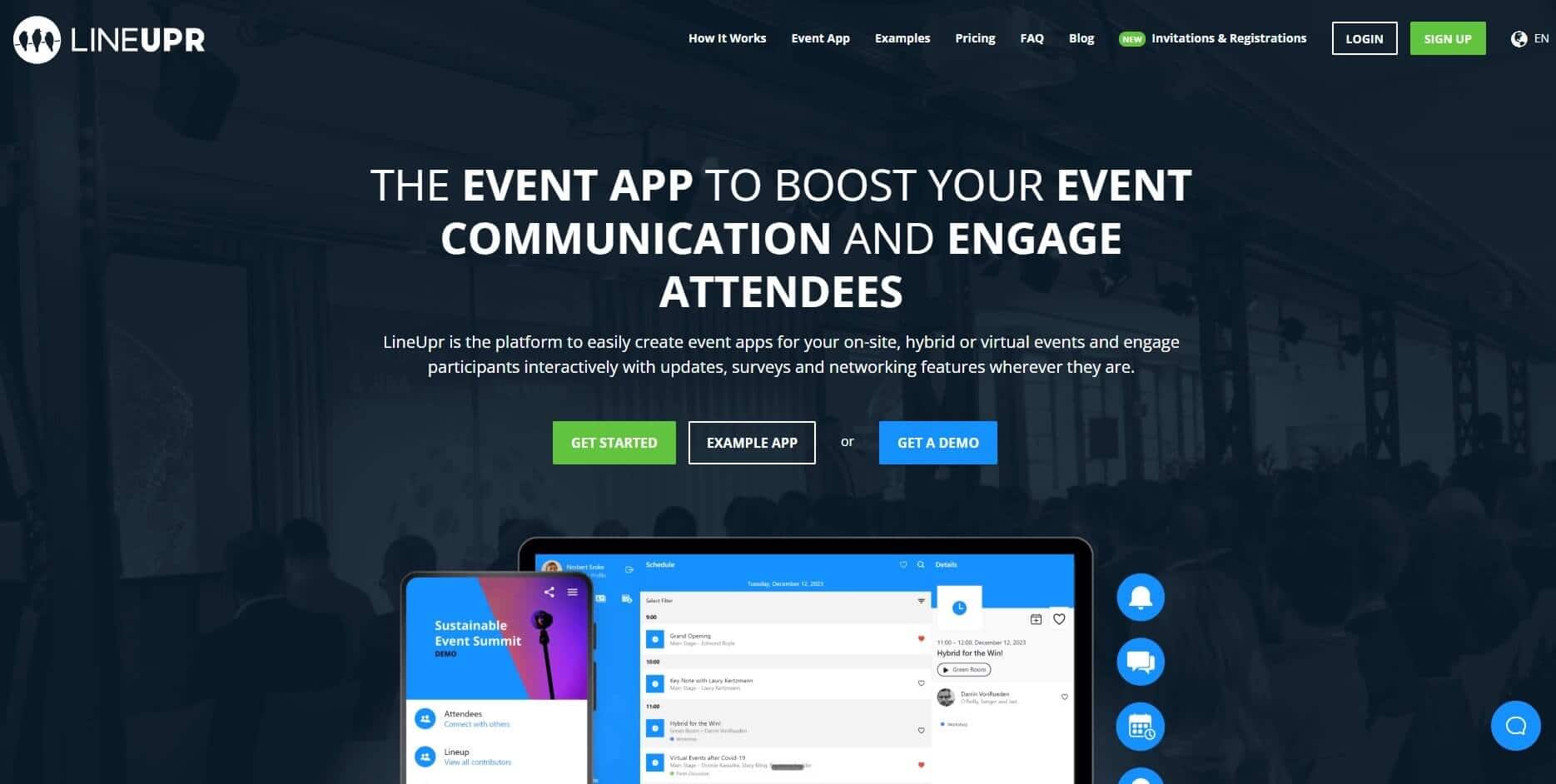
LineUpr is a self-service event app builder that makes it easy for non-technical event coordinators to get every attendee into a networking-ready app, without downloading a mobile app or waiting on DevOps to set it up. It’s an event app layer though, so it’s best for teams that need the in-event experience and have a separate registration stack or a curated list of attendees.
You build your event networking app in a visual editor; configuring on the left and watching the app render on the right. There’s no code and no design software.
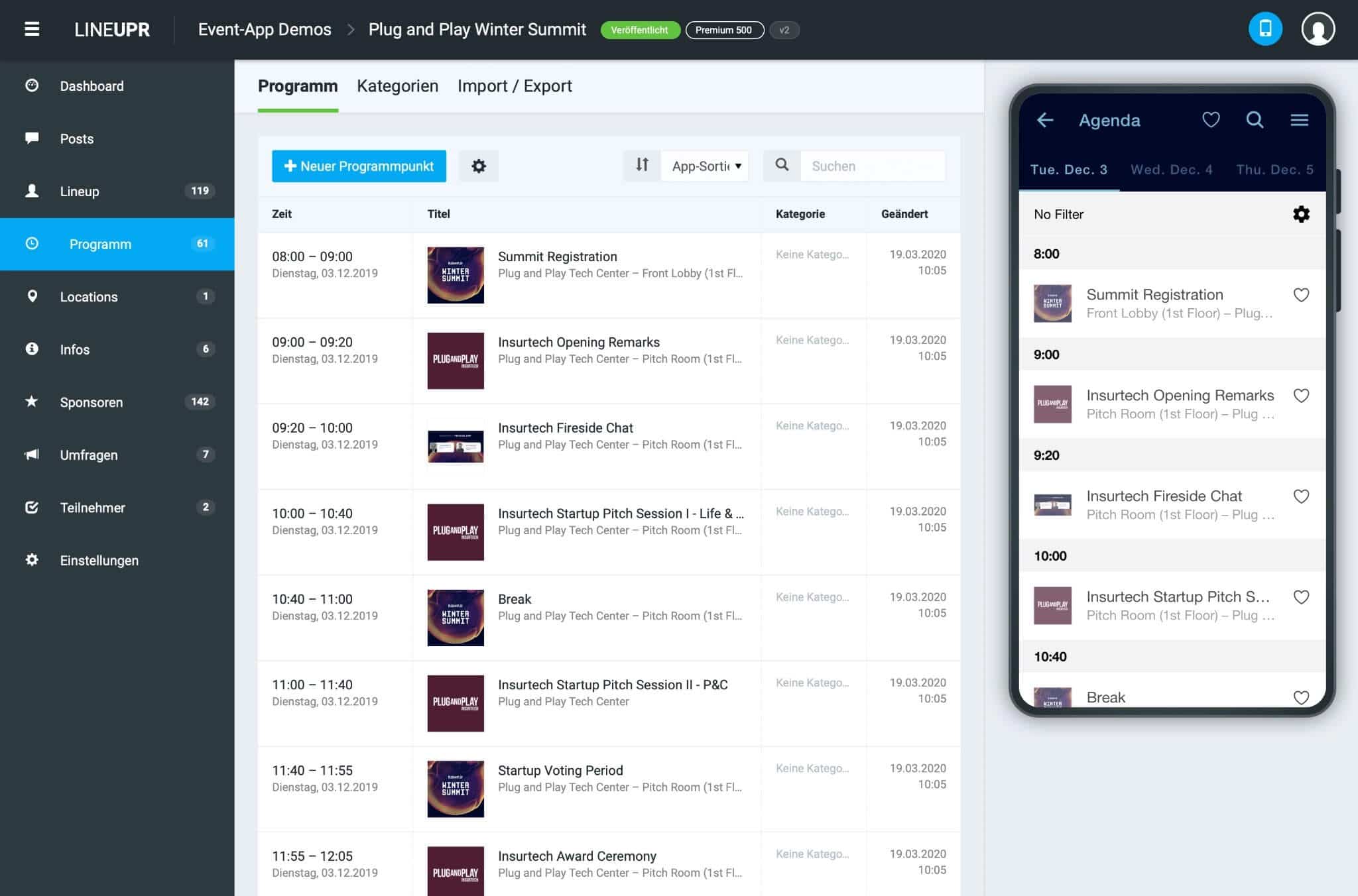
Get a branded event app live in an afternoon
You can add the programme and the speaker profiles, then import session data from Excel or CSV. Nicole Schiertz of the Marketing Club Dresden spent about four hours creating all the content, the attendee list and the surveys for her summer marketing event. She had no developer to help, and it looked like this:
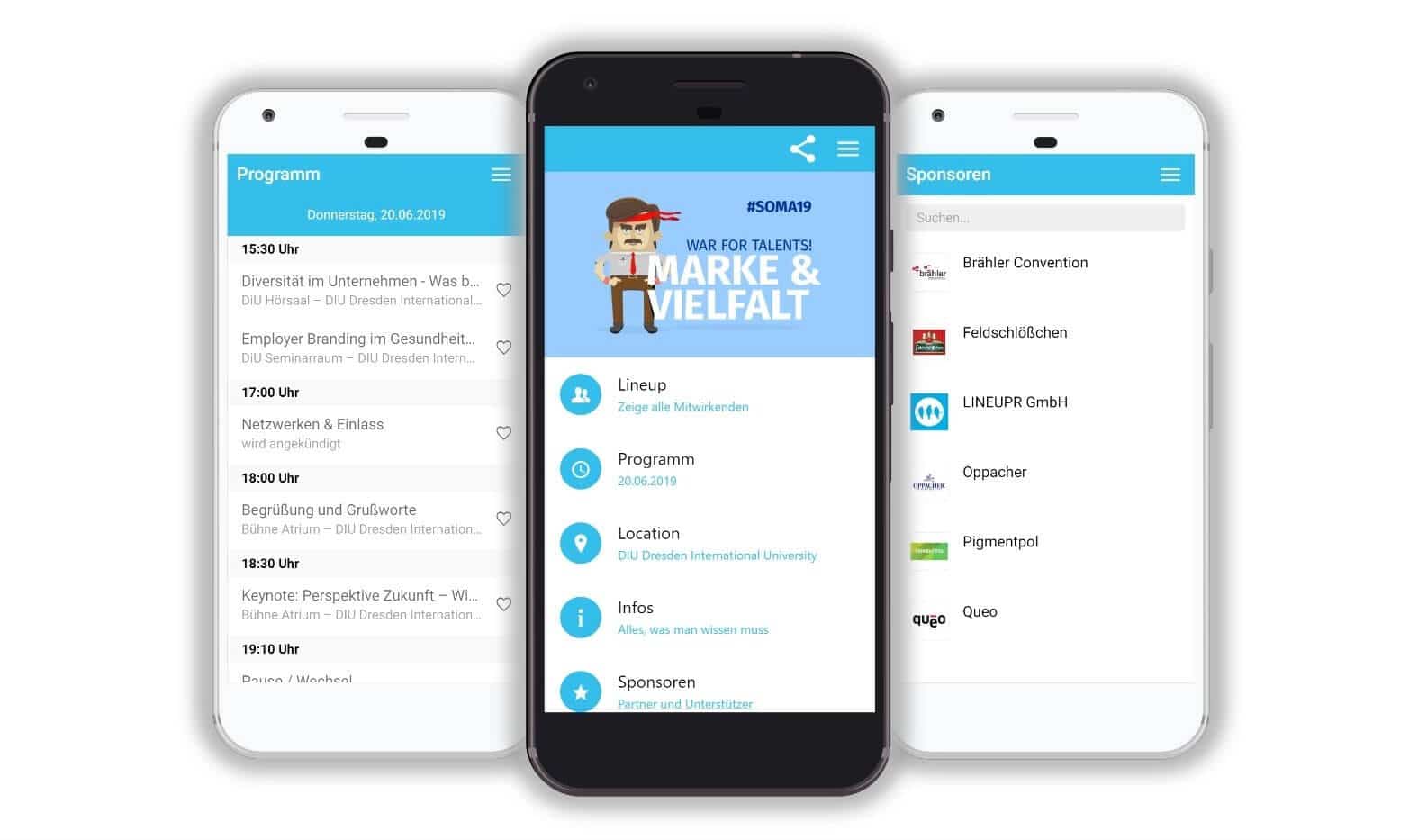
When you publish, attendees open the app from a browser link or by scanning a QR code on their badge. They’re inside in seconds. And because there’s no mobile app download, the corporate IT policy that blocks third-party apps on managed work phones doesn’t apply.
Build and preview your full event app for free, with no credit card required.
Increase attendee adoption with engagement features
LineUpr has features such as QA, polls, and live surveys that engage attendees at your events. You can see the total number of attendees that tuned in and also use a live feed to broadcast results from polls and surveys.
Gregor Karmann, head of Marketing at Perform Better Europe, also used LineUpr at the Functional Training Summit in Munich for more than 800 coaches. His verdict: "The participants were able to find their way around easily and were able to create their own plans with the app."
Give attendees a way to connect directly
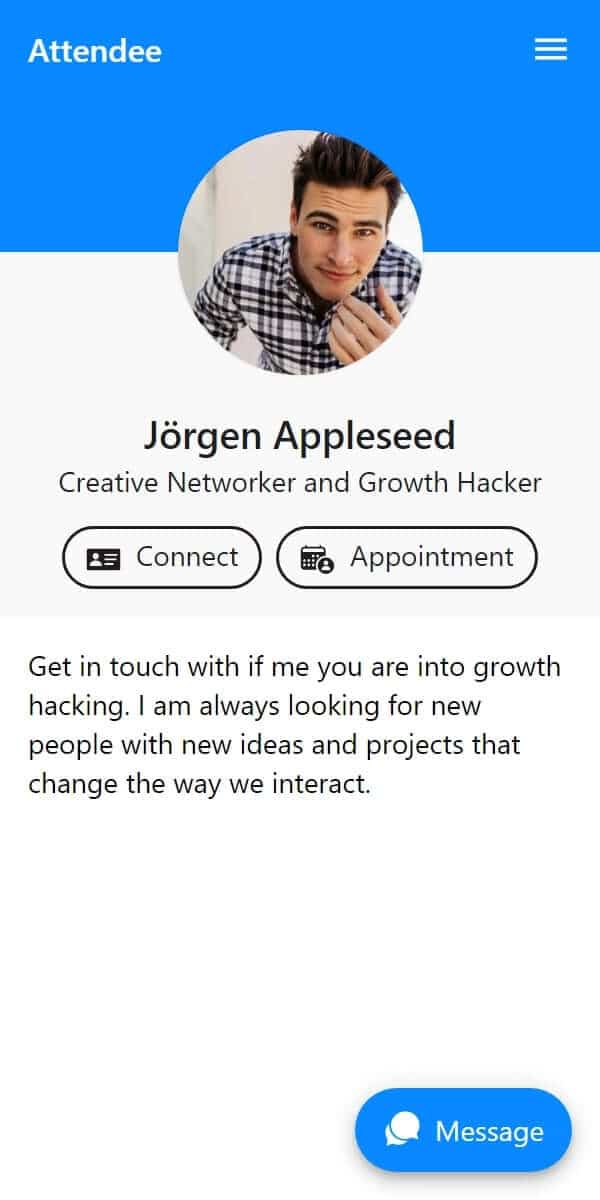
In your event app, each attendee can create a profile and you can import profiles via CSV beforehand so the directory isn’t empty on event day. They can browse other attendees, then message each other through public and private chat.
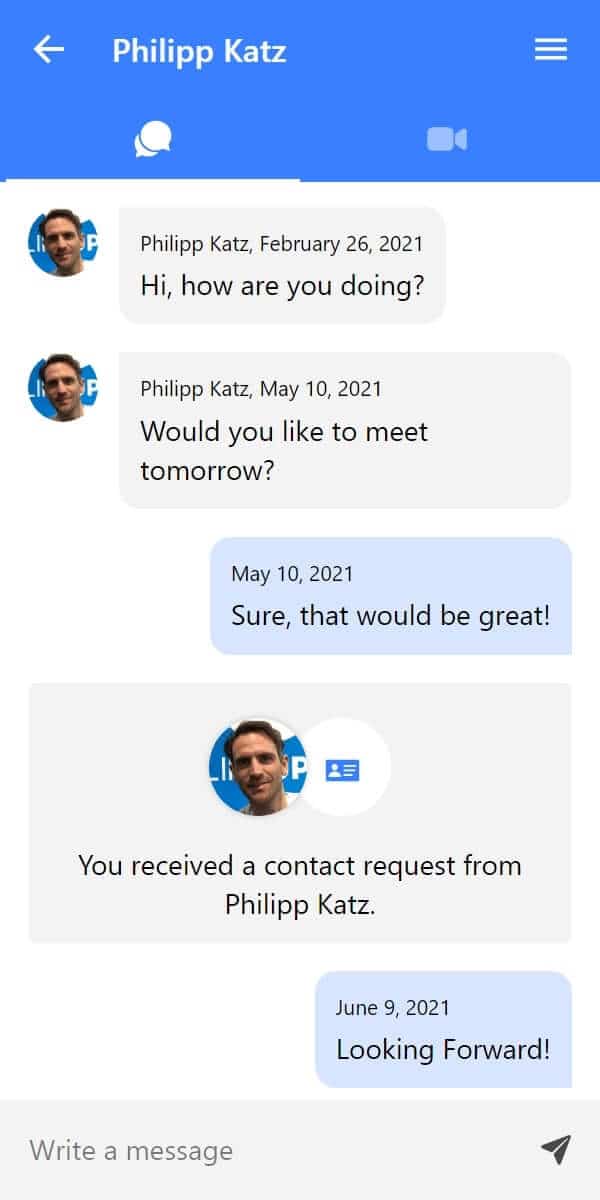
When two attendees connect, LineUpr allows them to exchange details including email and phone number so they can connect outside the event app. With appointments feature, you can also set the tables and the time slots for 1:1 networking, and attendees can book each other into these slots.
Key features
Progressive Web App (PWA) model: attendees open the app from a browser link or QR code, without an app-store download.
Attendee networking: attendees can view other attendees profiles, use public chat, private chat, exchange contacts, and schedule video calls in LineUpr.
Appointments: you arrange tables and time slots as part of the event, then attendees can book 1:1 meetings inside the app.
Self-service app editor: non-technical organisers can build and update the app without developer support.
Live preview and imports: the editor shows changes as you build, with Excel and CSV import for event data.
Live polls and Q&A: attendees can answer polls, submit questions, and upvote questions during sessions (Premium and above).
Offline access after first load: attendees can still view saved event content if the venue connection drops.
Pros
Easy to build; non-technical organisers can build and run it without a developer or an agency.
Per-event pricing with no annual lock-in.
Attendees swap contact details inside the app, and keep them afterwards.
Higher attendee adoption because guests open the app by link or QR code.
GDPR-conscious hosting in Germany.
Cons
Networking is only available in the Platinum tier, the most expensive one.
There is no matchmaking engine, so attendees find each other by browsing and searching.
There is no gamification or leaderboard to nudge quieter attendees into connecting.
Networking requires each attendee to sign in.
Pricing
Priced per single events or multiple annual events (discount apply for the latter).
Single event, Platinum: $647 for up to 50 attendees, $1,392 at 300, $1,954 at 500.
Flex subscription, Platinum: $1,510 a year for two events with 300 total attendees, $2,723 a year for four events with 600 total attendees.
Build and preview your full event app for free, no credit card required.
2. Eventee: For small and mid-sized events that want mutual matching
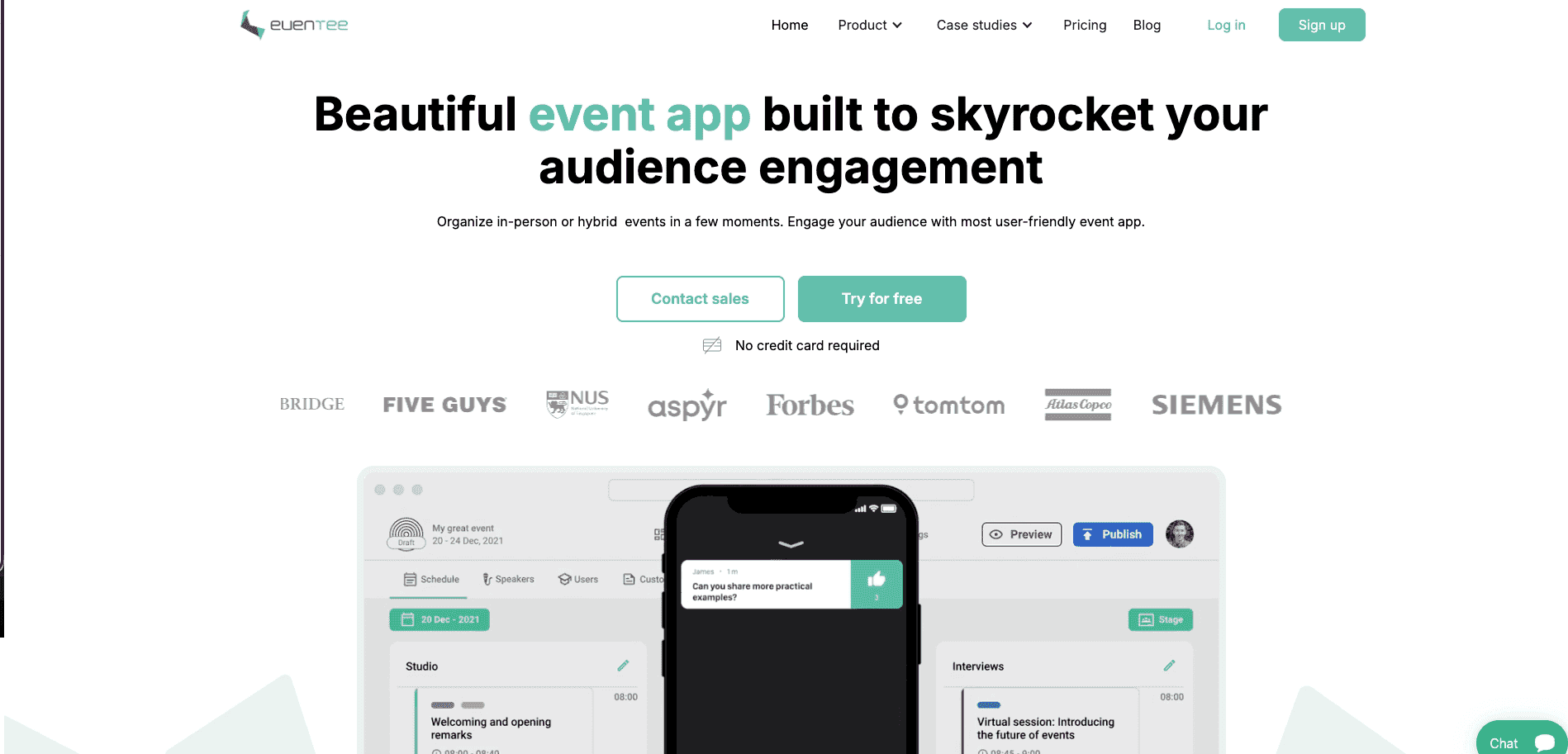
Eventee is a mobile and web event app built around a swipe-to-match networking model. Attendees browse profile cards and swipe to show interest. When two people swipe right on each other, they match, which unlocks access to private chat and their contact details.
Key features
Browser app and mobile app on every plan.
Swipe-to-match profiles, with private chat unlocked after a match.
Attendee directory searchable by name, position and company.
Meeting scheduler that drops confirmed meetings into both attendees' agendas.
Gamification, awarding points for networking interactions and ranking them on a leaderboard.
Multi-room timeline view for organisers managing session overlaps.
Pros
Fast to set up, with a clean interface.
Networking is included on every tier, even the entry plan.
Contact details stay private until both attendees have matched.
Gamification gives quieter attendees a reason to start connecting.
Provides instant visual insights into attendee behaviors, feedback, and session popularity.
Cons
Matching is manual, with no AI recommendations yet.
Chat is one-to-one only, with no group chat.
The entry plan costs $1,499 for a single 200-attendee event, more than double LineUpr's Platinum equivalent.
Pricing
Single event pricing from $1,499 to $2,499 and $3,499
Multiple events pricing starts from $2,999 for 3 events, $4,99 for 6 events, and custom pricing for more.
Best networking apps for larger conferences
Above roughly 1,000 attendees, matchmaking starts earning its keep. There are enough profiles for an algorithm to have something to work with, and enough people that browsing a directory stops being practical. These three are built for that.
3. Whova: For multi-track conferences where networking is important
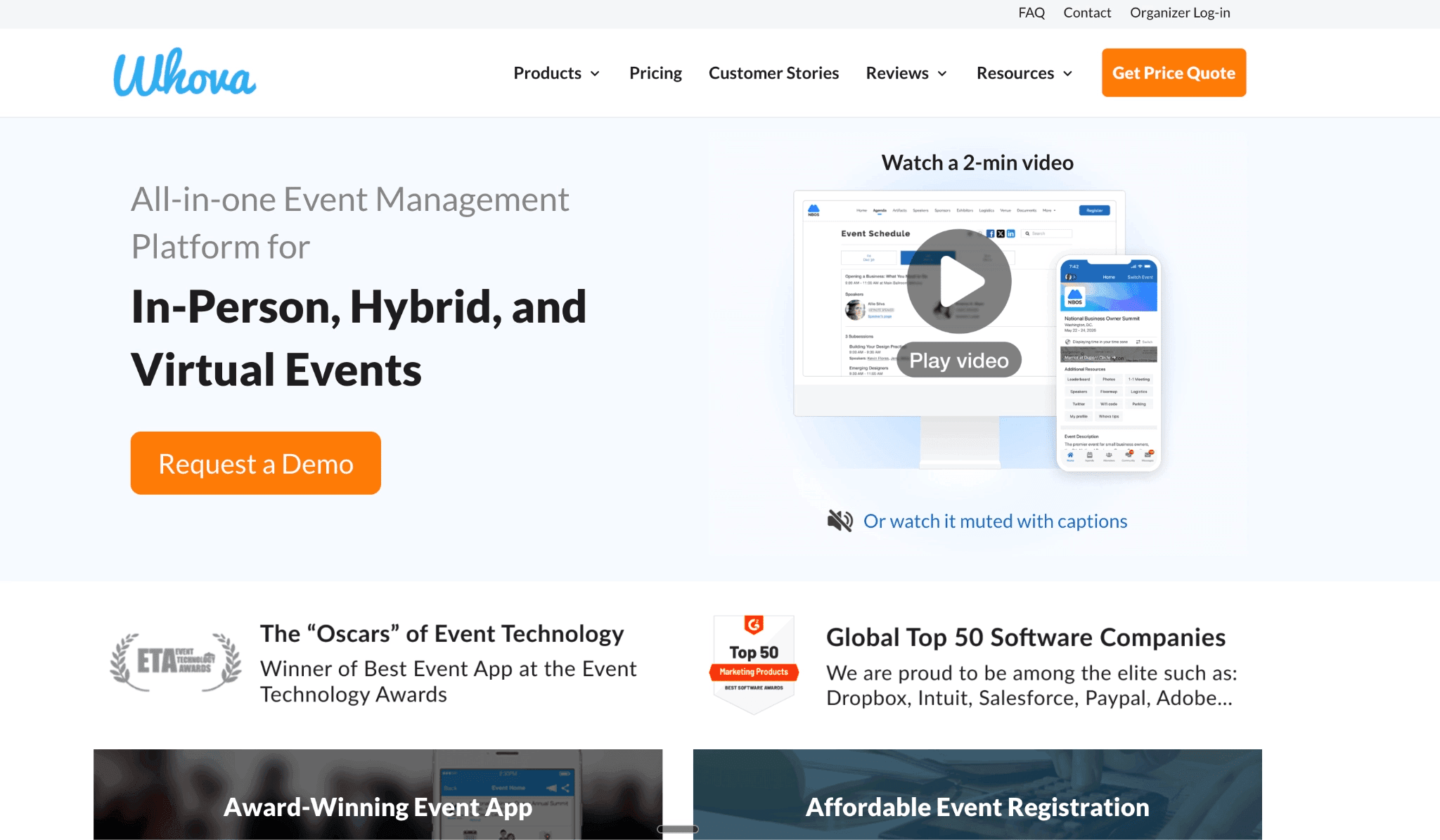
Whova is an app-first conference platform, and a recognised brand in this category for good reasons. Attendees get a
Searchable directory,
Matchmaking suggestions,
One-to-one and group messaging,
Community discussion boards, and
Meetups and a business-card scanner.
At a 2,000-person conference with parallel tracks, this feature stack is genuinely useful.
Whova also has a browser version, although the full networking experience is in the mobile app. You can read more about Whova in our Whova vs Yapp review.
Key features
Attendee directory with SmartProfiles, which pre-fill from the organiser's registrant list before the event opens.
Matchmaking suggestions and one-to-one meeting scheduling.
In-app one-to-one and group messaging, plus community discussion boards.
Business-card scanning and exchange.
Live polls, Q&A and gamification alongside the agenda.
Sponsor monetisation through tiered banners, digital booths and lead retrieval.
Pros
The deepest networking feature set here for large crowds.
Strong engagement at multi-thousand-attendee conferences, through its agenda and community boards.
Community boards and attendee-led meetups drive connections the organiser never has to broker.
Cons
Attendees report excessive notifications and promotional emails during events.
The interface is dense enough, which presents a steep learning curve for first-time users.
Platform pricing is quote-only, so you cannot compare it without a sales call.
Pricing
Custom, but according to our research, can be up to $2,000 per event, without extra fees.
A registration processing fee of 3.0% + $0.99 per paid ticket if using Whova's registration tools
4. Brella: For conferences built around pre-booked one-to-one meetings
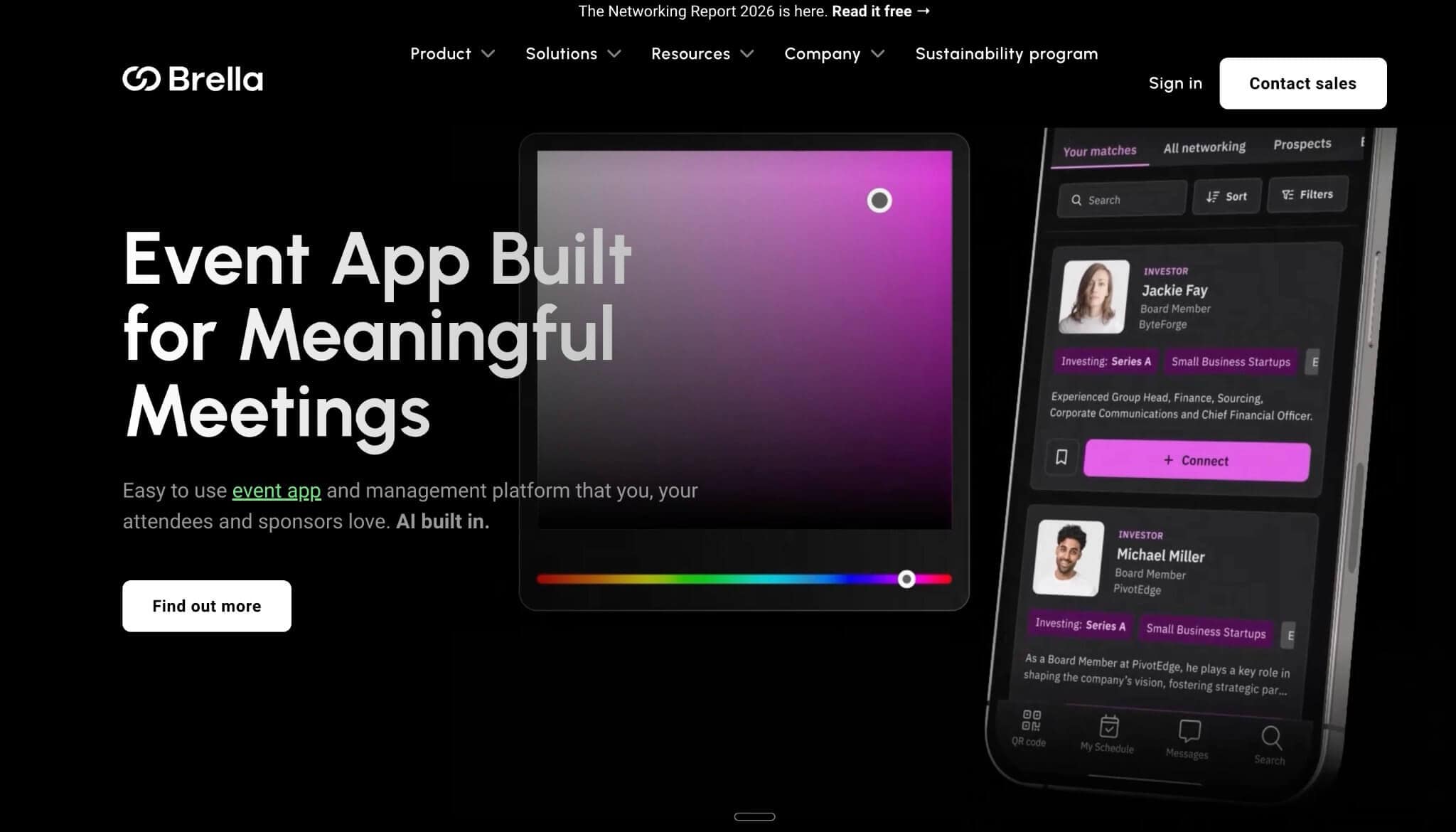
Brella exists to make structured meetings happen. Attendees state their interests and their intent when they join, and Brella's matchmaking algorithm ranks the best matches from hundreds of data points. An attendee suggests a meeting, the other accepts, and Brella assigns them a table automatically.
It helps facilitate connections that would not have occurred through badge scans or manual profile browsing, especially at 2,000+ person events where the attendee directory is too large to search casually. It also depends entirely on attendees filling in their profiles and intents properly.
Key features
AI matchmaking that ranks attendees on stated interests and networking intent.
Automated table assignment once a meeting is confirmed.
Responsive web app, plus native iOS and Android apps.
Multi-track agenda builder covering concurrent stages and live streams.
Sponsor dashboards tracking lead generation and profile views.
White-labelled mobile app for organisers who want their own branding.
Pros
Virtual and hybrid meeting support
Matchmaking is the core product.
Confirmed meetings get a table number without an organiser touching it.
In-app chat lets attendees talk before committing to a meeting.
Organiser analytics show how much networking actually happened.
Cons
The model needs completed profiles, so a half-filled attendee list will weaken the algorithm.
No free trial available, so every route in is a sales conversation.
Brella publishes no pricing at all, which makes it hard to size against a small budget.
Pricing
Custom pricing applies. According to Vendr, it can be as much at least $10,930 and at most $230,818, with a median bill of $47,546.
5. B2match: For brokerage events and buyer-seller programmes where meetings are the whole point

b2match is built for matchmaking events: trade missions, brokerage days, and buyer-seller programmes where introducing potential business partners is the primary purpose. Participants create profiles, browse the registered participant catalogue, and send meeting requests. Confirmed meetings reflect in the guest’s personal schedules, and take place at designated tables at the venue or in a virtual room.
b2match is a good fit if your goal is to produce 400 qualified business meetings in two days. It’s also has more structure and feature stack than a 300-person conference needs, where most of the value is in people finding each other informally.
Key features
Participant catalogue with areas of activity and stated interests.
Meeting requests, availability management and automated meeting schedules.
AI participant recommendations and an AI meeting generator (both add-ons).
Opportunities marketplace, where participants publish business needs others can filter (add-on).
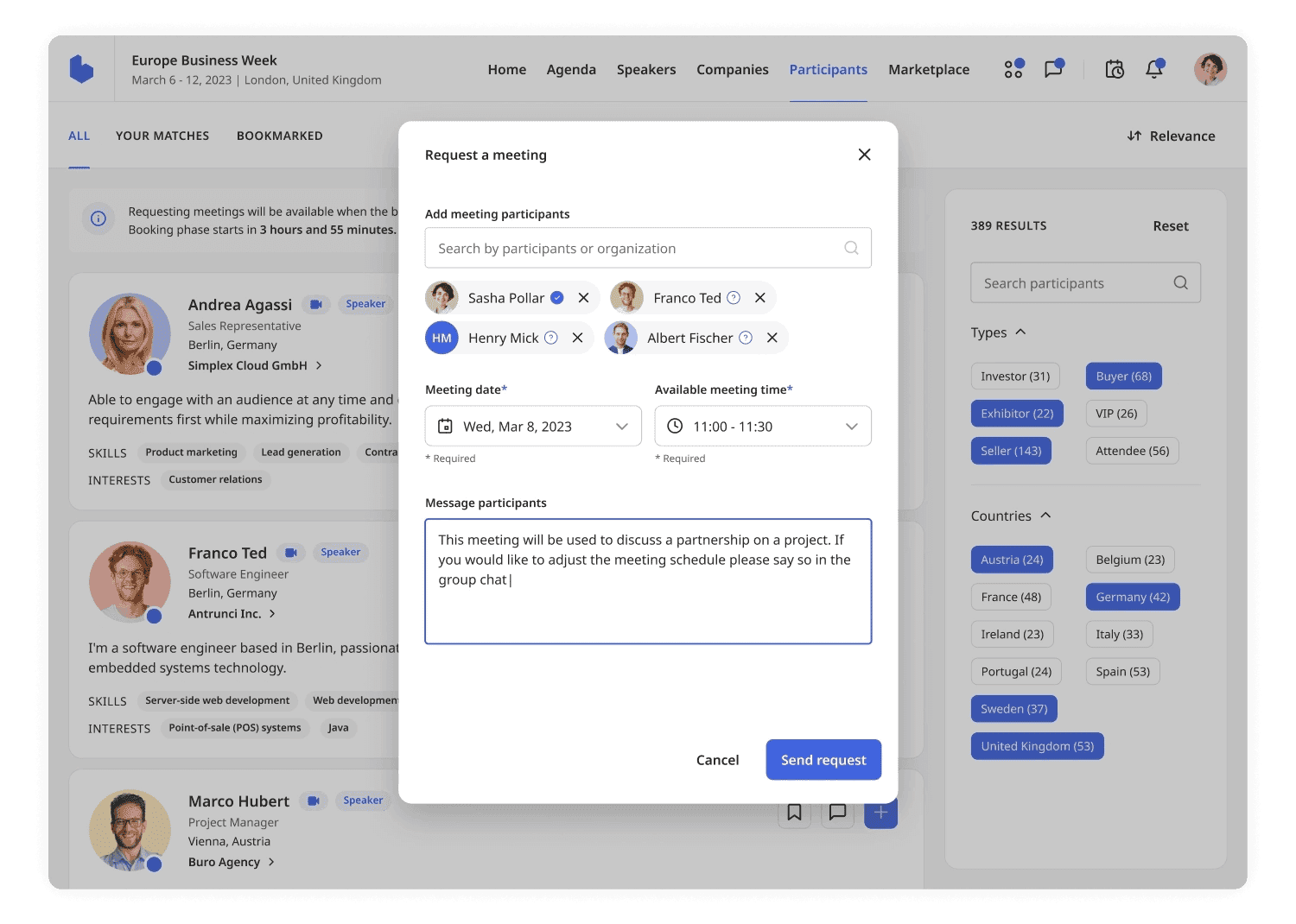
Integrated video meetings for one-to-one or group sessions (add-on).
Session and visibility rules, controlling which participant groups can see or join what.
Native iOS and Android apps, with white-labelling available as an add-on.
Pros
Purpose-built for structured one-to-one meetings at matchmaking events.
Meeting scheduling is included on every plan, not gated behind an upgrade.
Organisers can save a past event's configuration and clone it for the next one.
Participant packages scale from 100 to more than 1,000.
Cons
The AI matchmaking layer is a paid add-on, not part of the base licence.
High pricing, with one reviewer saying “It’s a significant investment.”
Built for matchmaking-first formats, so it’s more structure than a general conference needs.
Pricing
Starts at €699/billed yearly per event of 100 attendees.
The other tiers require a sales call.
Best networking platforms for major trade shows and enterprise programmes
6. Swapcard: For trade shows that need networking, exhibitors and lead capture in one place
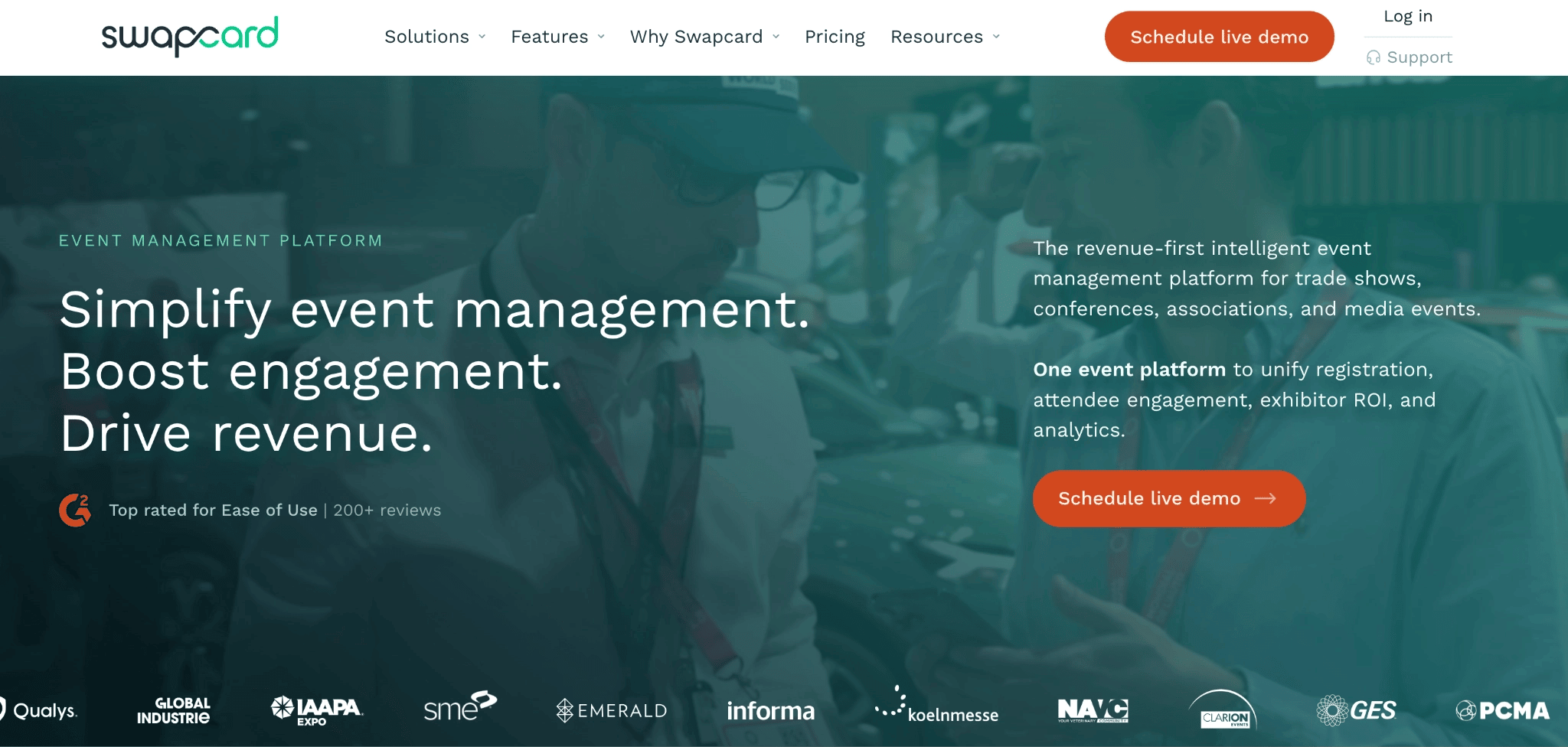
Swapcard is an event platform that combines attendee networking with exhibitor discovery and lead capture. It uses attendee profiles, interests and in-platform behavior (including the booths they visited) to suggest relevant people for 1:1 meetings. Attendees get an AI-ranked list they can filter by role and book a meeting easily.
With Swapcard, exhibitors can also manage their booths and buy visibility upgrades, sponsors scan badges, and an AI lead-scoring dashboard ranks the highest-intent prospects. However, all these are only valuable at a trade show; it’s an overwhelming feature stack for a 300-person conference where the priority is helping guests find each other.
Key features
AI matchmaking that learns from booth visits and session activity.
AI-ranked attendee list, filterable by role and interest.
One-to-one chat with ice-breaker prompts, and one-click meeting booking.
Hosted-buyer scheduling that pre-books buyer-seller appointments across time zones.
Self-serve exhibitor marketplace, where exhibitors run their own booths and buy upgrades.
Badge scanning with AI lead scoring for sponsors.
"Sherlock" AI assistant, answering attendee questions in multiple languages.
Event web app and mobile app.
Pros
AI matchmaking improves as attendees move around the event.
Browser access is a promoted route, not a buried fallback.
Exhibitor and sponsor tooling is genuinely strong.
The engagement platform has a published, self-service entry price.
Cons
Built and priced for thousands of attendees, so it is oversized for 200 to 500.
No monthly billing, and early termination requires 90 days' notice.
You’ll pay for the exhibitor and lead-capture features whether you use them or not.
Pricing
Custom pricing if you need registration and management
It’s $610/year for event management, and pricing scales based on attendee volume and any added features or upgrades.
7. Bizzabo: For enterprise multi-event programmes with a hardware budget
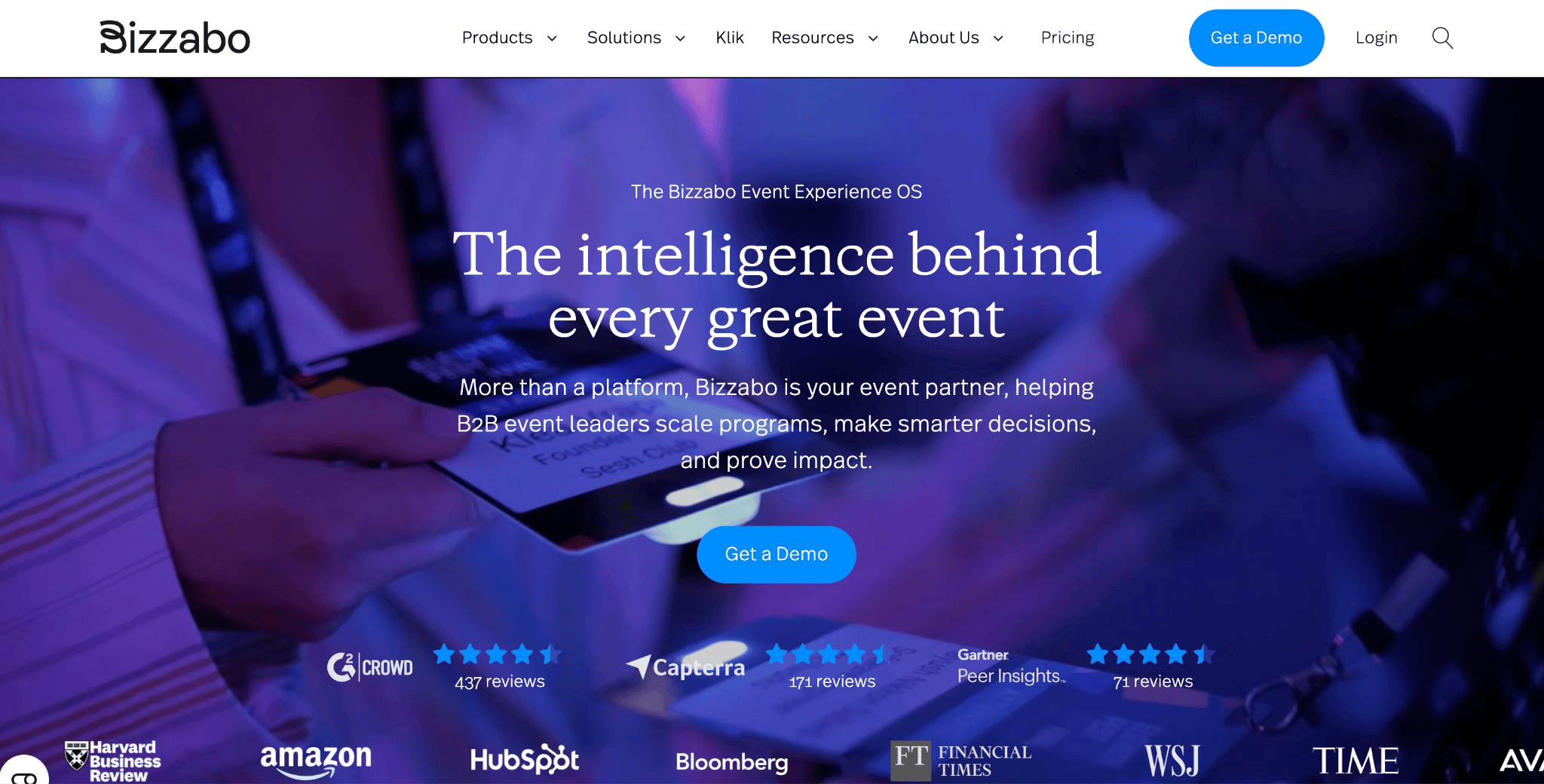
Bizzabo is an enterprise event platform for large B2B conferences and multi-event programmes. Its mobile app lets attendees build personal agendas, browse the attendee community, send one-to-one messages and participate in session chats, polls and Q&As.
Its main networking differentiator is the Klik SmartBadge, which lets attendees exchange contact details by tapping their badges together. The same interaction gives organisers and exhibitors data on networking and lead activity.
Key features
AI matchmaking on hundreds of data points
Enhanced attendee profiles and one-to-one messaging.
Scheduled meetings merged into a personal calendar.
Klik SmartBadge, a wearable for click-to-connect contact exchange.
Mobile app, with a custom-branded app available as an add-on.
Pros
The Klik SmartBadge automates onsite contact exchange.
A polished, consistently branded attendee experience across a multi-event programme.
AI matchmaking has enough data to work with at enterprise attendance levels.
Networking works on web and mobile, not app-only.
Cons
High entry price, from around $13,000, according to Vendr. Median price tag is $30,499 and Bizzabo can cost as much as $62,038.
Klik hardware is charged on top of the platform licence.
Setup runs long, with one reviewer describing a "very lengthy process to set up".
Pricing
- From $17,999 a year, billed annually, three-user minimum, or $499 per user per month.
Choose an event networking app based on the size of your event
Of the seven event apps for attendee networking on this list, LineUpr is where a mid-sized organiser should start. It has a browser-path, so you don’t have to worry about attendees not wanting to download the app. It also allows true networking through chat, contact exchanges and 1:1 appointments without paying for a matchmaking engine that needs 2,000 profiles to be valuable.
LineUpr is fast to build (can take four hours) and costs less than most alternatives on this list.
However, if you like the mutual swipe matching, you can consider Eventee. And if you’re planning events for more than 1,000 or 2,000 guests, Whova, Swapcard, Bizzabo are a good fit.
But if you’re planning an event of 200 to 500 people, already have registration handled, and want networking and an in-app experience on event day, use LineUpr.
You can start building your event app for free or preview what your event app could look like first. No credit card or sales call required.
FAQs
Can attendees network without downloading an app?
Yes, with LineUpr, Eventee and even Swapcard. Whova and Brella steer mobile networking into a native app, so the experience depends on each attendee downloading it first and whether they’ll attend the event on work devices, where IT policy can block unapproved apps.
How do you encourage attendees to use the networking app?
“Integrate the app into your preparation process early and design and maintain all event details,” according to Nicole Schiertz, who used LineUpr for the Marketing Club Dresden. She adds that you can make it “easy and fun for users to use the app” and “ensure that your partners, speakers, and sponsors support the app.” Lastly, remove any adoption friction, which includes choosing a browser-based access rather than an option that forces them to download a mobile app they’ll likely only use once.
What is the difference between an event app and event networking software?
An event app covers the whole attendee experience, including the schedule, the speaker list and the venue map. Dedicated networking software focuses on connecting people, usually through AI matching and structured meeting scheduling, and is built for events where meetings are the primary goal. For a mid-sized conference, an event app with solid networking usually beats a matchmaking-only tool, because attendees open one app for everything rather than two for one thing each.
Can attendees start networking before the event begins?
Yes, if the app is live early. Many networking tools, including LineUpr, let you publish the app ahead of the event so attendees can set up their profiles, browse attendee lists, and request meetings in advance. Opening networking a week or two before the event gives attendees time to plan who they want to meet, so they arrive on event day with meetings already scheduled, instead of finding connections from scratch.