Sched pricing 2026: Plans, extra costs and user reviews
September 27, 2026 · Alexander · 12 minute read
Table of Contents
- How much does Sched cost, and for what?
- What Sched plan do you actually need?
- What else can raise the Sched price?
- What do Sched users say about the value?
- When does a Sched subscription make sense?
- LineUpr: Sched alternative for invite-only, B2B, attendee-facing events
- FAQs
- Build the attendee app without rebuilding the rest of your event stack
Key takeaways
- Sched’s Launch and Boost tiers include your standard feedback forms: You only need Ultra for custom questions and conditional follow-ups.
- Annual plans aren’t always cheaper: If you run only a few events a year, buying single-event licences can cost less than a yearly subscription.
- LineUpr can be a better deal when registration is already covered: You get a browser-based app for schedules, updates, surveys, Q&A and networking.
Disclosure:
This article is published by LineUpr, a competitor of Sched in some use cases. We reviewed Sched’s pricing, product docs and independent user reviews, and note where Sched offers more.
Sched starts at $600 for a single event with up to 250 attendees. For features such as attendee check-in and sponsor profiles, you’ll upgrade to the Boost tier at $1,500/event. And for more onboarding, custom reporting, and customisable feedback forms, you can go up a notch to $2,250/event.
But you could’ve found this on their pricing page. What you probably want to know is what Sched will cost you based on what you need the app to do and whether it’s a good fit.
In this article, I’ll show you what each tier of Sched covers and whether you need all the features in the premium tiers, especially if you’re a B2B event organiser who runs invite-only events where attendees don’t have to register.
How much does Sched cost, and for what?
Sched has three main plans: Launch, Boost and Ultra. You can buy Sched for a single event or opt for an annual subscription if your organisation runs multiple events throughout the year.
These are the starting prices and main highlights for each tier:
| Plan | Starting price | Best fit |
|---|---|---|
| Launch | $600/event | Simple events that need a programme, registration and standard feedback |
| Boost | $1,500/event | Events that need session capacities, waitlists, check-in and stronger engagement tools |
| Ultra | $2,250/event | Larger or more complex events that need custom feedback, private sessions, more admins and extra support |
Note that these prices are based on their current 50% discount across all tiers as of September 2026. Prices could double after summer.
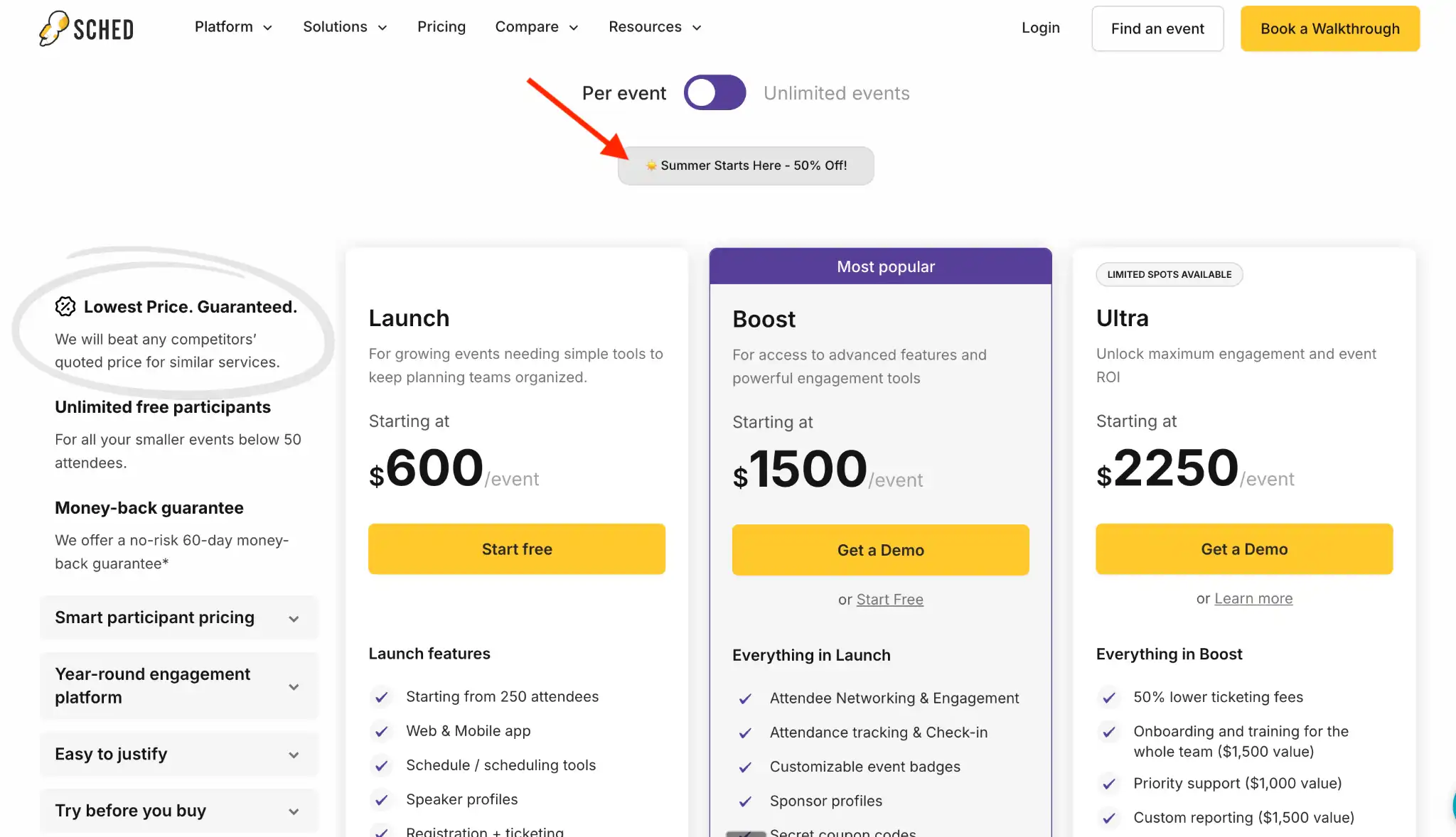 Image Caption
What about Sched’s monthly or annual price?
Sched also offers subscriptions for teams running multiple events per year. Here’s what that looks like with their current 50% promotion factored in:
- Launch: $100/mo billed annually, or $50/mo based on their current 50% discount.
- Boost: $250/mo billed annually, or $125/mo with their 50% discount.
- Ultra: $376/mo billed annually, or $188/month under the 50% discount.
Sched bills these plans annually, and the same plan applies to non-profit orgs, governmental orgs, educational events, and startups.
With that out of the way, you need to know which of these tiers provide the workflow your event needs.
What Sched plan do you actually need?
Launch: for simple event programmes, registration and standard feedback
Launch is the entry-level Sched plan for events with primarily attendee-facing needs, such as:
- Registering for the event;
- Browsing the agenda;
- Viewing speaker profiles;
- Creating a personal schedule;
- Accessing the event website or app;
- Submitting standard event or session feedback.
This is a good fit for internal training days, workshop series, or small professional events where you need attendees to create schedules, but you, as the organiser, don’t need the complex controls that the Boost tier provides.
For example, you’re running a 200-person staff development day with one clear agenda. Attendees can view sessions, build their own schedules, and access updates without your team having to send revised PDFs or long email threads every time something changes.
Boost: session controls, on-site check-in, and more engagement features
Boost starts at $1,500/event for up to 250 attendees.
Boost is where Sched becomes more useful for events that need operational control. With Boost, you can:
- Set session capacities;
- Create waitlists for sessions up to capacity;
- Manage session self-check-in;
- Check attendees in on-site;
- Give attendees badges before or after checking in;
- Give sponsors more visibility during the event;
- Support attendee networking and direct messaging; and
- Use conditional registration questions.
This is the plan for events with multiple breakout sessions, workshops, training rooms or scopes where attendance needs to be tracked separately. Boost is also helpful when you need granular post-event attendance data. If 100 people registered for a session and only 63 attended, the granular check-in data lets you see who attended and collect session-specific feedback.
The Boost tier also provides badges and conditional registration questions. You can tailor the registration flow based on someone’s answers and give staff more control over how attendees move through the programme onsite.
Ultra: for custom feedback, private sessions and more admin control
Ultra starts at $2,250/event for up to 250 attendees and is worth considering only if your team needs more control over feedback, access, and administration, or more support from the Sched team. It allows you to:
- Customise feedback questions;
- Add conditional follow-up questions;
- Create private or invite-only sessions;
- Give access to more administrators;
- Use custom reporting;
- Receive more support with setup and event delivery.
Ultra lets you add as many event admins as you need. Launch supports up to five admins, and Boost supports up to ten, so this matters when several people need access to edit the schedule, speakers, attendees, or event settings. Especially if several teams/people are responsible for these different sessions.
The Launch and Boost tiers already let attendees submit session and event feedback. Ultra lets you change the questions and add conditional follow-ups. For example, if someone says a session wasn’t relevant, you can show an extra question asking why. That gives your team more context than a standard rating form.
Ultra also lets you create private sessions that only selected attendees can see. This helps you invite specific VIPs among all attendees for things like private parties or high-level executive meetings.
What else can raise the Sched price?
Sched has a few add-ons to elevate your experience as an organiser, and that includes:
- Branded mobile app: The standard plans provide attendees with access via Sched’s web and mobile apps. You can reach out to their team if you want an app published under your organisation’s name in mobile app stores.
- Extra attendee capacity: Each plan includes 250 attendees. If you need more, Sched offers capacity in blocks of 250 for an undisclosed price.
- Paid registration: Sched charges 1.99% (or $0.99 on the Ultra plan) plus a $0.99/ticket service fee. They also charge 0.4% per paid invoice (minus Stripe’s processing fees). This can make Sched more expensive for ticketed events, so watch out for that.
- Support Bundle at $4,500 (or $2,000 with their 55% discount): This provides priority and event-day setup support.
- Monetisation Bundle at $4,750 (or $1,500 with their 68% discount): This includes sponsor ROI reporting, secret coupon codes, lead retrieval, flat-fee ticketing and a sponsorship review. It’s aimed at events where ticket revenue or sponsor results matter.
- Insights Bundle at $3,500 (or $2,000 with the 42% discount): This adds custom reports, sponsor ROI tracking, advanced analytics and event-health dashboards. It’s useful when Sched’s standard reports don't provide everything you need for event analysis.
- Migration & Setup Bundle at $7,000 (or $3,500 with the 50% discount): This covers data migration, custom onboarding, SSO and integration setup, and branding support. It’s most relevant when you’re moving from a legacy platform or need help connecting Sched to your existing systems.
That said, check what you have in your tier before adding a bundle. For example, the Ultra tier already includes priority support, onboarding and training, and custom reporting, so some add-ons may overlap with what you already chose.
What do Sched users say about the value?
Sched users tend to value the platform when they need to keep the programme, attendee schedules and other event workflows in one place. The reviews also show where pricing and reporting can become sticking points.
1. Organisers value straightforward setup and programme management
Stacy S., a marketing manager, used Sched for a three-day event with more than 200 attendees. She said setup involved uploading the event information and images, and attendees used the app without issues or complaints.
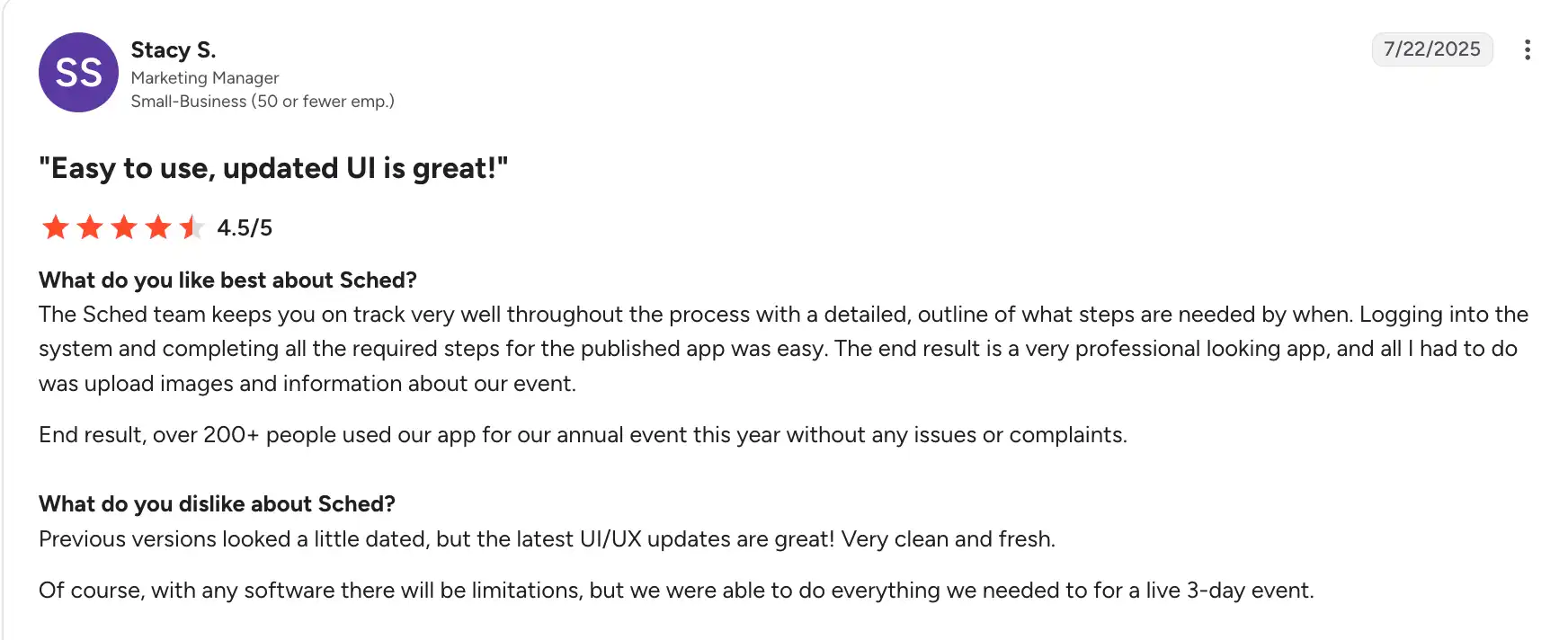
For a multi-day event with a lot of session information, that gives attendees one place to find the programme and build a schedule around the sessions they want to attend. Organisers can also send push notifications when they need to share an update.
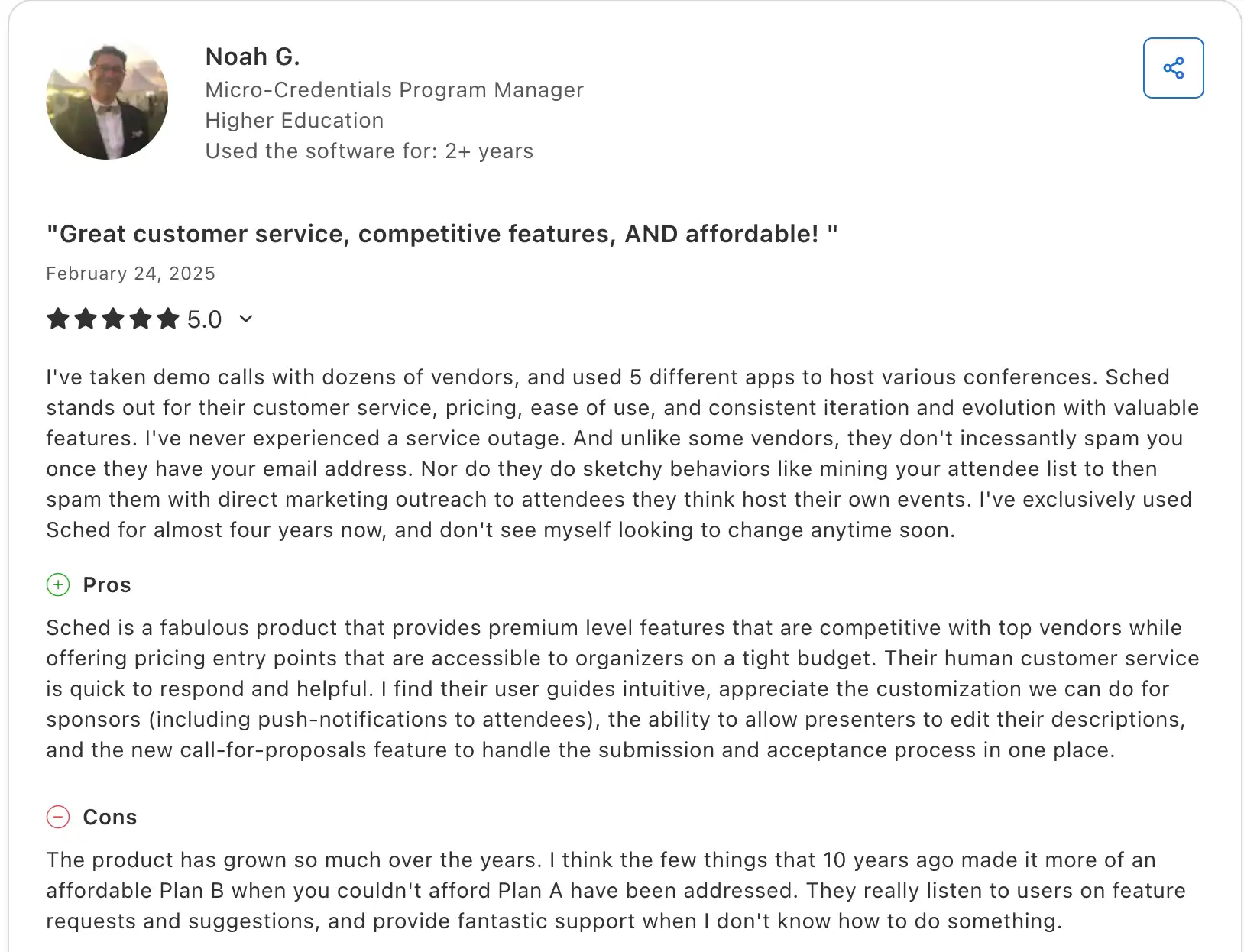
Noah G., a higher-education programme manager, also praised Sched’s support, sponsor customisation and call-for-papers workflow. For teams managing speaker submissions (before the event) and attendee programmes (during the event), those workflows can justify paying for more than a basic agenda app.
2. Price can still become a problem even when the product works
Morgan S., a professional-learning director, had used Sched for virtual and in-person events and praised its attendance projections, programme changes and real-time notifications. But she said the price came as a shock to her nonprofit, although Sched later worked with their team to reduce costs.
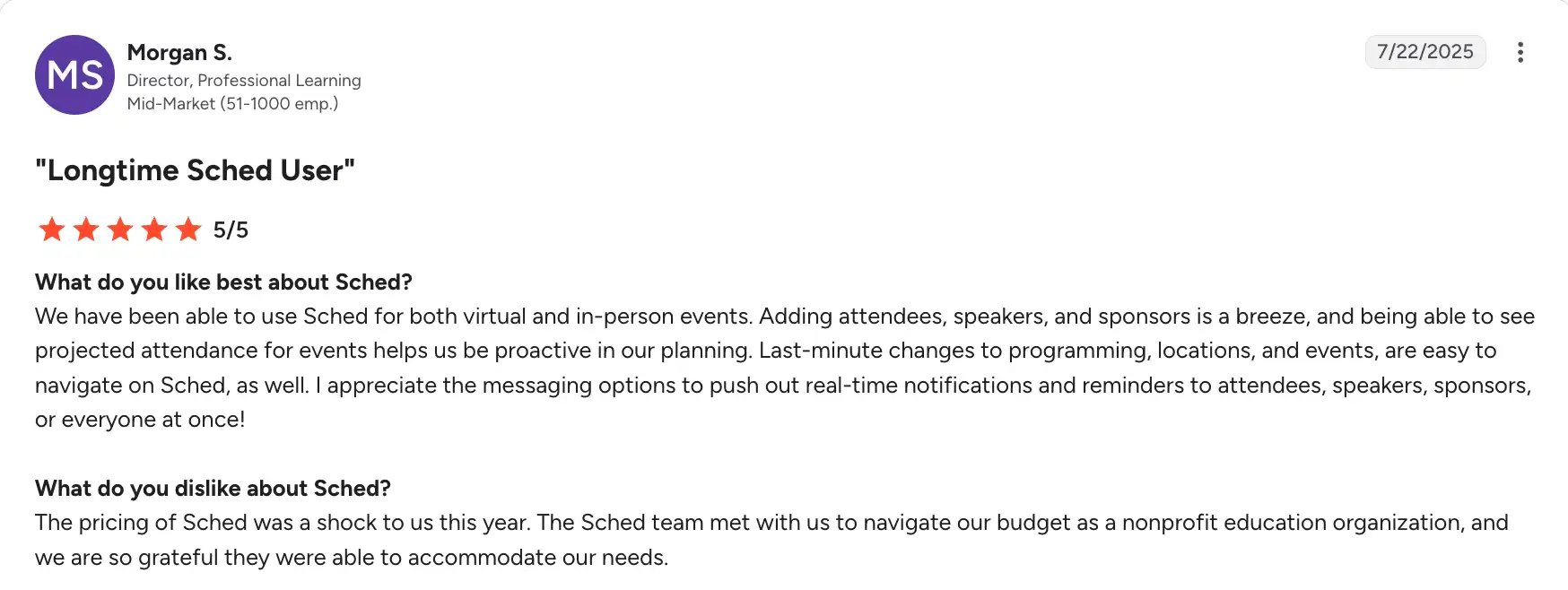
This shows that, depending on the features and add-ons you need, Sched’s pricing can get out of hand if you have a limited event budget.
3. Check whether the reporting answers your actual questions
Karmin R., who used Sched for a one-day event, found it easier than managing the event in a spreadsheet but wanted more flexible feedback and reports grouped by speaker.
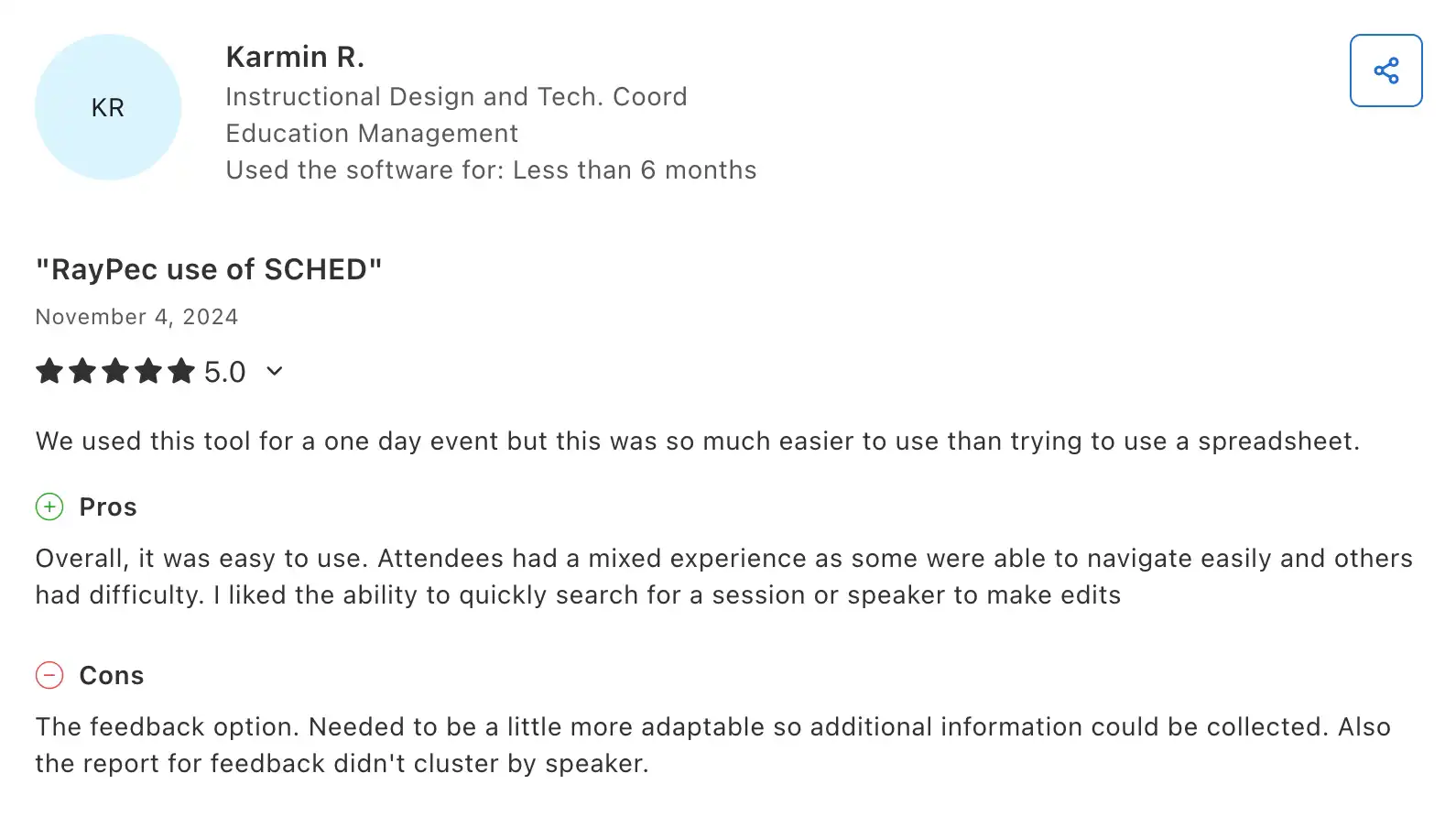
With Sched’s Ultra tier, you can now customise feedback questions. But if your team needs reports grouped by speaker, track or another field, you might need to ask their team if you can get such granular details before paying for the higher tier. This may also be only available as an Insights Bundle, so watch out for that.
When does a Sched subscription make sense?
We often review Sched along with other B2B event app builders because it’s a good fit for a variety of events. Based on its features and available case studies, I’d say it’s a good fit for teams running more than five events/year, such as:
- Universities running academic conferences, department events, open days, training sessions or professional-development programmes;
- School districts managing year-round workshops and staff learning events;
- Associations running conferences, regional meetings, webinars and member events;
- Nonprofits running repeated programmes, summits and community events;
- Training teams that need one platform for schedules, registration, session tracking and feedback across multiple events;
- Event teams that want a single system for registration, agenda, check-in, session control, and reporting.
These industries have enough demand for recurring events, and Sched can centralise everything in one place. Its unique value is that you can use it for calls for papers (or speakers), especially if you run public-facing events and don’t have enough speakers.
But what if you run invite-only B2B events or already have registration and event operations covered? What if you only need the attendee-facing app? Consider LineUpr, an attendee-focused, affordable event-builder app.
LineUpr: Sched alternative for invite-only, B2B, attendee-facing events
LineUpr is a self-service event app builder for non-tech B2B event coordinators. It lets you build and launch a fully branded event app your attendees can open and use, without an App Store download or a developer's help. This way, you get a professional app live in hours, and every attendee in the room can use it, including those on corporate-managed devices.
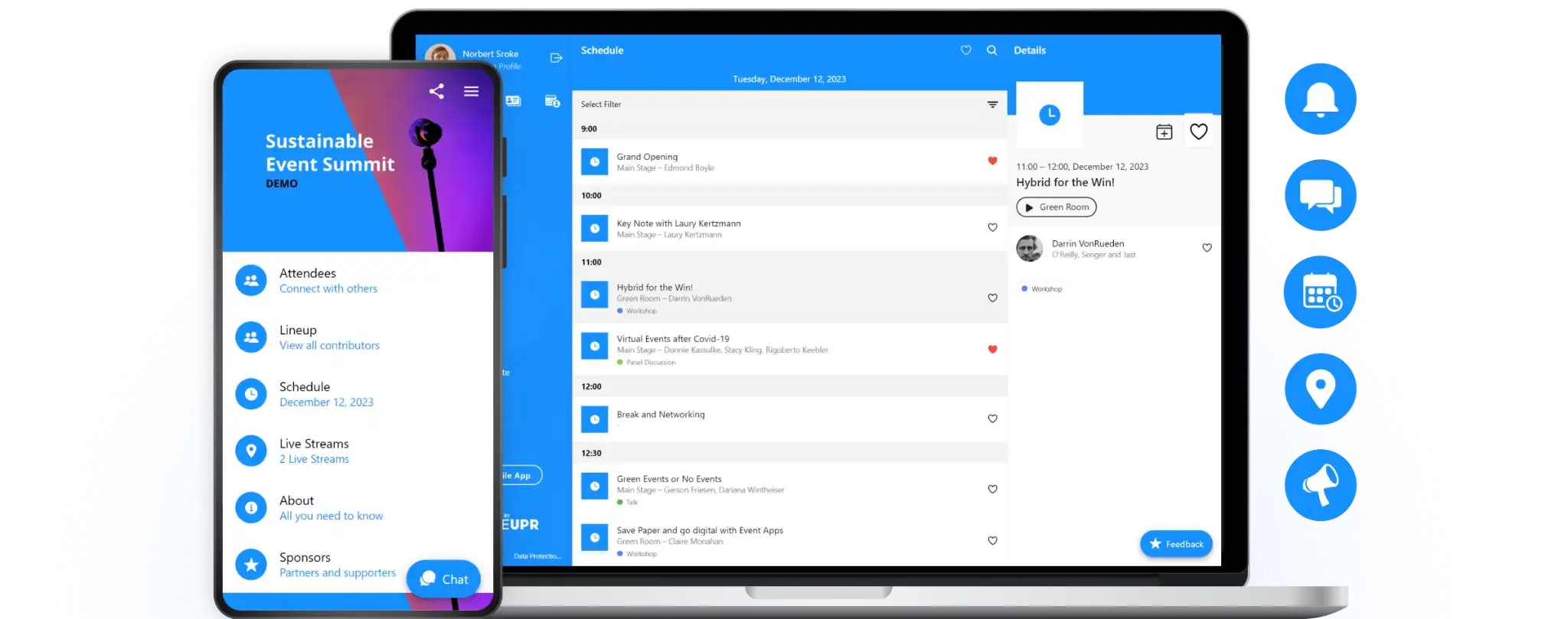
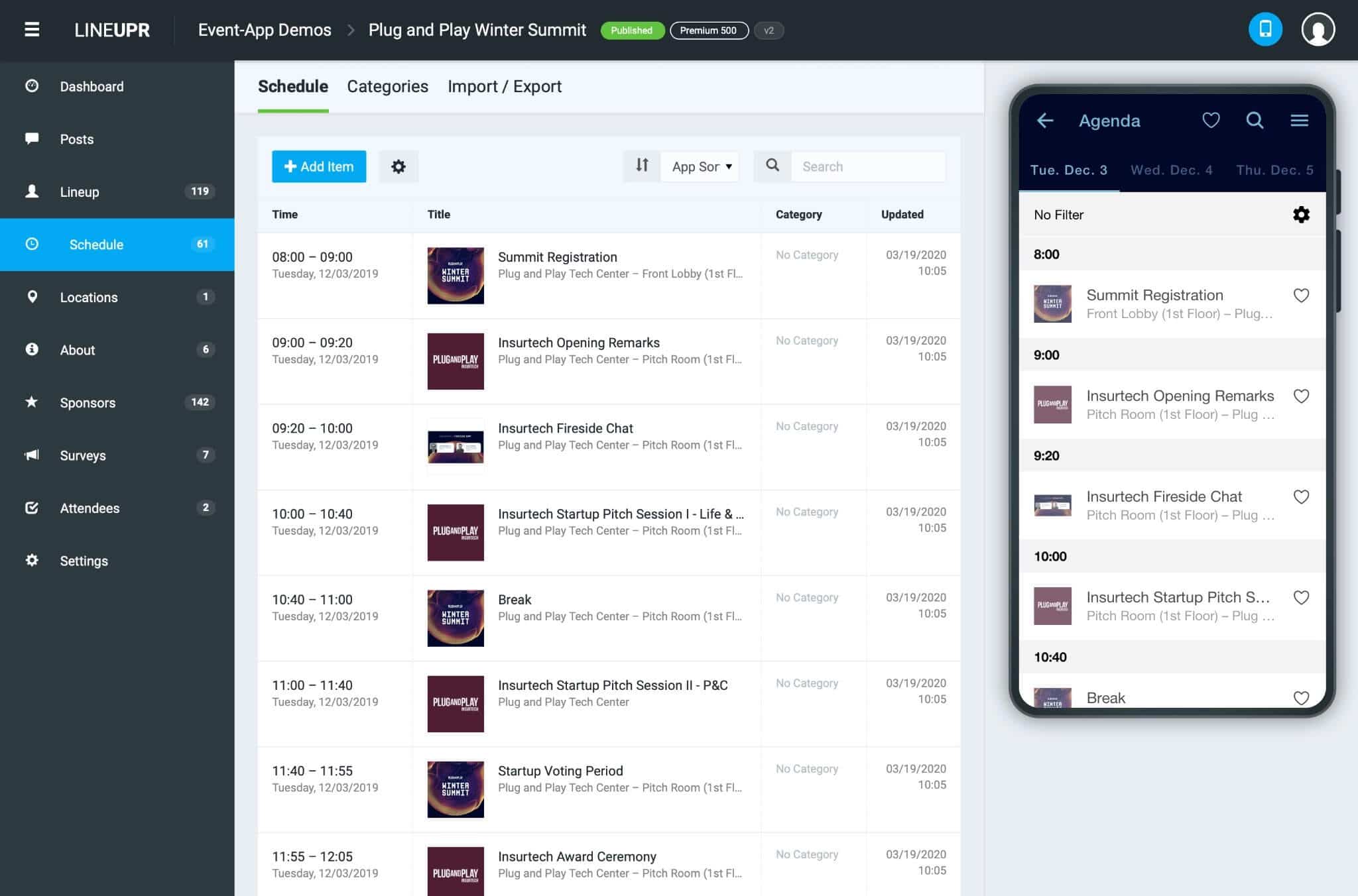
LineUpr is also easy and fast to build, as it can take as little as four hours to create content, onboard participants, and set up surveys and polls, as demonstrated by Nicole Schiertz from the Marketing Club Dresden. You simply iterate on the left and watch it come together on the right side of your screen, as seen below:
Here’s how LineUpr and Sched stack up:
| Attendee-facing feature | Sched | LineUpr |
|---|---|---|
| Event agenda | ✓ | ✓ |
| Personal schedules | ✓ | ✓ |
| Browsable speaker profiles | ✓ | ✓ |
| Sponsor profiles | ✓ | ✓ |
| Venue locations & maps | ✓ | ✓ |
| Browser-based access (no app download needed) | ✓ | ✓ |
| Real-time programme updates | ✓ | ✓ |
| Push notifications | ✓ available in app only | ✓ |
| Session & event feedback | ✓ | ✓ |
| Live polls | — | ✓ |
| Live Q&A with upvoting | — | ✓ |
| Attendee networking | ✓ | ✓ |
| Attendees booking 1:1 meetings from event app | — | ✓ |
| Contact exchange | ✓ | ✓ |
| Offline access | ✓ available in mobile app only | ✓ available on web app |
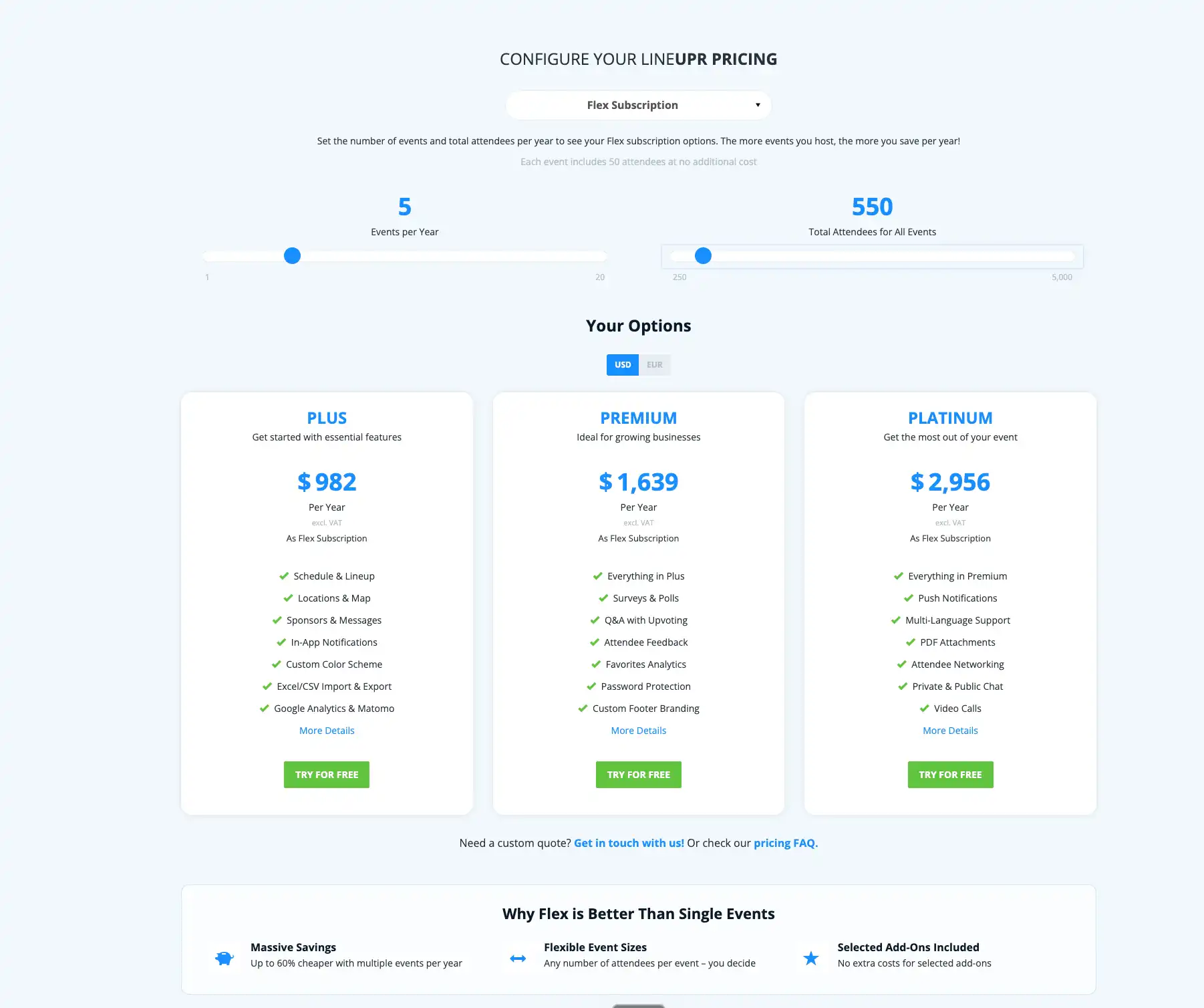
LineUpr starts at $215/event for 50 attendees and scales up to $647/event for the Platinum tier. With the Flex Subscription, you can save up to 60% on annual event pricing, which can be as low as $1,742 for 10 events and 1,500 total attendees or as much as $5,251 for Platinum.
Check the LineUpr pricing, and use the slider to see what you might pay for annual events, and choose the tier that fits your event structure.
See this preview of an event app and sign up to build your first app for free to see how LineUpr fits into your workflow.
FAQs
Can I buy Sched for one event?
Yes. Sched sells single-event plans as well as subscriptions for organisations running multiple events. For one event, choose your attendee allowance first, then the lowest tier that includes the workflow you need.
Does Launch include surveys?
Yes. Launch and Boost include Sched’s default session and event feedback forms. You need Ultra to customise the questions or add conditional follow-ups.
Do attendees need to download an event app?
Not always. Native event apps need to be installed from an app store, while browser-based apps can be opened via a link or QR code. LineUpr uses the second approach, allowing attendees to open the event app in their browser without installing a separate app. This makes LineUpr best for customer, partner and other invite-only events where guests may only use the app for a day or two.
Do I need a separate registration tool if I use an event app?
It depends on the platform. Sched combines attendee registration with its event app, while attendee-focused tools can work alongside a registration system you already use. LineUpr, for example, focuses on the attendee-facing part of the event, so you can keep registration elsewhere and use the app for the programme, updates, surveys, Q&A and networking.
Build the attendee app without rebuilding the rest of your event stack
If you already manage registration, payments and guest management elsewhere, keep them there. Use LineUpr for the programme, updates, surveys, Q&A and networking your attendees need during the event.