Sched Alternatives: What Corporate & Non-academic Event Teams Need & 7 Competitors Compared
July 31, 2026 · Wout Criekemans · 21 minute read
Table of Contents
- What Should a Sched Alternative Fix for Your Event Team?
- 7 Sched Alternatives for Small Corporate Event Teams at a Glance
- 1. LineUpr: Best for B2B events that need schedules, updates and attendee participation in one easy-to-build app
- 2. Eventee: For corporate events using social activity and gamification
- 3. Whova: for larger conferences that need an attendee community
- 4. Guidebook: For recurring events that need a branded native app
- 5. Fourwaves: Best for academic conferences
- 6. EventMobi: For engagement and on-site operations
- 7. Cvent: Best when your event operation has outgrown small-team software
- Which Sched Alternative Should a Small Corporate Event Team Choose?
- FAQs
Sched is one of the most recognized names in event software for complex, multi-track academic conferences. But past users on G2 and Capterra tell a different story if what you actually need is a tool that gets your attendees engaged and reflects well on your organization. Their complaint: Sched is built and priced for bigger, more schedule-heavy, more academic events than theirs.
And it’s not a matter of missing features. Sched already includes attendee profiles, messaging, polls, and surveys. The real question is whether those capabilities give your attendees the depth of participation your corporate event needs.
If you're running a customer day or internal conference with a fixed speaker list and a limited number of sessions, Sched's deeper academic scheduling tools may exceed what your team needs. That gap makes the cost harder to justify when you're only using part of the product.
The same goes for engagement. If you need moderated Q&A that lets attendees prioritise questions, or features that let them exchange contacts, Sched's limited networking and peer-to-peer interaction can make your event feel more transactional than you intended.
That's why we compared seven Sched alternatives built for small corporate event teams — so you can find one that matches your workload and your attendees' expectations, without paying for a full enterprise platform you won't use.
What Should a Sched Alternative Fix for Your Event Team?
Once you’ve decided Sched is more than your event needs, the next risk is replacing it with an even larger platform. The right alternative should solve four problems:
Keep programme management proportionate: You need to publish sessions, speaker details and locations. You shouldn’t have to carry abstract review or complex track administration your event doesn’t use.
Give attendees more to do during the event: Polls and moderated Q&A can involve the audience during sessions. Contact exchange or appointment requests matter when the event is also meant to create conversations. These are features to look out for in a Sched alternative.
Reduce the work of building and updating the app: You should be able to import the existing programme, correct details and publish last-minute changes without waiting for a developer.
Make the cost easier to justify: The pricing should match the number of events you run and the capabilities your attendees will actually use.
We used these criteria to compare the seven alternatives below. Some add deeper networking, while others add academic or enterprise operations that a small corporate event team may not need. The right choice depends on the work your team needs the app to handle, and how much additional event infrastructure you’re prepared to manage.
7 Sched Alternatives for Small Corporate Event Teams at a Glance
The table below shows what would justify choosing each platform and the additional scope or limitation your team would accept.
Tool | Best when your team needs | Main trade-off | Starting price |
LineUpr | A self-service event app for schedules, updates and attendee participation at customer days, internal conferences or sales kickoffs | Registration and academic submission workflows remain outside the app. Networking requires Platinum, while meeting booking is an add-on | |
Eventee | Social activity, gamification and match-based networking for a mobile-first audience | The $1,499 starting price is high for a small event, and gamification may add little value to a formal corporate meeting | |
Whova | A larger conference community with attendee discussions, matchmaking and sponsor visibility | Its wider registration and exhibitor scope may duplicate existing systems. Attendees must also install and actively use the app | Custom quote |
Guidebook | A branded native app that can be reused across several events and accessed offline | App-store installation adds launch and adoption work, while a one-off event may not justify the wider branded-app setup | Custom quote |
Fourwaves | Abstract submissions and peer review for an academic or scientific conference | Its research workflows add little value to a corporate event with fixed speakers and no submission process | Free; paid plans from $899 per year |
EventMobi | Attendee engagement, registration and on-site operations from one provider | Its broader implementation and $3,500 starting price may be excessive when you only need an attendee app | |
Cvent | Complex registration, badging and reporting across a large enterprise event programme | Modular licensing, training and implementation make it unsuitable for a small team seeking a focused Sched replacement | Custom quote |
See how LineUpr adds polls, Q&A, attendee chat and appointment booking for your event programme.
1. LineUpr: Best for B2B events that need schedules, updates and attendee participation in one easy-to-build app
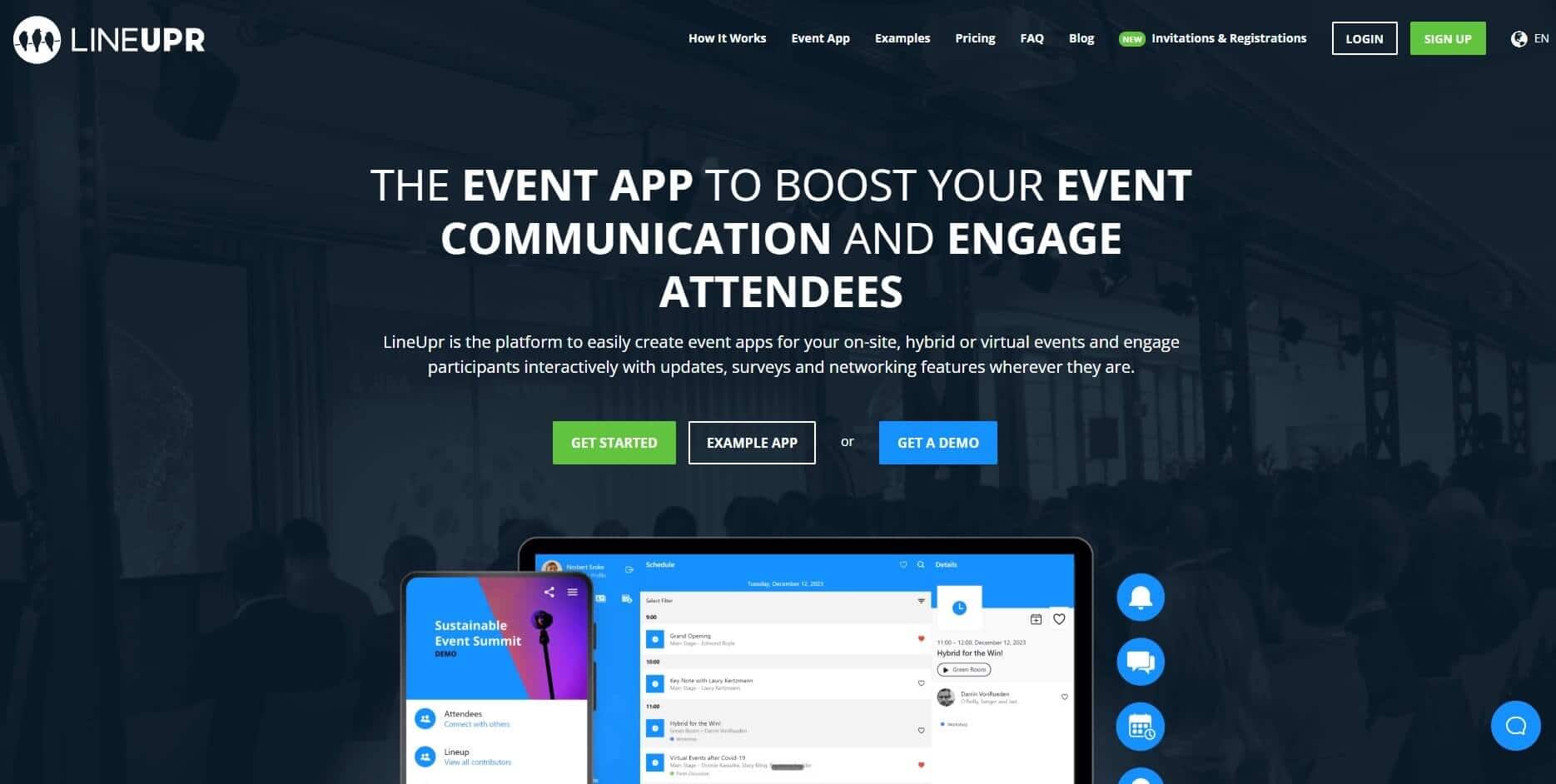
LineUpr is a self-service event app builder that makes it easy for non-technical corporate event teams to publish the programme and add attendee participation without a developer. That way, the person running a customer day or sales kickoff can build and update the attendee app themselves.
It’s best suited to events with fixed speakers and a limited number of sessions. You still get the schedule and event information attendees need, but the setup isn’t centred on abstract review or complex academic administration.
Sched already offers polls and attendee messaging. It also supports profiles. The reason to choose LineUpr is for its moderated Q&A, appointment-led networking and per-event payment model, which is a good fit for a small corporate event team. Here’s how it helps:
Give attendees one place for the programme and updates
Your attendees still need the basics Sched handles well. With LineUpr, they can open the programme, view sessions, read speaker details, check locations and save relevant items.
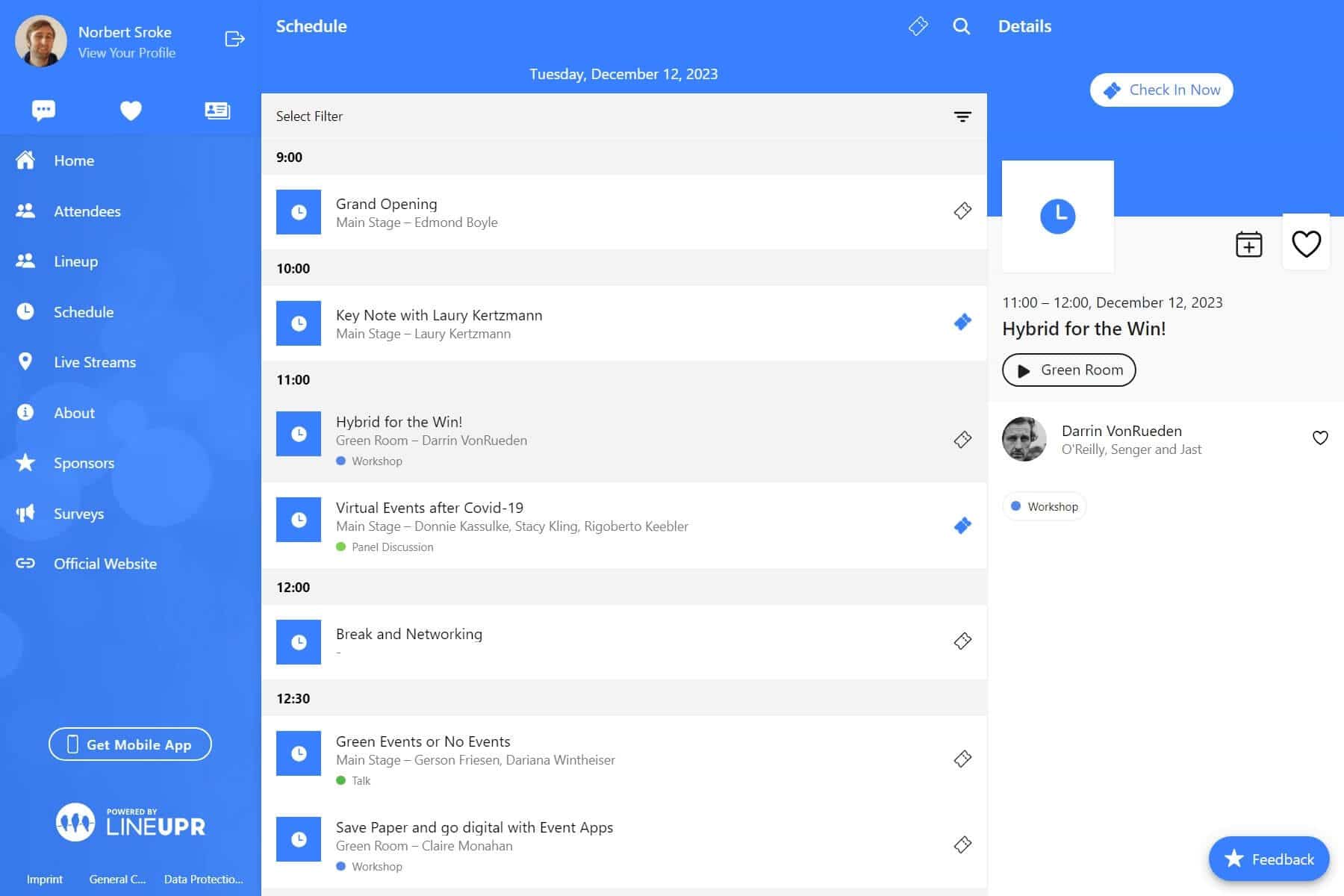
When a room or start time changes, you can update the programme directly. LineUpr also allows push notifications, so attendees receive important changes without your team sending separate emails or repeating announcements around the venue.
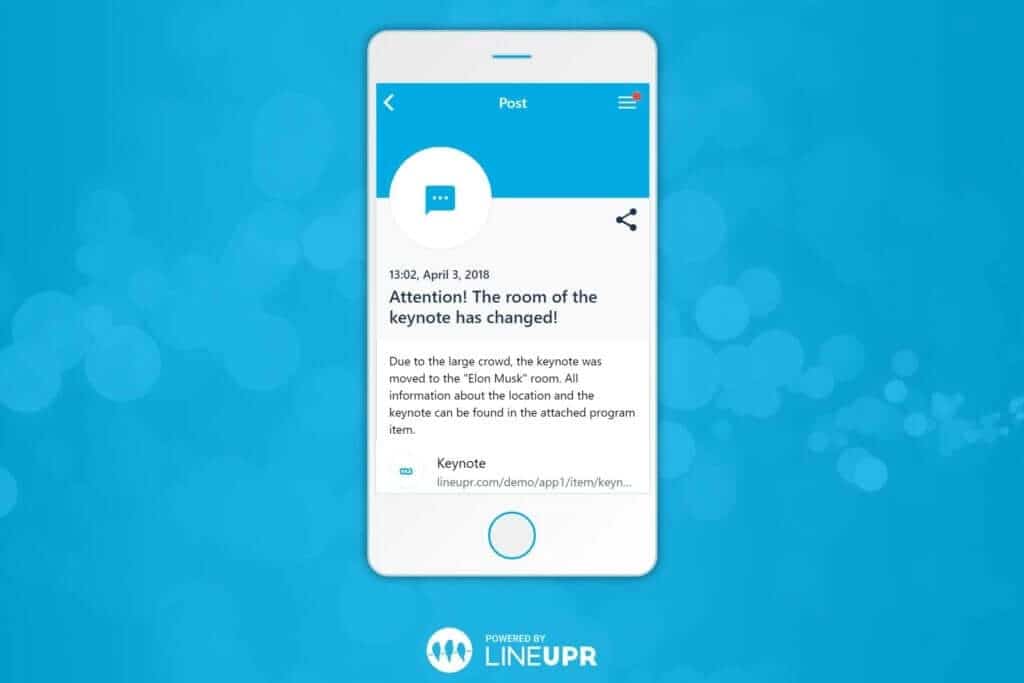
This was how GRENKE was able to use LineUpr for their corporate and international events. Michael Kimmig, Vice President of Business Development, says it helped them start quickly and retain control of the programme. His team could also publish updates during the event.
Build the next event app without another implementation project
A small event team shouldn’t need a developer every time a speaker cancels or needs to edit the time a session starts.
LineUpr’s visual App Manager lets you add programme items and speaker information yourself. You can also manage locations, maps and partner content from the same workspace.
When the programme already exists elsewhere, you can import programme and speaker data through Excel or CSV, rather than entering every item manually. You can also correct the details in the App Manager, when necessary:
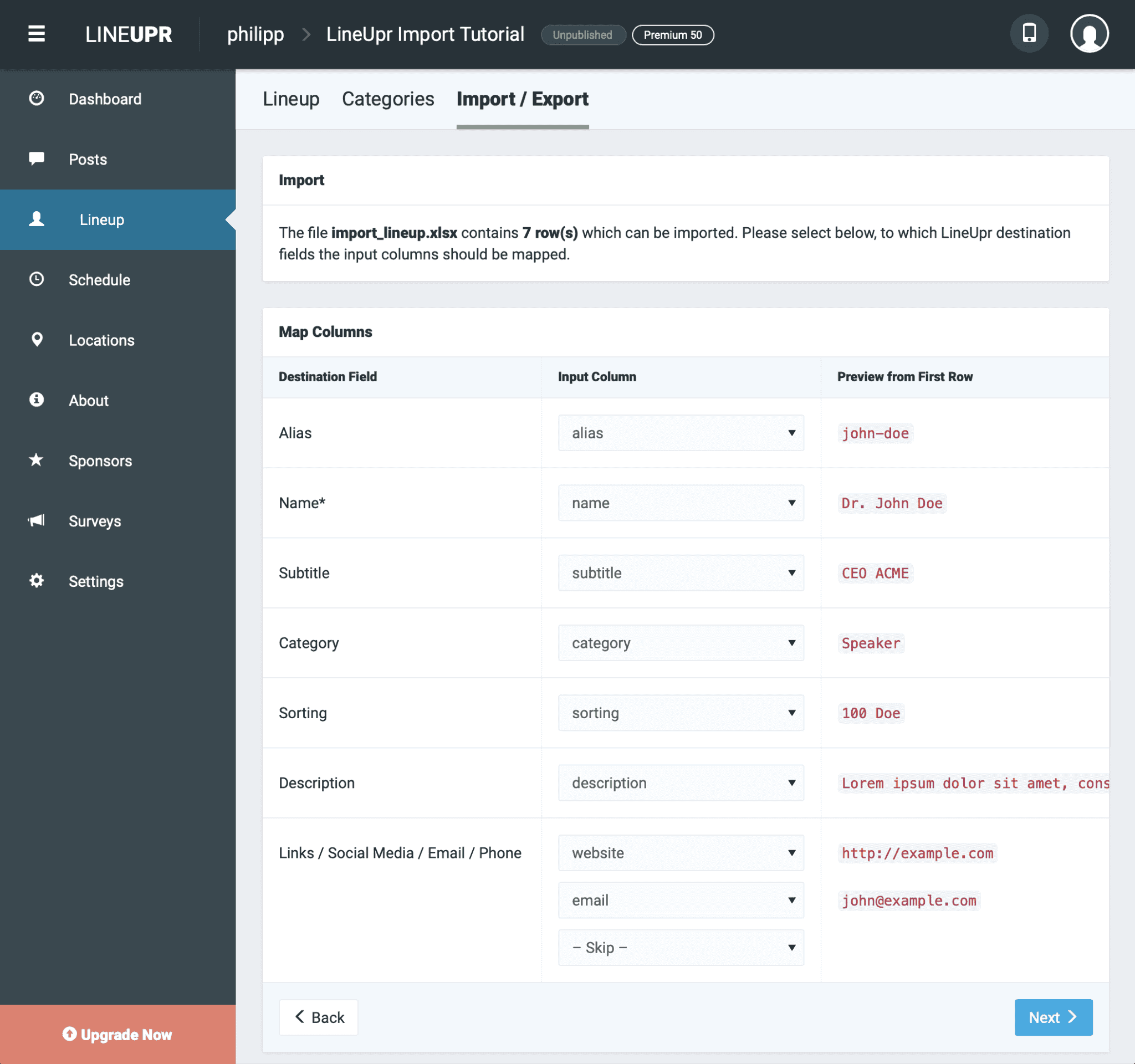
With our easy-to-build UI, you can have a functional event app with surveys, polls, etc. in less than four hours, like Nicole Schiertz from the Marketing Club Dresden. According to her, LineUpr was “an exciting” opportunity to make the “event accessible and useful to the participants.” Her participants were also able to “use the app playfully and with ease.”
Give attendees a reason to reopen the app to improve attendees experience
The risk with a schedule-led event app is that attendees check the time and location, then close it.
LineUpr provides live polls and moderated Q&A with upvoting features. Attendees can answer a question during the session, then submit and vote on the questions they want the speaker to address.
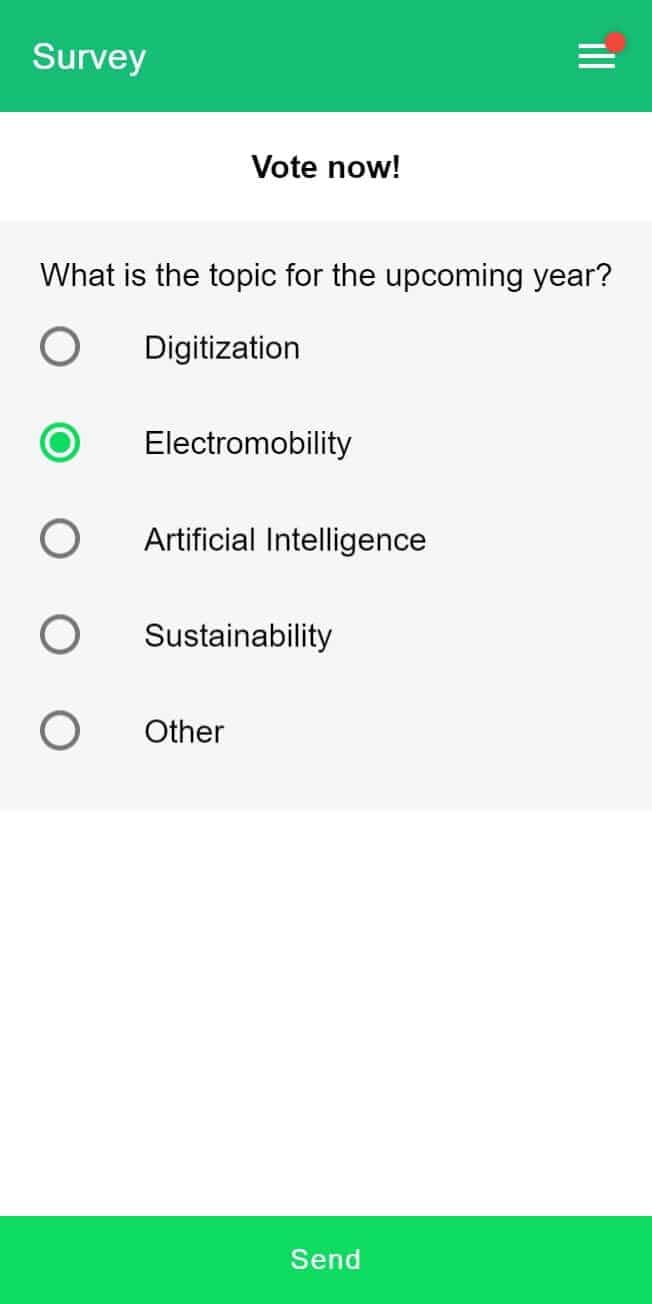
You can review the submissions and hide unsuitable questions before displaying them. This gives quieter attendees a way to participate while helping the moderator focus on the questions with the most support.
It also keeps the programme and session interaction together. Your attendees don’t need one link for the agenda and another for the polling tool.
Try LineUpr for your event for free and preview what it'll look like before commiting
Help attendees turn profiles into planned conversations
Profiles alone don’t guarantee that attendees will meet anyone relevant.
With LineUpr, attendees can create profiles (or you import via a CSV) and exchange contact details. They can also send private or public messages and make one-to-one video calls.
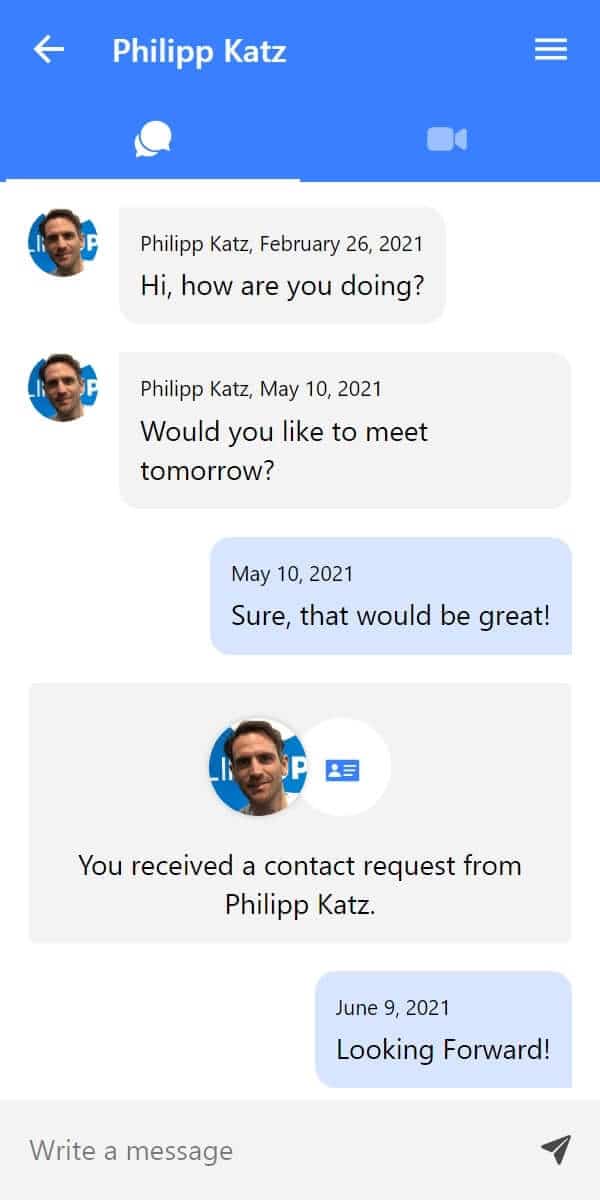
LineUpr’s appointment feature helps attendees book meeting slots (if you create one for your events) so they can meet physically and connect. This is especially important for B2B corporate events where this sort of introductions matter, but you don’t need a dedicated networking platform.
Instead of hoping the right people meet during a coffee break, attendees can identify relevant contacts and arrange a time to talk.
Pay for the event you are running
LineUpr offers single-event packages, so an occasional event doesn’t automatically require an annual platform commitment.
You can build and preview the app before paying. The paid package then depends on the audience size and the functions you need.
Organisations running several events can use the Flex Subscription to reduce the cost per event (up to 60%). This gives recurring event teams a different option from buying each event separately.
LineUpr’s Sched Alternative Features that Matter for a Small Corporate Event Team
Programme and favourites: Attendees find sessions and save relevant items without needing a printed agenda.
Updates and push notifications: Your team can publish last-minute changes and alert attendees from the same app.
Live Q&A and polls: Attendees ask questions and respond during sessions. This helps speakers and moderators engage the audience without relying solely on hand-raising.
Profiles and contact exchange: Participants can identify relevant people and share professional details.
Chat and appointment requests: Attendees can begin a conversation and arrange a defined time to continue it.
Excel and CSV imports: Existing programme and speaker data can be moved into the app in bulk.
CRM and marketing integrations: Event data can sync with Salesforce, HubSpot, Microsoft Dynamics 365, Marketo to facilitate follow-up.
You can send push notifications for changes in your schedules.
Pros
One non-technical organiser can build the app without a developer.
You can retain the registration system your organisation already uses.
Polls and moderated Q&A keep session participation connected to the programme.
LineUpr uses German and EU hosting for teams with European data requirements.
Per-event pricing fits occasional or mid-sized events.
Cons
It doesn’t replace Sched’s call-for-papers or abstract-review workflows.
Registration requires a separate tool or connection with InviteDesk.
Polls and moderated Q&A require Premium.
Networking requires Platinum, while meeting booking is an additional Platinum feature.
Pricing
Free: Build and preview the event app before selecting a paid package.
Single events with 50 attendees Plus ($215), Premium ($359), Platinum ($647)
Flex Subscription (for multi-event teams- can reduce the per-event price by up to 60%).
Use the live LineUpr pricing calculator to filter based on your event size and needs.
Build and preview your LineUpr event app for free.
2. Eventee: For corporate events using social activity and gamification
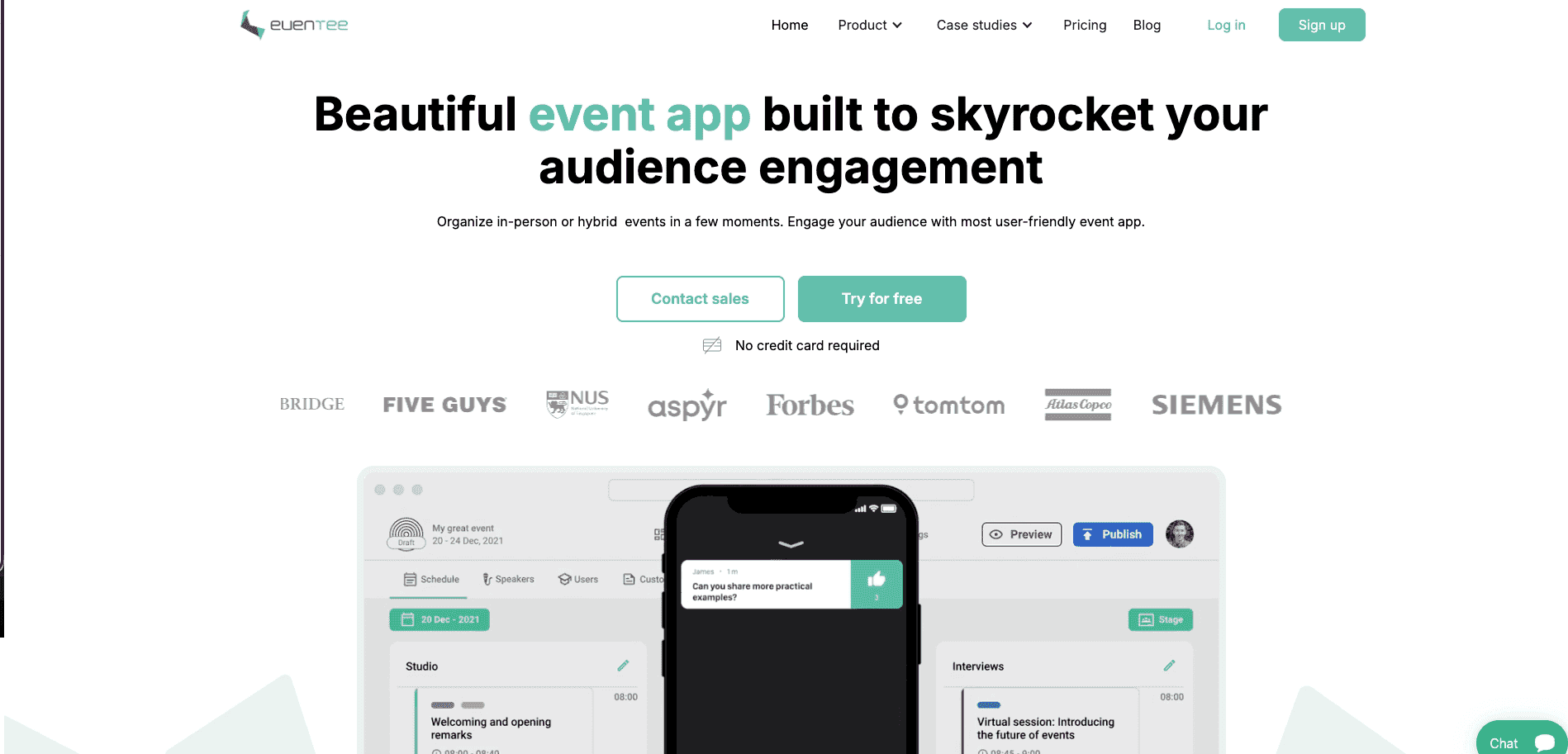
Eventee is an event app platform for sales kickoffs, company conferences and customer communities where organisers want visible attendee activity between sessions.
It becomes relevant when polls and Q&A alone won’t create the atmosphere your team wants. Attendees can post on a social wall and earn points for selected actions. Those points can feed a leaderboard, giving people a visible incentive to keep using the app throughout the event.
Eventee also includes matchmaking features to recommend people to one another, which can be difficult to do manually at events with over 1,000 people.
Eventee costs considerably more than lighter self-service options though. It’s therefore a better choice when your audience will genuinely use its social and gamified experience, rather than when you only need a programme and session participation.
Eventee’s Sched Alternative Features
Programme and personal agenda: Attendees save the sessions they plan to attend, so they can move through a multi-session event without relying on a printed timetable.
Live polls and surveys: Speakers collect responses during sessions, keeping participation inside the event app.
Social wall and gamification: Attendees share posts and earn points for selected activities, while a leaderboard makes participation visible.
Match-based networking: Attendees show interest in suggested contacts, and private chat becomes available when the interest is mutual.
Chat and meeting booking: Once connected, attendees can continue the conversation and arrange a defined time to meet.
Pros
The social wall can keep the app active during breaks, rather than limiting its use to session times.
Published prices let a small team compare the likely cost before entering a sales process.
Mobile and web access gives attendees more than one way to join the event experience.
It suits events where friendly competition supports the culture and energy the organiser wants.
Cons
At $1,499/event for up to 200 attendees, Eventee costs more than lighter per-event alternatives such as LineUpr.
Single-event plans cap attendance at 200, 500 or 1,000, so audience growth can require a higher package.
Matchmaking produces little value when attendees don’t complete profiles or express interest.
A leaderboard may feel misplaced at a formal leadership meeting or board-style event.
It doesn’t replace Sched’s call-for-papers or academic review workflows.
Pricing
Essential at $1,499/event of 200 attendees (max).
Signature at $2,499/event of 500 attendees (max).
Professional at $3,499/event of 1,000 attendees (max).
Team: $2,999/3 events of 500 attendees/event.
Business: $4,999/6 events of 1,000 attendees/event.
Enterprise: Custom pricing for larger programmes.
Features like gamification, check-in, and white-labeling are available as add-ons on lower tiers.
3. Whova: for larger conferences that need an attendee community
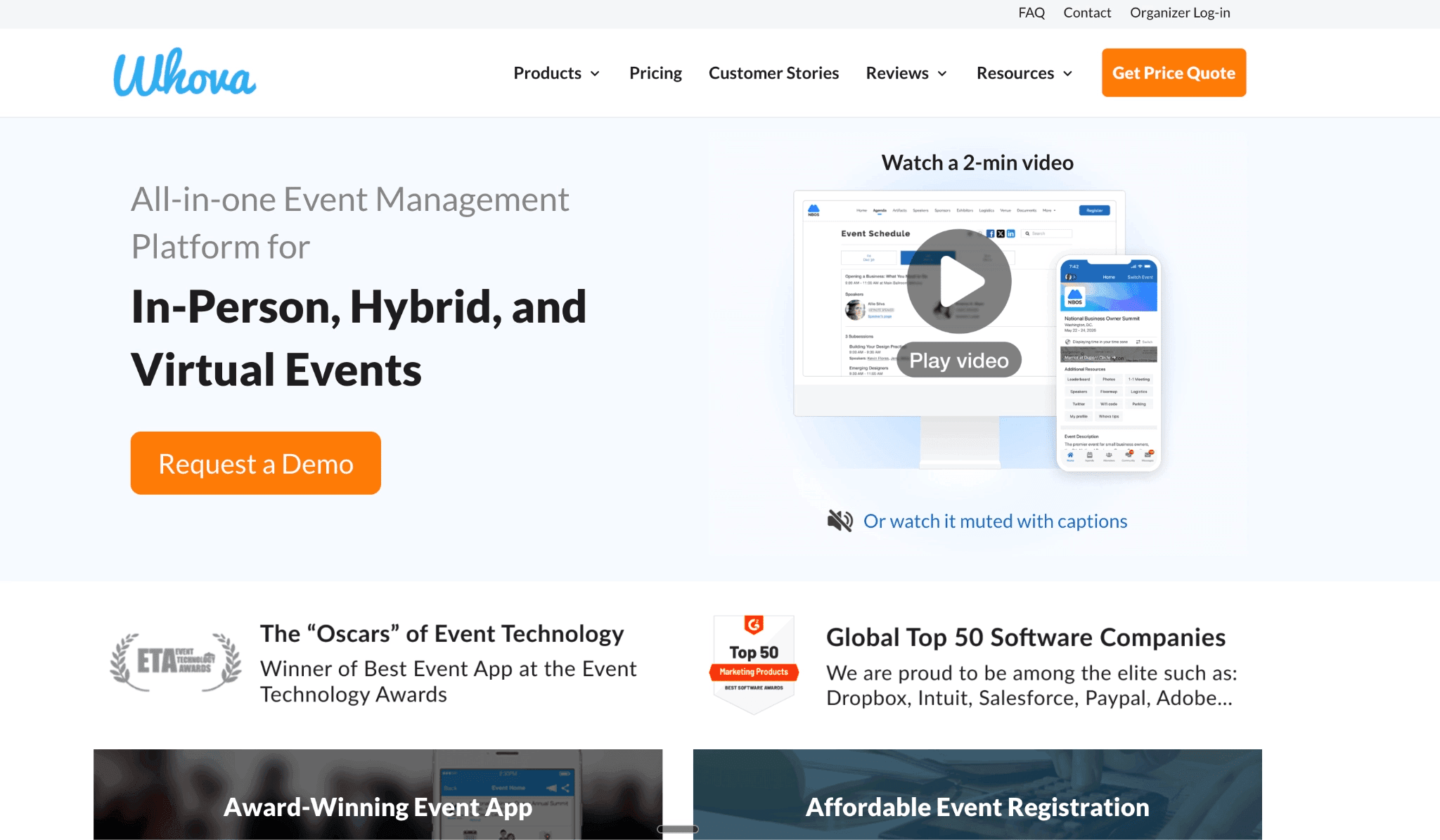
Whova is an event-management platform for conferences and association events where networking is a major reason to attend. It allows attendees to view the agenda, save sessions, receive updates and access event information from the mobile app.
The stronger reason to consider Whova is the attendee community and networking features. Its Community Board, attendee profiles, and matchmaking/networking features help attendees interact before and during the event.
That makes Whova a good fit for larger conferences where networking, exhibitor visibility and attendee discussion matter. It’s less suitable when you only need a simple programme app or academic submission workflows.
Whova’s Sched Alternative Features
Attendees can view sessions and build their personal schedule.
Attendees can use the Community Board to post questions, ride-share requests or propose group meetings.
Attendees can view each other’s profiles, receive suggested contacts, send messages and schedule private meetings.
Speakers can collect responses and questions during sessions, so audience feedback isn’t limited to people who raise their hands.
It provides sponsor and exhibitor tools so commercial partners get more visibility than a logo on the event website.
Pros
Community activity can begin before the first session, giving organisers more time to build participation.
Its networking tools help attendees find people outside their existing circle.
The sponsor and exhibitor features make it useful when partner visibility is part of the event’s value.
It provides registration, check-in so you can use it as the only event management app.
Cons
The platform may be excessive for a customer day or sales kickoff with a limited agenda.
Community features deliver little value unless attendees post and complete their profiles.
Registration and exhibitor tools may duplicate systems your organisation already pays for.
Pricing requires a sales conversation, making early budget comparisons harder.
Whova offers a browser version, but teams relying on its native app must still promote downloads.
Whova doesn’t replace Sched’s academic workflows because it isn’t built around call-for-papers or peer-review management.
Pricing
Custom pricing, but according to research, can be up to $2,000, without add-on costs.
Whova charges for 3% plus $0.99 per paid ticket.
4. Guidebook: For recurring events that need a branded native app
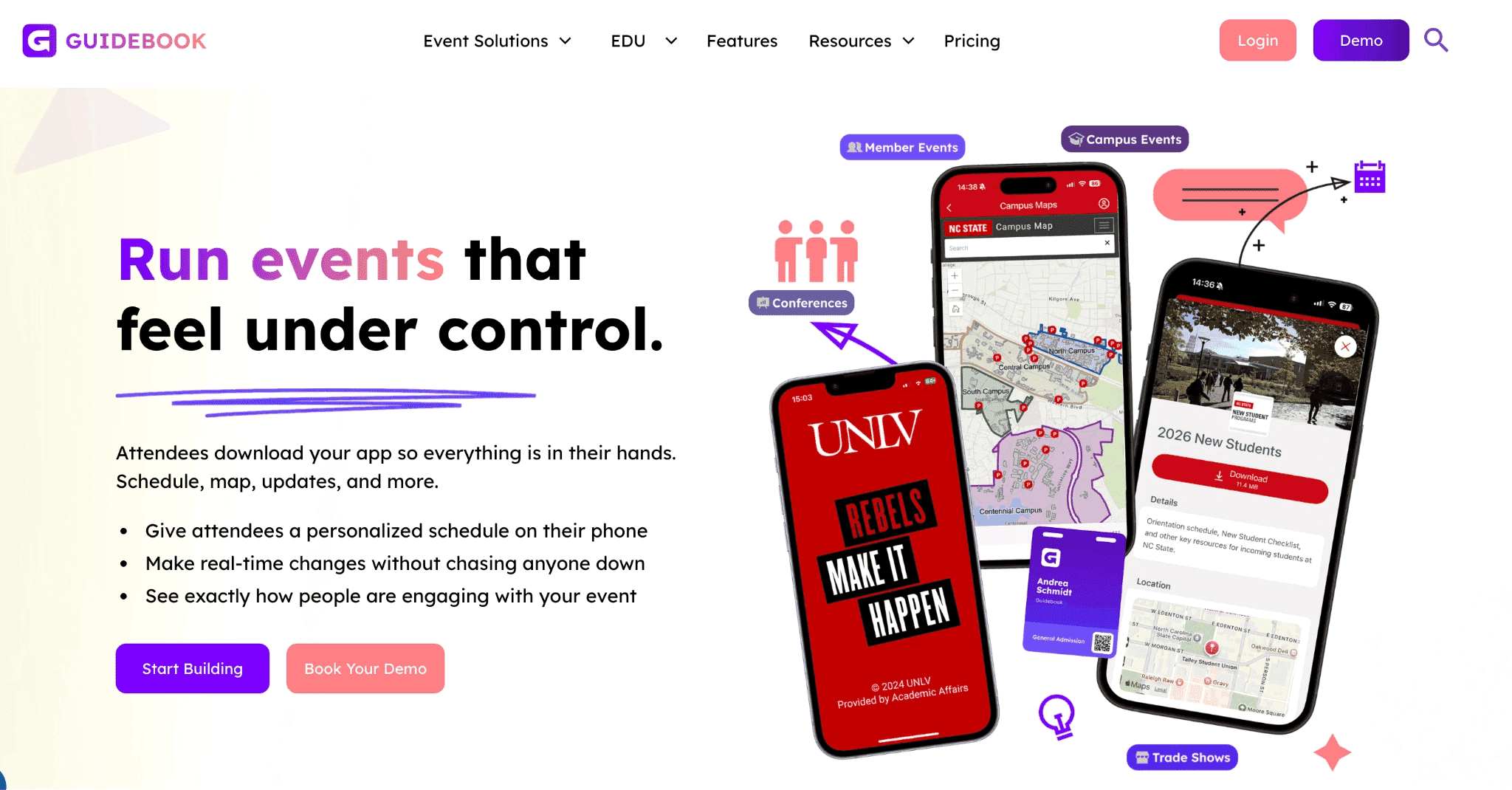
Guidebook is a no-code event-app platform for organisations that need a branded native app for conferences and recurring programmes.
A small corporate event team would choose Guidebook when the event app must carry the organisation’s name in the app stores and remain available across several events. It also supports offline schedules, maps and speaker information, which matters when venue Wi-Fi is unreliable.
That branded native experience requires more launch preparation than a focused self-service app. For a one-off customer day or internal conference, your team may not gain enough from app-store publication and year-round reuse to justify the additional work.
Guidebook’s Sched Alternative Features
Branded app-store presence: Attendees can download an iOS or Android app under your organisation’s name, giving recurring programmes one recognisable identity.
Offline event information: Schedules, maps and speaker details remain available when attendees have weak or inconsistent internet access.
Schedules and interactive maps: Attendees can find sessions and navigate large or unfamiliar venues from the same app.
Push notifications: Organisers can send programme changes and urgent instructions without asking attendees to refresh a webpage.
Reusable branded spaces: Associations and corporate teams can publish several event guides under the same branded environment.
Pros
A reusable branded app gives recurring programmes a consistent attendee experience.
Offline access reduces dependence on venue Wi-Fi and printed programmes.
The no-code builder lets event staff update programme content without commissioning a custom app.
Registration and badging are available when your team wants to replace more than Sched.
Cons
A branded native app requires app-store preparation and approval before launch.
Your team must promote downloads if attendees are expected to use the native app.
A one-off corporate event may not justify the work involved in creating a long-term branded app.
It doesn’t replace Sched’s academic submission and peer-review workflows.
Pricing
Custom pricing
5. Fourwaves: Best for academic conferences
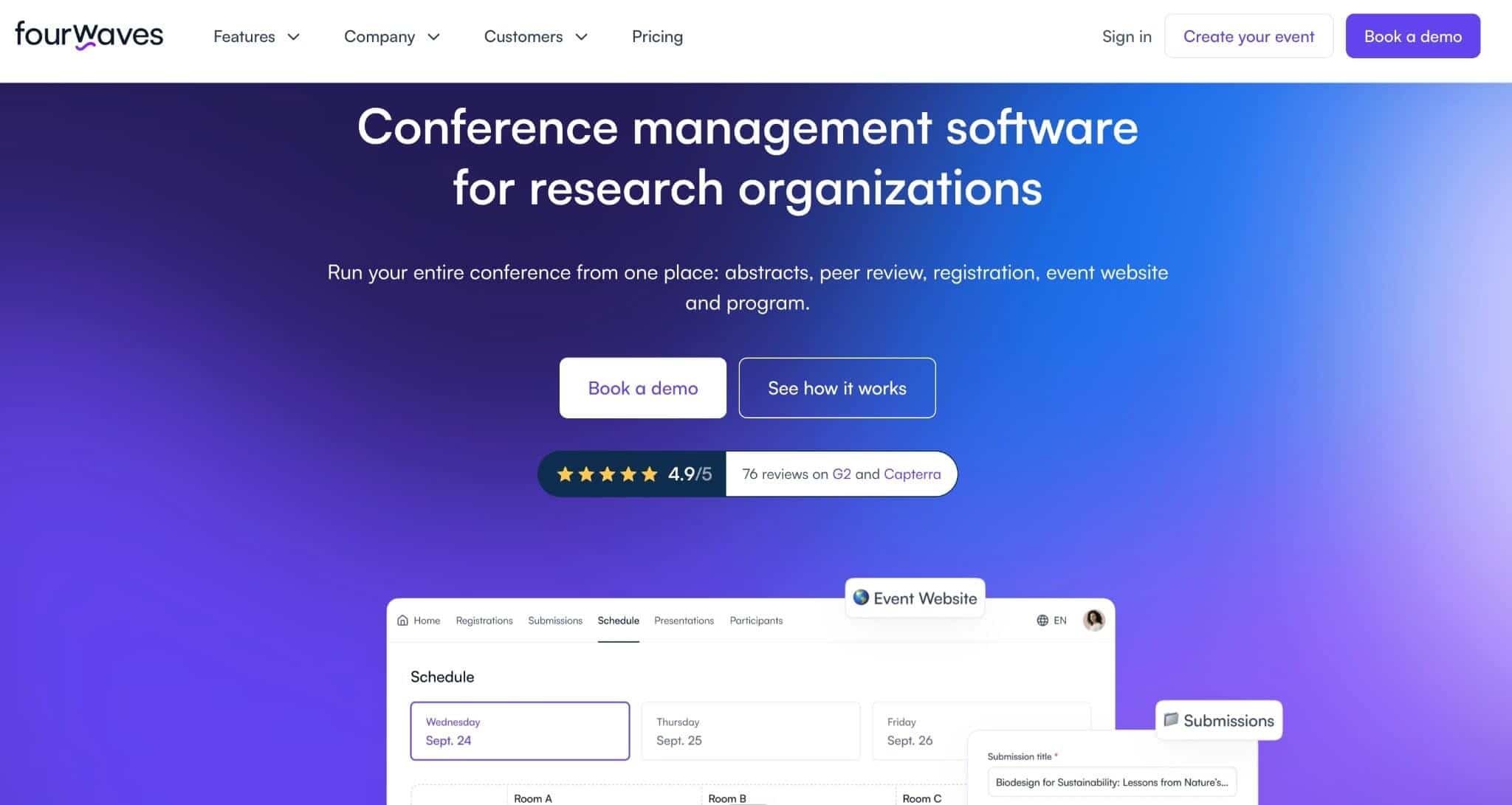
Fourwaves is conference management software for academic and scientific events that need abstract submissions and peer review.
For the small corporate event team this article targets, Fourwaves is usually the wrong direction. A customer day or sales kickoff with confirmed speakers doesn’t need reviewer assignments, blinded assessment or abstract decisions.
However, it is one of the closest Sched alternatives when submitted research determines the programme. Organisers can collect abstracts, assign reviewers and record decisions. Accepted papers and posters can then move into the published schedule without being copied between spreadsheets and separate tools. Registration and the conference website can remain in the same platform.
Fourwaves’ Sched Alternatives Features
Abstract submission forms: Authors submit research, reducing collection through email and spreadsheets.
Reviewer assignment and scoring: Committees distribute submissions and collect structured assessments before making acceptance decisions.
Blind review controls: Single-blind and double-blind options support independent assessment of papers.
Programme building from accepted work: Approved abstracts move into sessions without organisers re-entering the same information.
Abstract-book generation: Accepted submissions can be compiled into a formatted booklet for delegates and publication records.
Pros
Research committees can manage submissions and decisions using familiar academic workflows.
Connecting abstracts to the programme reduces copying between spreadsheets and scheduling software.
The free plan supports testing with up to 25 abstracts.
Cons
It adds little value to a customer day or sales kickoff because those events don’t need formal review workflows.
Peer review is included in Pro, so lower plans may need an add-on or upgrade.
Paid annual tiers list one active event, which may restrict organisations running overlapping conferences.
It doesn’t prioritise gamification or appointment-led networking like engagement-focused alternatives.
Pricing
All tiers include a 3% service fee if you collect payments.
Free: Includes unlimited events and registrations, with up to 25 abstract submissions (3% service fee).
Essential: $899/year for one active event and up to 100 submissions.
Advanced: $1,799/year for one active event and up to 200 submissions.
Pro: $4,799/year with unlimited submissions and peer-review features.
Three-year plans available.
6. EventMobi: For engagement and on-site operations
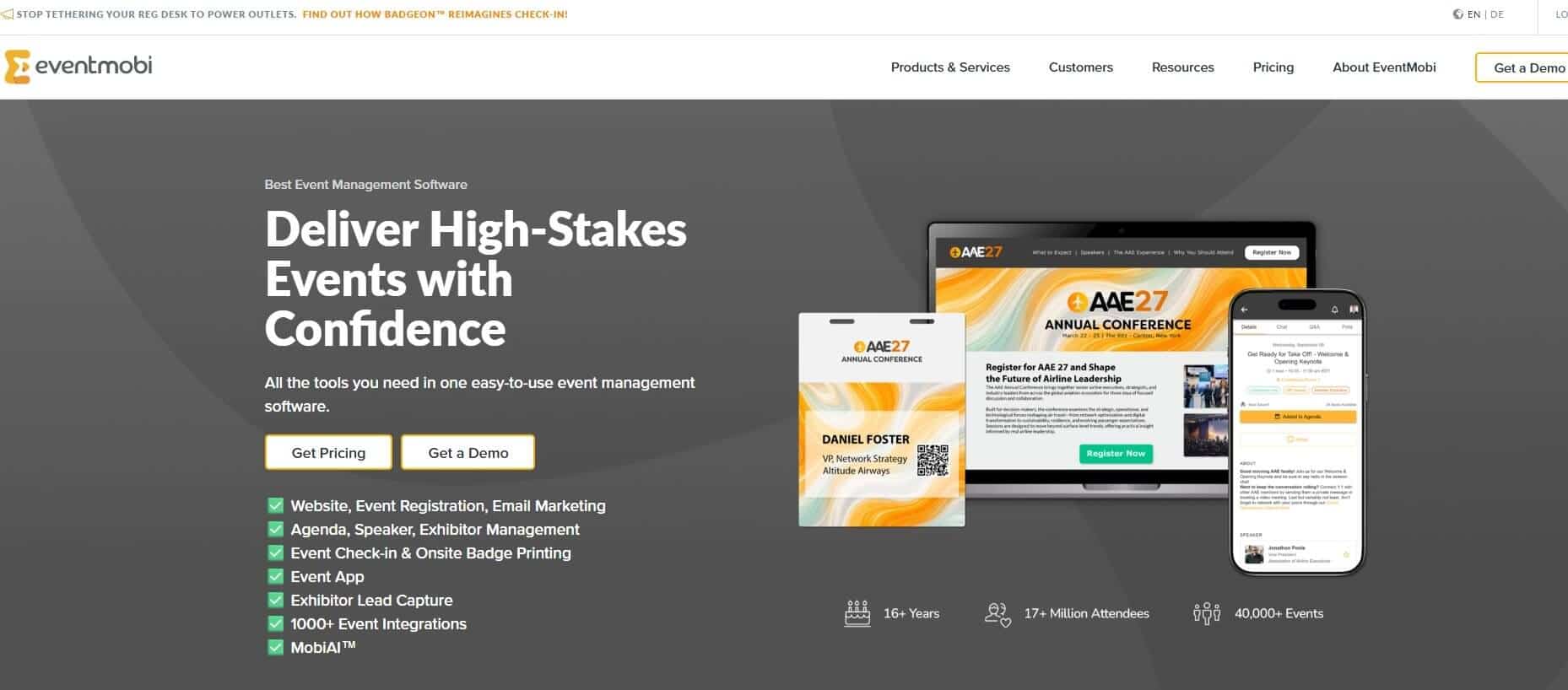
EventMobi is an event management platform for teams that want attendee app, registration and venue arrivals connected.
It becomes relevant when replacing Sched is only part of a larger change. Your team may also want registration records to carry through to check-in and badge printing, rather than transferring attendee data between separate systems.
EventMobi also supports polls, Q&A and appointment booking. However, its broader scope may be unnecessary for a small corporate team that already has registration covered and only needs a better attendee experience.
Eventmobi’s Sched Alternative Features
Programmes and personal schedules: Attendees find sessions and save activities, while organisers publish changes through the app.
Live polls and moderated Q&A: Speakers can collect responses and prioritise questions without sending attendees to another tool.
Attendees can find relevant people, exchange messages and arrange one-to-one meetings.
Allows attendee registration and check-in
Gamification and sponsor tools: Organisers reward selected actions and direct traffic towards exhibitor or sponsor activities.
Pros
Connecting registration and arrivals reduces the number of systems your team must configure.
The annual package may suit associations or corporate teams running several events.
Optional production and event-day services can support teams without sufficient internal capacity.
The platform can accommodate larger events when your operational needs grow.
Cons
At $3,500 per event, EventMobi may cost more than a small team needs for schedules and participation alone.
Registration and badge printing may duplicate tools your organisation already uses.
Its wider product scope requires more configuration than a focused self-service event app.
It doesn’t replace Sched or Fourwaves for abstract review and academic programme administration.
Pricing
$3,500/event and increases with attendance, products and add-ons.
$8,900/year and includes unlimited events.
Features like streaming and storage and badge printing are priced separately as add-ons.
7. Cvent: Best when your event operation has outgrown small-team software
Cvent is an event management platform designed for large organisations running complex conferences and recurring event programmes.
A small corporate event team would consider Cvent when replacing Sched is part of a wider operational change. Different attendee groups may need separate registration paths, while the venue team needs connected check-in and badge printing. Management may also require detailed analytics and reporting across several events.
However, Cvent is excessive when your main problem is attendee participation. If you only need better Q&A, polls and networking around a straightforward programme, its licensing and implementation add more work than the problem requires.
Cevnt’s Sched Alternative Features
Personalised registration paths: Different attendee types receive relevant questions, payment options and session choices without separate forms.
Attendee Hub: Attendees build personal agendas, answer polls and join Q&A. They can also message participants and schedule appointments.
Connected check-in and badging: OnArrival features uses registration records for attendee verification and on-demand badge printing.
Attendance and engagement reporting: Teams compare registrations with attendance, then review activity across sessions and event content.
Cross-event management: Enterprise event teams can apply shared processes and reporting across regional or recurring programmes.
Pros
Registration, the attendee app and venue arrivals use connected attendee records.
Cross-event reporting gives leadership a consistent view across an event portfolio.
On-demand badge printing supports conferences with several attendee types.
Attendee Hub combines session participation and planned networking within the wider event operation.
Cons
Huge learning curve, and several modules require training.
Modular licensing makes the final cost harder to compare with one-package tools.
Onboarding, hardware and service requirements can increase implementation time.
You may not use much of the registration and reporting features if you run smaller events.
Pricing
Pricing requires a sales call.
Which Sched Alternative Should a Small Corporate Event Team Choose?
For a customer day, internal conference or sales kickoff, LineUpr is the closest fit when your team needs to build the app itself and give attendees more to do during the programme.
Choose Eventee when gamification and social activity are central to your event and consider Whova for a larger conference where attendee networking matters more.
Guidebook is better when you need a branded native app across recurring events. Choose EventMobi when registration and on-site operations must move too, or Cvent when your organisation needs enterprise event management.
For an academic conference built around submissions and peer review, stay with Sched or consider Fourwaves.
Explore LineUpr’s event app features
FAQs
What is the best Sched alternative for a small corporate event team?
LineUpr is the best fit for a mid-sized, non-academic event when your team needs to build the app itself and support a fixed programme with updates, polls, moderated Q&A and attendee networking.
EventMobi is better when registration and venue operations must also move. For an abstract-driven academic conference, Sched or Fourwaves may be the better choice.
Can I use a Sched alternative with my existing registration system?
Yes. A focused event app can work alongside the registration system your team already uses. This helps organisers who only need schedules, updates and attendee participation. Platforms such as EventMobi or Cvent are better when you need registration and on-site operations in the same app.
Is there a free alternative to Sched?
Not really. But Fourwaves offers a free plan for small academic events, including unlimited events and registrations with a limited number of abstract submissions.
LineUpr allows organisers to build and preview an event app free before purchasing the upgrade required to publish it.
Do attendees need to download an app?
It depends on the platform. Guidebook allows you to use mobile apps that attendees download from an app store, while other tools provide access through a link or QR code. Mobile apps can provide stronger branding and experience, while web-based access helps reduce the download step which a B2B audience usually ignores.
Can I transfer an existing Sched programme to another platform?
Usually, provided you can export the session and speaker information and the new platform supports CSV or Excel imports. Before switching, confirm how tracks, locations and session links will transfer. Attendee accounts, saved schedules and previous messages may require separate handling.