8 Best Event Survey Apps for Higher Response Rates
September 24, 2026 · Wout Criekemans · 33 minute read
Table of Contents
- 5 Things to Consider When Choosing an Event Survey App
- 2026 Event Survey Apps Compared by Workflow
- Evaluation Scorecard for Event Survey Apps
- 1. LineUpr: Best for keeping surveys in the attendee event experience without an app download
- 2. Slido: best for presenter-led surveys during live sessions
- 3. SurveyMonkey: best for detailed post-event research
- 4. Jotform: best for flexible forms and offline venue collection
- 5. Cvent: best for feedback tied to enterprise event records
- 6. Webex Events: best for item ratings plus embedded survey tools
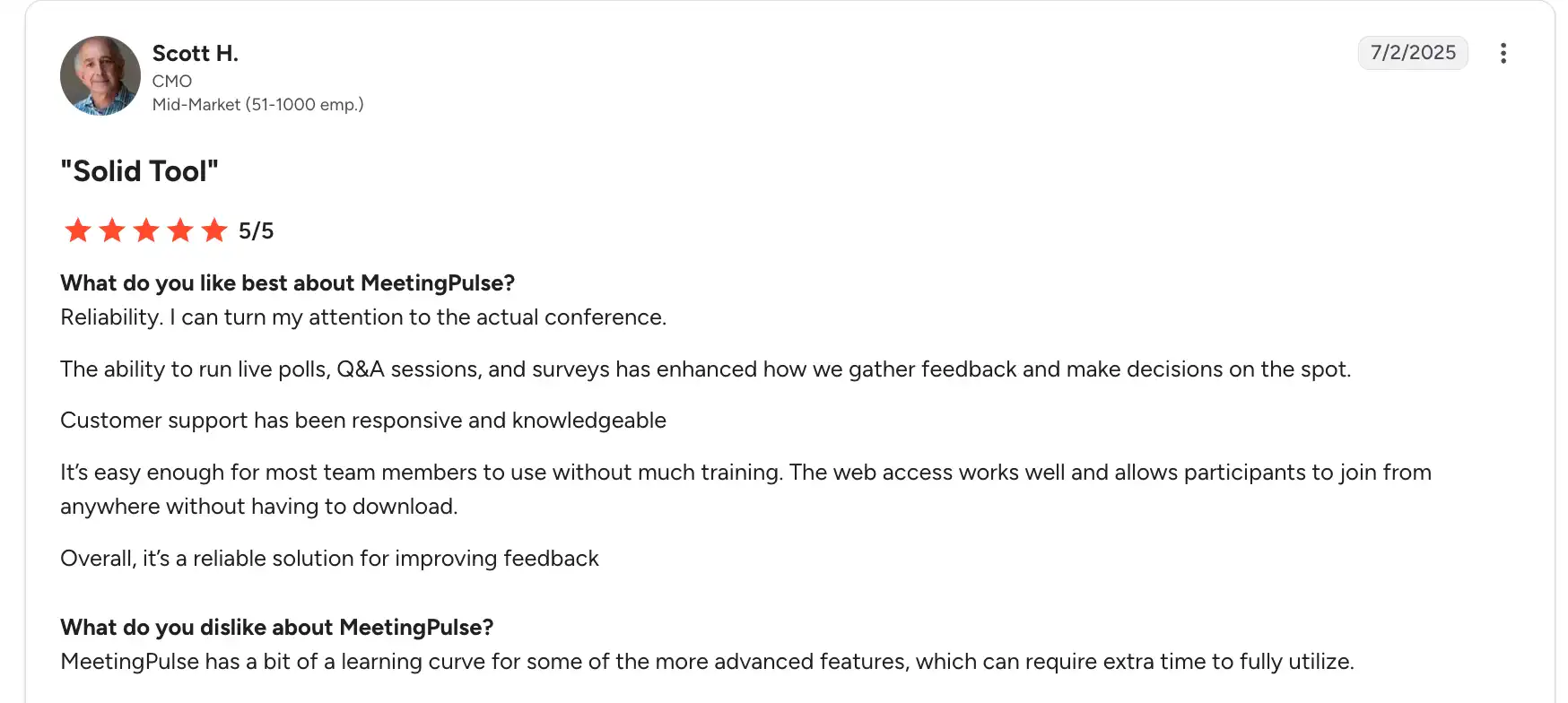
- 7. MeetingPulse: best for anonymous and multilingual meeting feedback
- 8. Whova: best for session feedback inside a networking-led conference app
- Choosing the right event survey app
- FAQs
Key takeaways
- Choose LineUpr when you want surveys, session feedback and live interaction in the browser-based event app attendees use for the agenda.
- Choose Slido or MeetingPulse for presenter- or moderator-led live feedback; SurveyMonkey or Jotform for standalone research, flexible forms or offline collection.
- Choose Cvent, Webex Events or Whova when feedback should connect to registration records, attendee activity or a broader conference platform.
Disclosure and methodology
This guide is published by LineUpr. We included LineUpr alongside other event survey apps. We evaluated each option based on public product information, pricing pages where available, product pages, and fit for specific survey and feedback event needs as of 2026.
An event survey app should make it easy for attendees to find your questions and answer them. If guests have to hunt for the survey, create another account or work through questions that don’t apply to them, you’re asking them to do more work before they can give you feedback. And they easily bounce.
And that’s because “event survey app” can describe four different kinds of software:
- Some products place surveys inside an attendee event app. This means guests answer from the same place they check the agenda and session information.
- Others add polls and questions to a live presentation. This lets the speaker collect and discuss responses while the session is underway.
- Standalone survey platforms handle longer questionnaires and follow-up campaigns. They provide deeper survey logic, but you’ll need to direct attendees to a separate survey link.
- There are also enterprise event platforms that connect feedback to registration, attendance and session records, reducing the work required to match responses with event data later. But they may be too overwhelming for your setup if you already have registration handled.
The right choice depends on the feedback workflow you need: where the survey should fit into the attendee experience, when you want people to respond, and what you need to do with their answers afterwards.
We’ve compared eight options to show you how attendees reach each survey, what you can learn from the responses and which limitations to check before choosing a plan.
If your event day is fast approaching, test the survey journey before event day. Build a LineUpr app for free and see how quickly attendees can get from your link or QR code to submitting feedback.
5 Things to Consider When Choosing an Event Survey App
To decide the workflow you need for your events, compare the products on these five questions:
- Discovery: Where will attendees find the feedback request? Inside the agenda, on a presentation slide, in an email or somewhere else?
- Access: What must an attendee do before answering? Scan a QR code, open another link, download an app, sign in or nothing beyond opening the event?
- Timing: Can you place the question at the moment it makes sense, such as immediately after a session, during a presentation or after the event?
- Context: Does the response already identify the relevant session, attendee or registration record, or will your team have to add that information later?
- Survey depth: Do you need quick ratings and comments, or branching, reminders, segmentation and research across multiple events?
2026 Event Survey Apps Compared by Workflow
Strapped for time? Here’s a quick overview of the eight tools and what they’re best for.
| Product | What it is | Best-fit workflow | Key limitation | Pricing |
|---|---|---|---|---|
| LineUpr | Browser-based attendee event app builder | Keeps surveys and feedback alongside the agenda and updates. | Surveys need a Premium plan or higher. | Premium: $359/event (50 attendees); up to 60% off with Premium Flex. |
| Slido | Live audience-interaction tool | Launch live polls or surveys and discuss results in real time. | No question branching - follow-up questions can’t adapt to previous answers. | Free plan; paid plans $80–$700/event or $12.5–$150/mo |
| SurveyMonkey | Standalone survey and research platform | Send post-event surveys & follow up with non-respondents. | Offline collection requires the Enterprise plan. | Free; paid plans from $129/mo ($468/year) |
| Jotform | General form and workflow platform | Collect custom forms via links or QR codes + offline collection. | Monthly submission limits are shared across all your forms. | Free; paid plans from $39-$129/mo |
| Cvent | Enterprise event-management platform | Link survey responses directly to registration, attendance, and session data. | External records need integrating (for attendee context). | Custom quote |
| Webex Events | Enterprise attendee event app | Collect item ratings in-app. | Detailed questionnaires require an external survey provider. | Contact sales |
| MeetingPulse | Audience-response platform with wider event modules | Run feedback in meetings and town halls. | can’t edit running polls, so corrections need manual merging. | Free trial; Polling & Surveys plan: $897/year (200 attendees) |
| Whova | Conference app and event-management platform | Keeps session feedback inside the conference app. | Polls & surveys live in separate places (causes confusion). | Custom quote |
The comparison above shows the role each product is built to play. The scorecard below goes one level deeper, showing where each tool is strongest across attendee access, timing, event context and survey depth.
Evaluation Scorecard for Event Survey Apps
| Product | Attendee access | In-event timing | Event-data context | Survey and reporting depth |
|---|---|---|---|---|
| LineUpr | 5/5: Opens via link or QR code, no install or account needed. | 4/5: Prepare surveys and collect feedback; auto-scheduling needs Platinum. | 3/5: Ratings keep session context; matching CRM or ticketing needs setup. | 3/5: Covers feedback via four question types, ratings and exports; deeper analysis is external. |
| Slido | 5/5: Join via link, QR code or event code, no account needed. | 5/5: Presenters launch questions and discuss results instantly. | 2/5: Responses link only to the presentation, not registration or attendance. | 3/5: Live polls work free; fuller surveys need Engage or higher. |
| SurveyMonkey | 4/5: Easy access via links or QR codes; offline kiosk needs Enterprise. | 3/5: Supports live QR collection and follow-up, but not the agenda. | 2/5: Identity and session data need manual fields or integrations. | 5/5: Paid plans add logic, reminders and analysis; branching needs a higher tier. |
| Jotform | 4/5: Links and QR codes open easily; offline collection needs a device. | 3/5: Forms share anytime, but timing isn’t tied to the agenda. | 2/5: Event and attendee details rely on fields or integrations. | 4/5: Conditional forms and integrations enable detail, but you configure it yourself. |
| Cvent | 4/5: Attendees reach surveys via site, app or messages; steps vary by setup. | 5/5: Surveys can be scheduled around milestones or session start times. | 4/5: Survey data draws on existing registration records; external data needs integration. | 5/5: Surveys Premium adds dynamic logic, comparisons and assessments platform-wide. |
| Webex Events | 4/5: Built-in ratings stay in-app; external surveys open in the mobile browser. | 5/5: Prompts feedback after set actions; organisers can add links to session pages. | 4/5: Built-in ratings stay tied to the item; external surveys need passed-in context. | 3/5: Handles quick ratings and feedback prompts in-app; detailed surveys need an external tool. |
| MeetingPulse | 5/5: Participants join via browser, no install needed. | 5/5: Entry forms and live questions collect feedback at set points. | 3/5: Registration, identity and segmentation add context, based on configured modules. | 4/5: Conditional questions, segmentation and exports support strong meeting analysis. |
| Whova | 4/5: Attendees use the mobile app or web portal; reach depends on adoption. | 4/5: Session feedback opens once sessions start, but needs an organiser prompt. | 4/5: Session forms identify what’s rated; wider analysis depends on setup. | 4/5: Combines surveys, polls and analytics, though research tools are less prominent. |
Want to see what the attendee experience actually looks like? Open the LineUpr demo to explore the app, agenda, surveys and other event features for yourself.
1. LineUpr: Best for keeping surveys in the attendee event experience without an app download
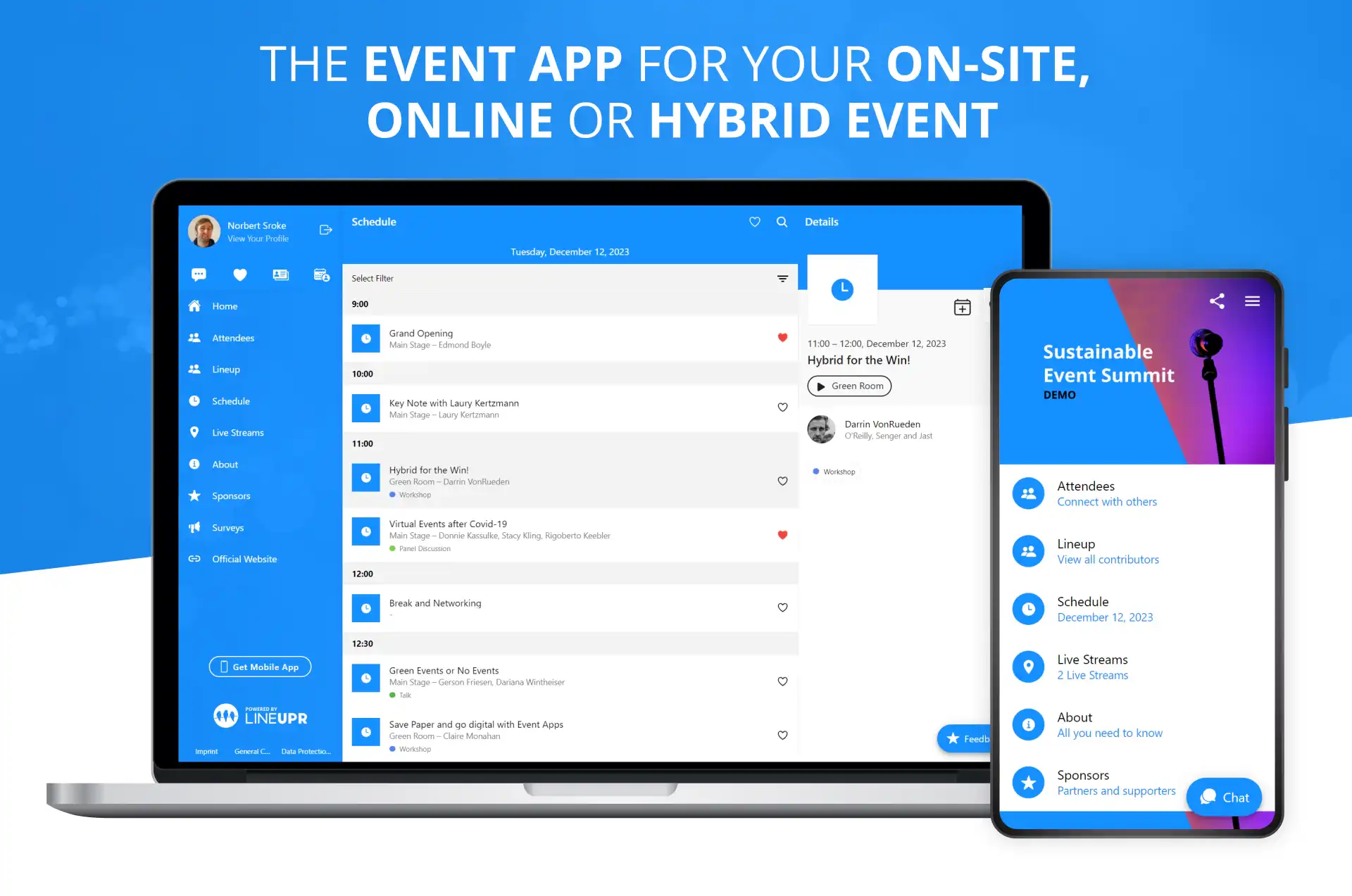 Image Caption
LineUpr is a self-service, browser-based event app builder for B2B event teams that want to collect feedback in the same place attendees use for the agenda, session information and event updates. Instead of sending guests to a separate survey tool or asking them to install another app, you share one link or QR code that opens the event experience in their browser.
Attendees can use the app without creating an account unless you choose a setup that requires login. That keeps access simple for an open event. If you need controlled access or identified participants, attendee login is available on Platinum; decide which answers need to identify the respondent before you build the survey.
LineUpr supports general surveys, session feedback, live polls and Q&A, so you can match the feedback format to the moment you need it. This makes LineUpr a good fit when you want accessible, in-event feedback to remain part of the wider attendee experience rather than become a separate research workflow.
Start building your event app free, then test the survey experience before choosing a package.
Key features of LineUpr as an event survey app
Let’s take a look at how those features work during an event.
1. Keep surveys beside the event content attendees already use
LineUpr lets you create a general survey in the App Manager, choose where it appears in the survey menu and prepare it before the event. You can keep the survey hidden until you’re ready to collect responses, then make it visible when attendees have the right context to answer.
For session-specific feedback, attendees can open the relevant programme item and rate the session there. The response remains connected to that programme item, so you don’t need to ask attendees which session they attended or match the rating back to the agenda afterwards.
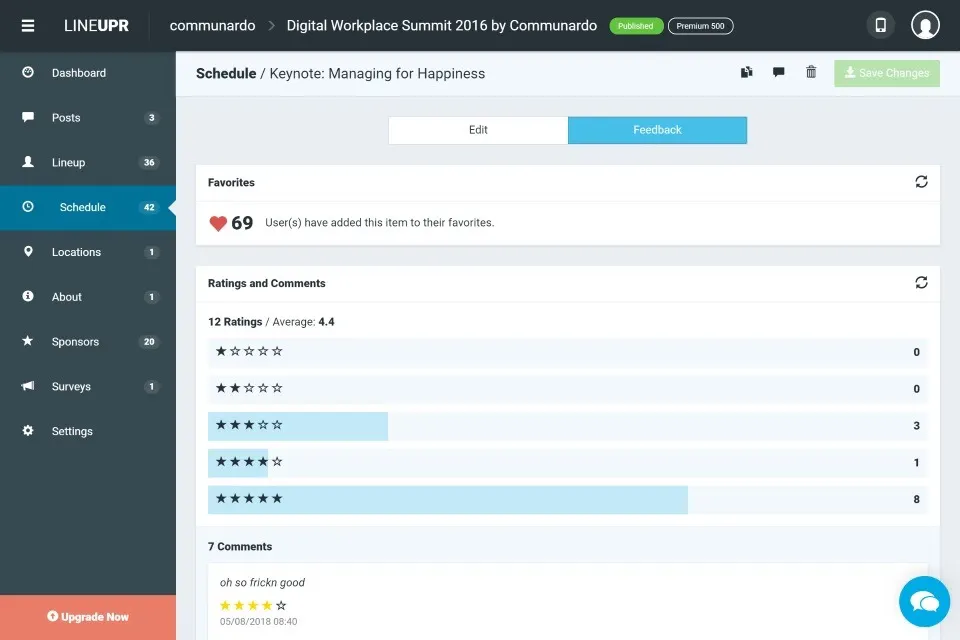 Image Caption
You can also offer general surveys that support single-choice questions, multiple-choice questions, star ratings, and free-text responses. You can make selected questions required or optional and allow attendees to edit answers after submission. These controls cover common event-feedback needs without requiring a more complex research survey.
The advantage with LineUpr is that feedback isn’t a separate part of the event. At the end of a session, for example, a moderator can direct attendees to the relevant programme page or a survey that has just been made visible. The attendee is already using the same app for the event information, so filling the form has low friction and is easy to do.
That removes the app download and separate survey search from the response process. And when guests rate a programme item, the feedback already identifies the session they’re talking about.
2. Remove the download and sign-up steps before feedback
LineUpr runs in the browser, so attendees don’t need to install a mobile event app from an app store. Guests can save it to their home screen for an app-like experience, as shown below, but installation isn’t required.
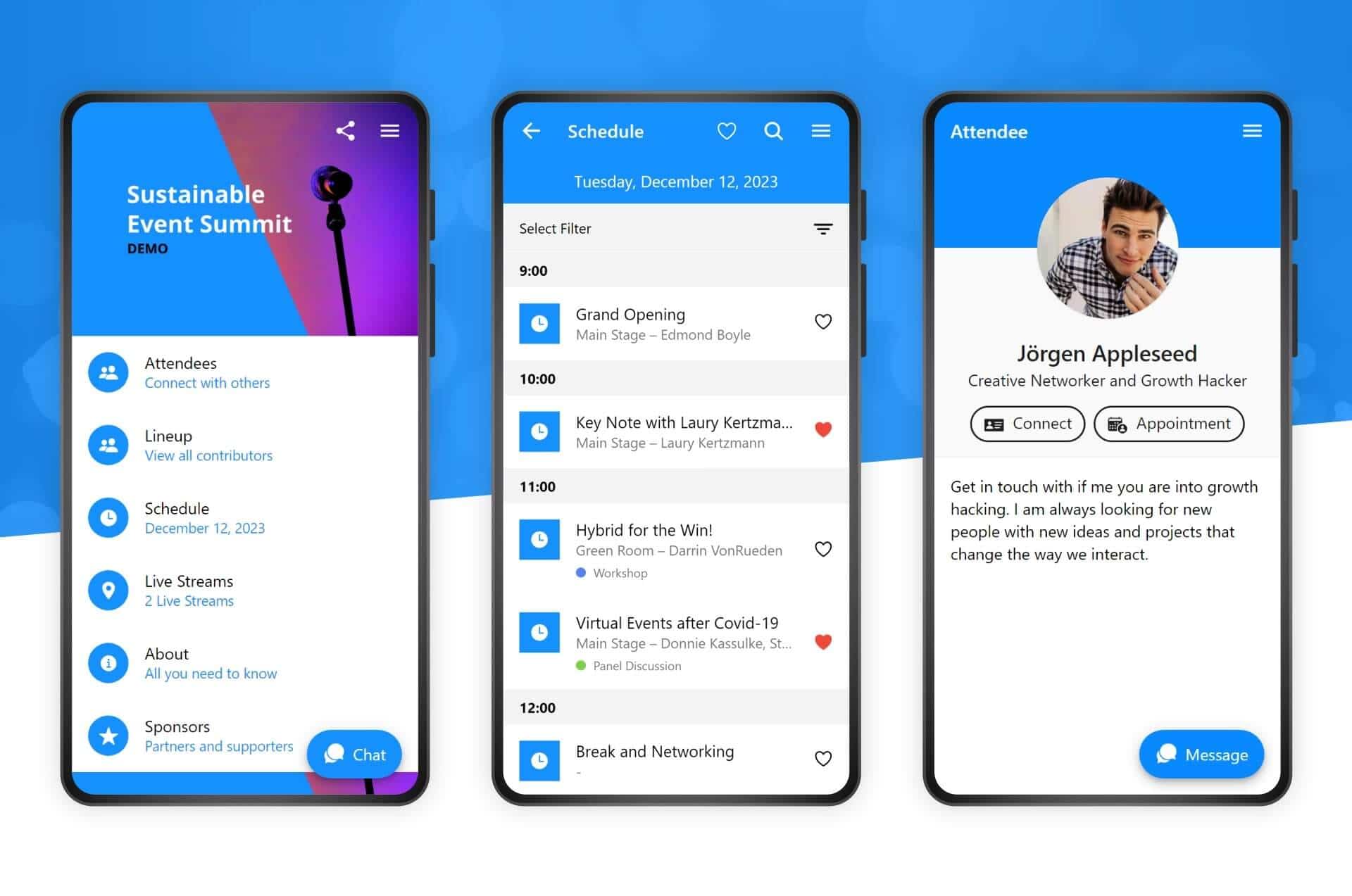
This browser-based model can be particularly useful for attendees using company-managed devices, where third-party app downloads are automatically restricted. It also removes the download step for B2B guests who may not want to install an app for an event in the first place.
Because the same browser link opens the wider event experience, you can reuse it in registration emails, printed signage and presentation slides. Attendees return to the same place for the agenda, event information and surveys instead of having to find or remember a separate survey destination.
For example, the organisers of StrategieWerkstatt wanted guests to participate more actively, so they used LineUpr for live surveys, audience questions and feedback. Guests could also check the agenda and participant list in the same app, reducing the need for printed materials. In total, 90% of guests used it on event day, and 74 guests replied to their surveys.
3. Match the feedback format to the moment
LineUpr provides four feedback formats rather than treating every event question as a full survey. The format you choose should depend on what you need from attendees at that point in the programme.
- Live poll: Ask one focused question during a session and display incoming results while the audience is still in the room.
- Q&A: Let attendees submit questions throughout a presentation and upvote questions they also want answered.
- Session feedback: Ask guests to rate a specific programme item while the session is still fresh.
- General survey: Collect broader feedback about the overall event through several questions.
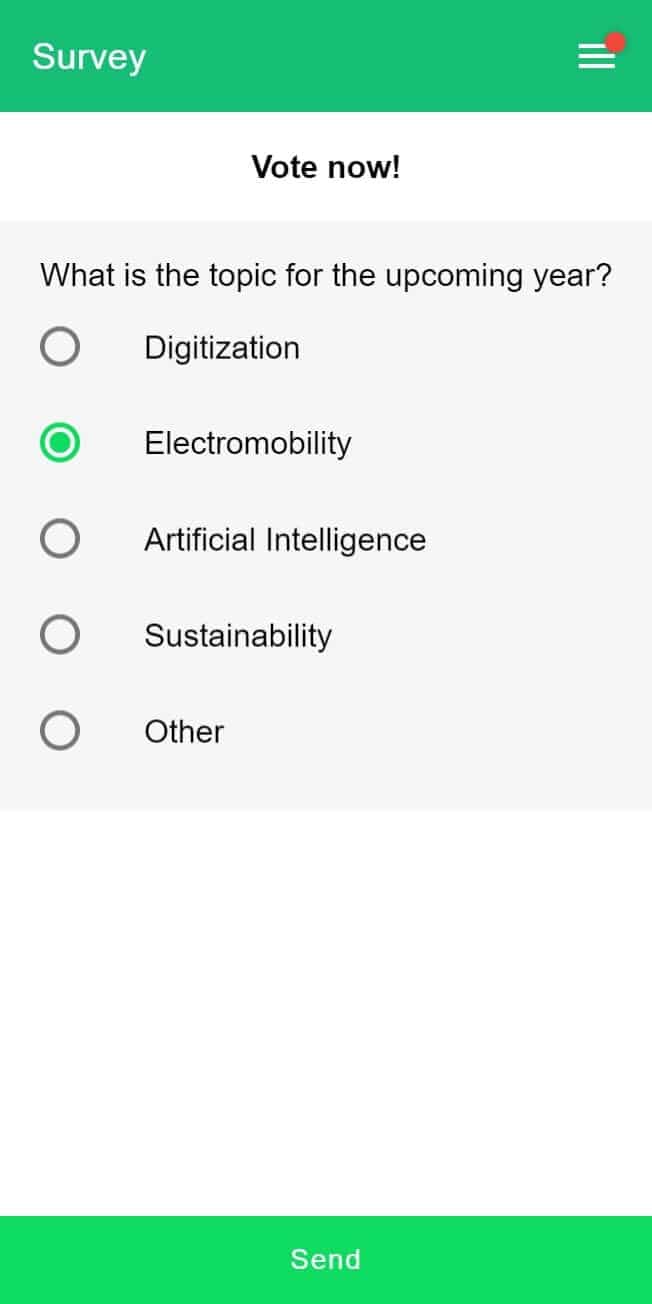
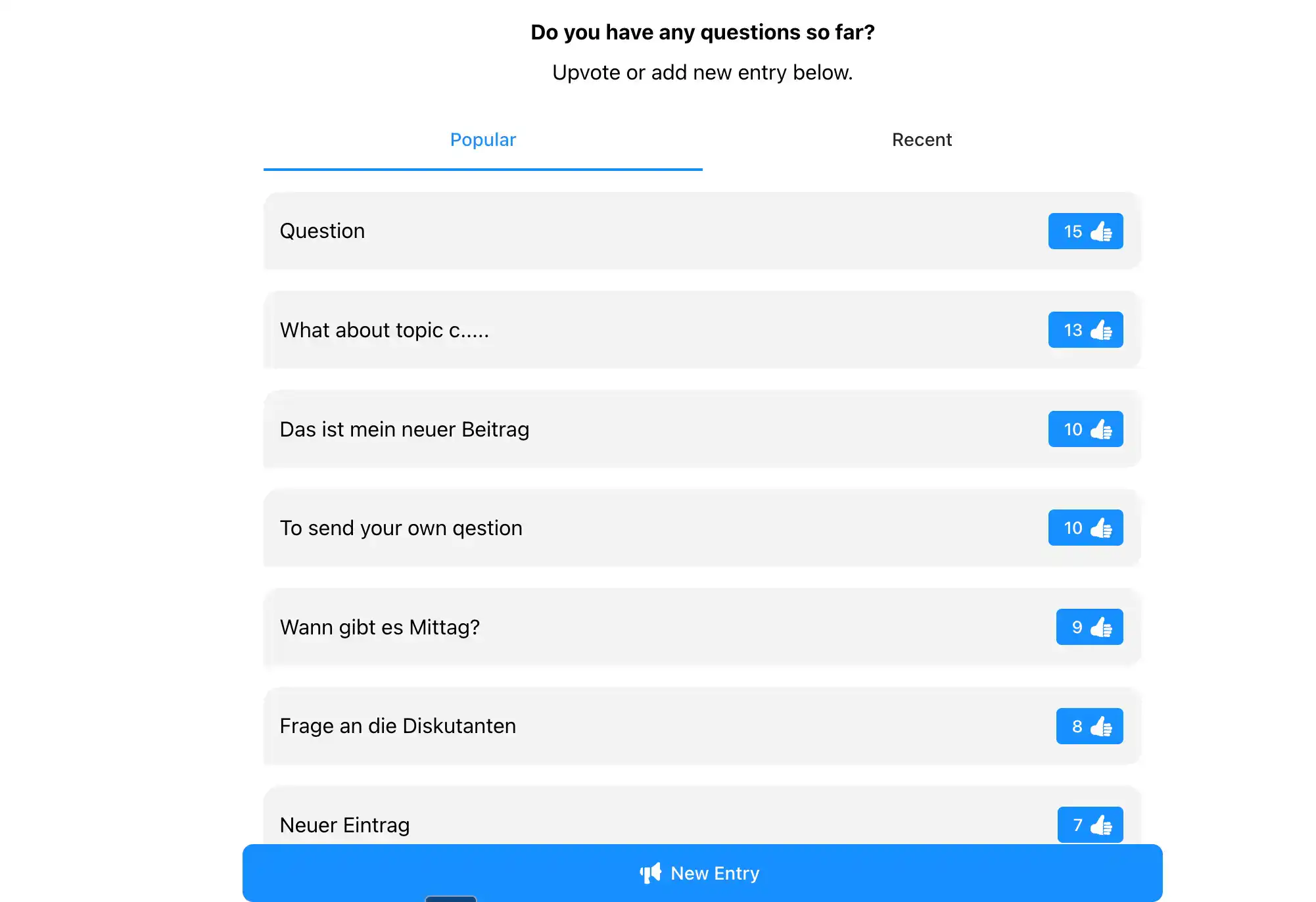
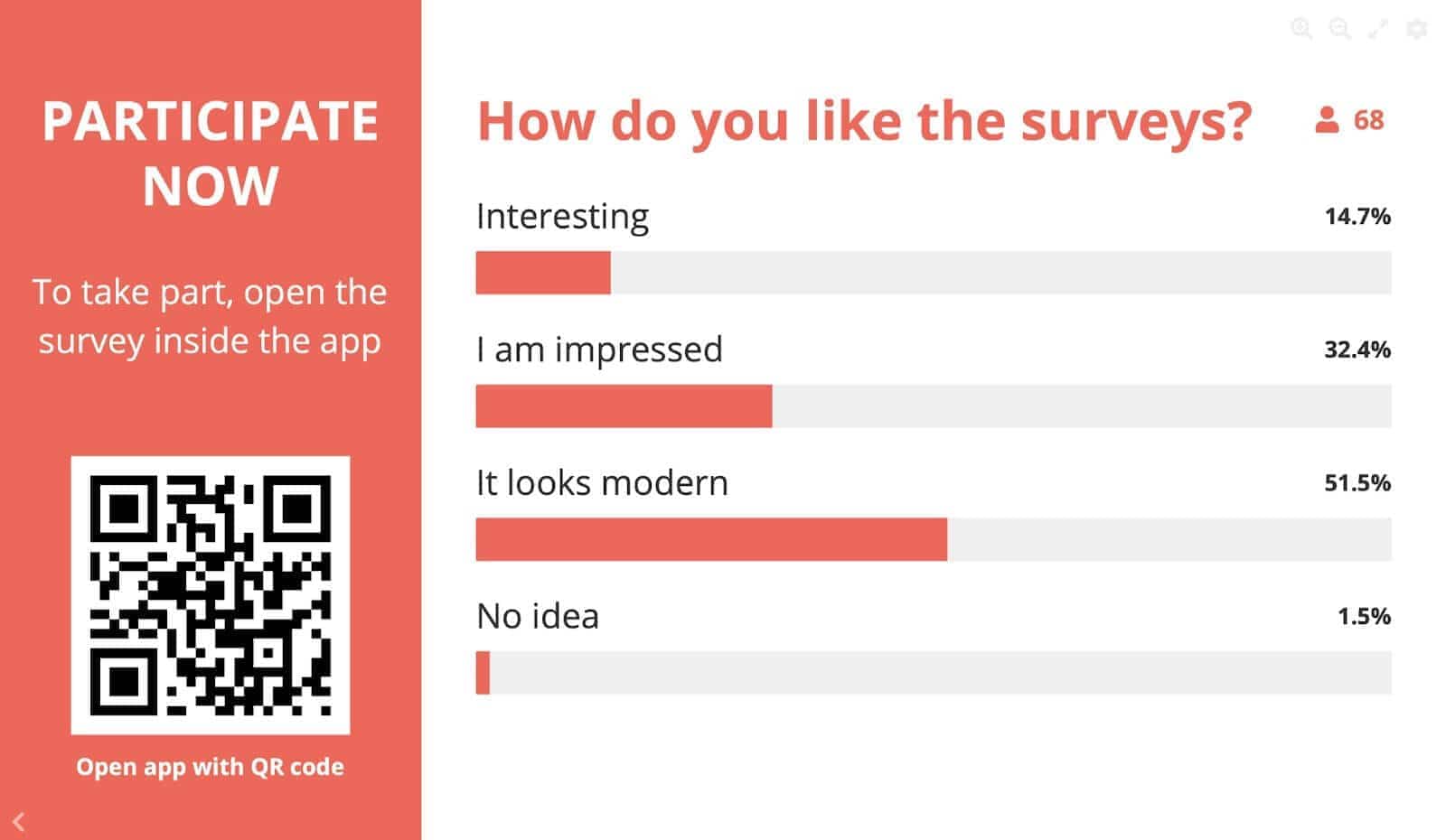
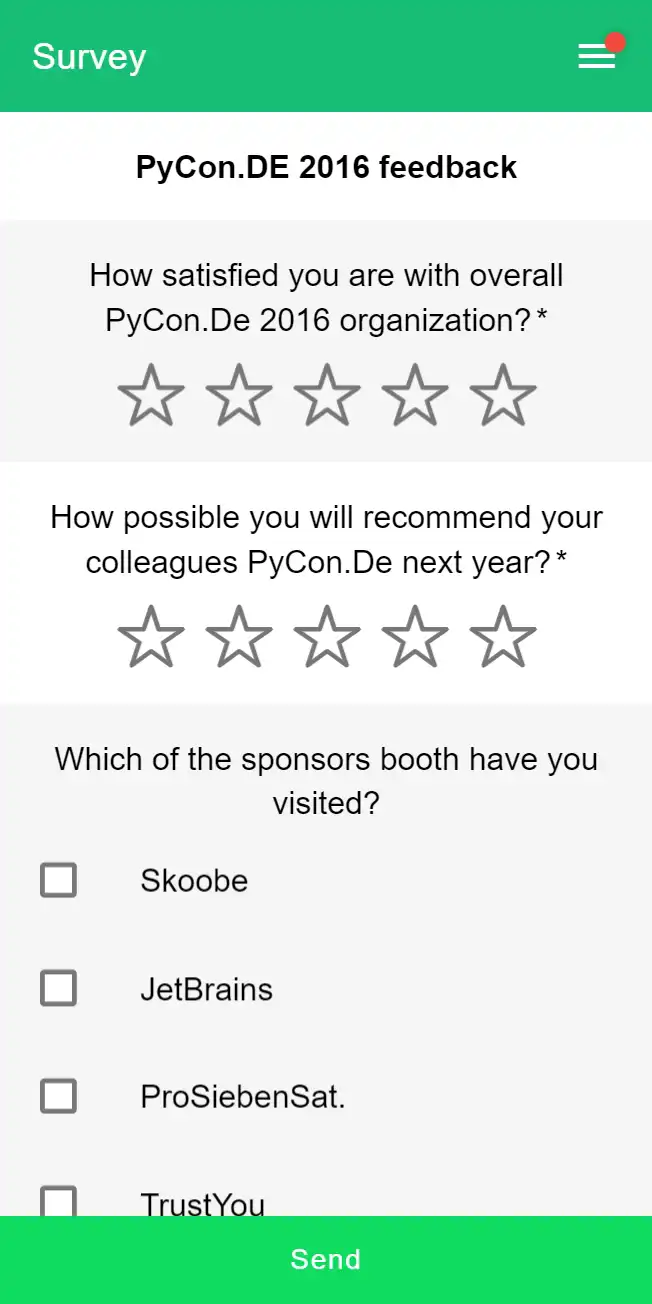
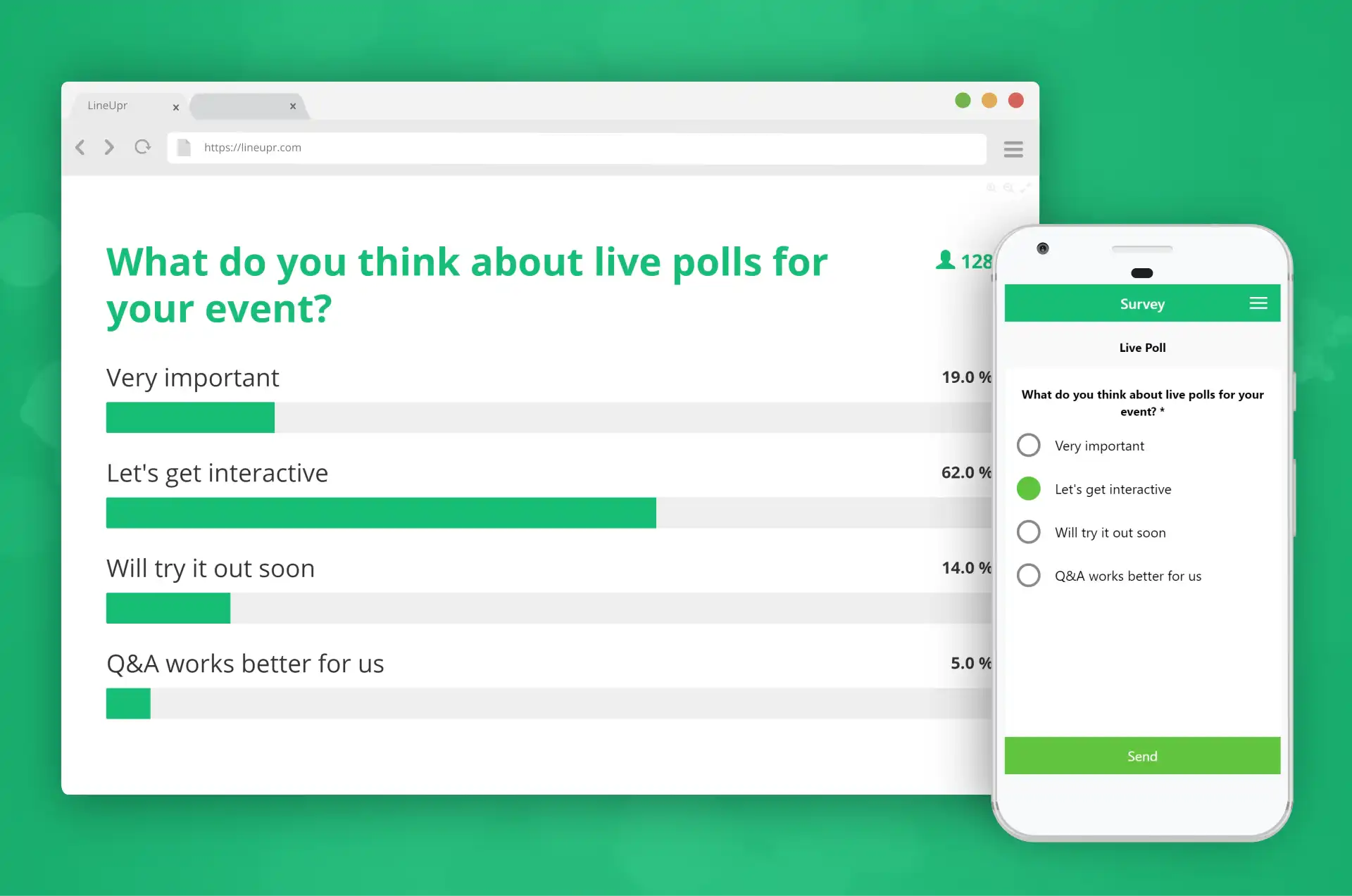
Surveys and polls also have a presentation view that opens in a browser, with results updating as responses arrive. A moderator can share those results with the room or keep the reporting view private.
This way, you can use a poll or Q&A during a session, then collect session ratings or wider event feedback in the same attendee app.
At Silicon Saxony Day, for example, the presenter asked guests to respond while organisers opened the live survey and projected the results. This shows how the poll became part of the discussion, with a clear prompt from the moderator.
4. Keep session feedback connected to what attendees evaluated
Once responses start coming in, you can review them in LineUpr during the event or afterwards. For programme feedback, LineUpr keeps each rating linked to the session reviewed. That means you can compare session feedback without asking attendees to name the session again or manually match ratings to your agenda.
Live poll results are also available after the session for review or presentation to leadership.
You can also export survey data to Excel or CSV for further analysis. You can also use Google Analytics and Matomo to track app usage, which can help when analysing app-engagement signals alongside your feedback.
The Silicon Saxony team also sent a follow-up email with a button leading directly to its feedback survey and received 65 responses. That is a useful way to continue collecting after guests leave: send the survey link directly, rather than asking them to find it again in the app.
Pros
- No app-store download required: Attendees open your event app in their browser via a link or QR code, removing the installation step before they reach the survey.
- Surveys are in the event app: Attendees can use the same browser-based app for the programme, event information and feedback, so you don’t have to send them to a separate survey platform.
- You can time feedback around the event: Prepare surveys in advance and make them visible when you want responses, such as immediately after a session while the experience is still fresh.
- Live results can support the session itself: Poll and survey results can appear on the presentation screen as answers come in, giving speakers or moderators something to respond to in the room.
- Event teams can manage surveys without developer support: The App Manager lets organisers create questions, change visibility and manage feedback without technical experience or help.
- Per-event pricing works for teams that run few events per year and don’t need an annual plan: You can purchase a package for an individual event instead of committing to an annual licence.
Cons
- Limited advanced survey analysis: LineUpr lacks advanced branching and cross-survey analysis for complex research.
- Registration tools are separate: Ticketing, registration and badge printing require another system.
- Surveys require Premium or above: The Plus plan doesn’t include surveys, polls or attendee feedback.
Pricing
LineUpr prices each event by package and attendee count. The free account lets you build and preview before you buy.
- Plus: $215 per event for 50 attendees. Surveys aren’t included.
- Premium: $359 per event for 50 attendees. Surveys, polls, Q&A and attendee feedback are included.
- Platinum: $647 per event for 50 attendees. Adds attendee login, networking and automatic visibility scheduling, among other features.
- Premium Flex: $299 a year for one event and 50 attendees. Pricing changes with the annual event and attendee allowance.
Why teams choose it: LineUpr keeps the agenda, session ratings and surveys in one browser-based app, making it easier for guests to give feedback without downloading another app or finding a separate survey link.
Sign up now to start building your LineUpr attendee experience for free.
2. Slido: best for presenter-led surveys during live sessions
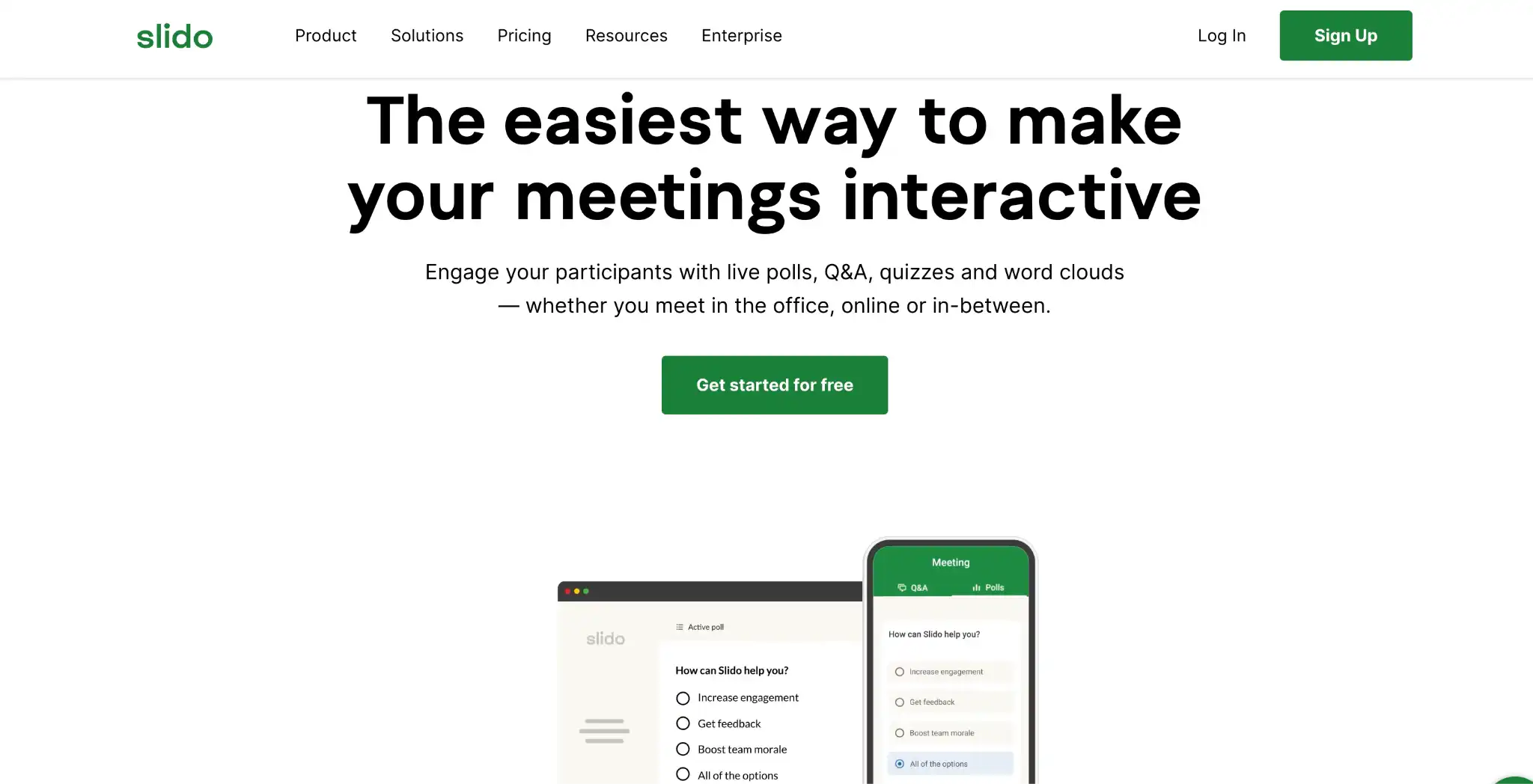
Slido is a live audience-interaction add-on for meetings and presentations. You prepare polls or combine several questions into a survey, and the presenter can display a QR code or share the link so participants can answer in their browser without creating an account.
The presenter controls when a question appears and can discuss the answers while everyone is still in the session. Slido integrates with PowerPoint, Google Slides, Webex, Teams and Zoom, so you can bring that interaction into the presentation or meeting tools your team already uses.
Key features
- Multiple-choice, rating and open-text questions
- Word clouds and polls that let participants rank options
- Live and self-paced surveys
- Anonymous or named responses
- PowerPoint, Google Slides, Teams, Zoom and Webex integrations
- Participation analytics and result exports
What users say
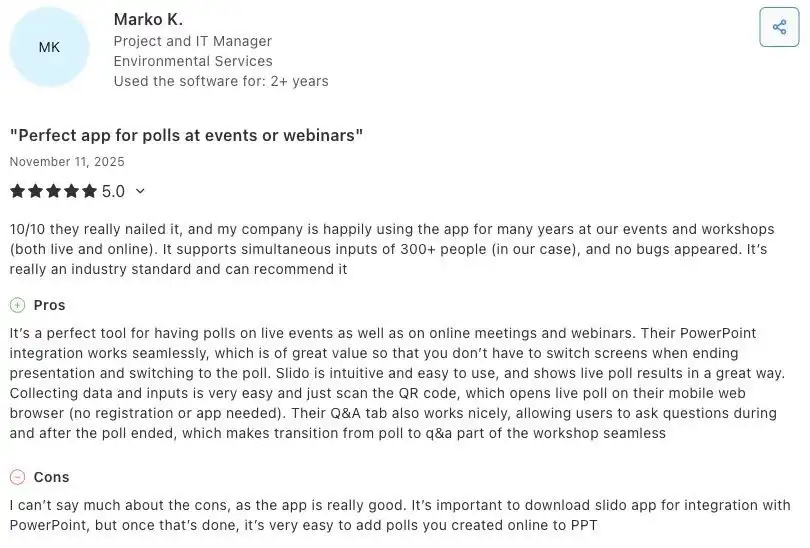
In a November 2025 Capterra review, IT project manager Marko K. describes using QR access and PowerPoint integration for event polls. His experience shows that participants can answer while the presenter stays in the presentation.
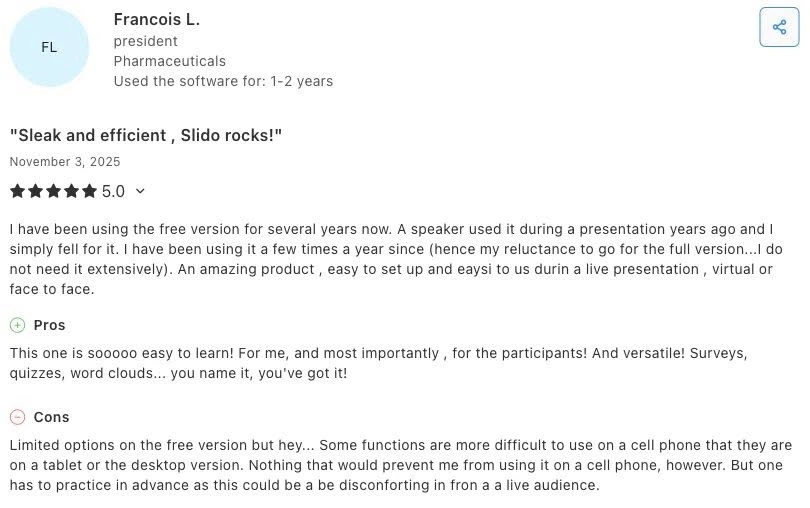
Francois L. also rated Slido highly, but found the free version limiting and the controls harder to manage on a phone. If you’ll run the session yourself, rehearse from the laptop or tablet you intend to use.
Pros
- Participants join without installing software: They can open Slido from a link, QR code or event code and respond in their browser.
- Presenters control when questions appear: They can launch polls or surveys when attendees have enough context to answer.
- Live results support discussion during the session: Speakers can address confusion or disagreement as they happen.
- One-time plans cover events lasting up to seven days: This lets you use Slido for a single event without committing to an annual licence.
Cons
- Registration, attendance, and agenda details aren't automatically attached to responses. You may need to match Slido data with records from another system.
- Slido isn’t a full attendee event app. You still need another platform for the event agenda, attendee directory and networking.
- Surveys and exports require the Engage tier or above, while moderation and branding start on Professional.
Pricing
- Starts with a free plan for up to 100 participants and three polls.
- Per-event plans are between $80-$700
- Annual plans between $12.50-$150/month
Why teams choose it: Slido lets presenters ask questions and discuss answers during the presentation, making it easier to address confusion or shift the discussion while the audience is still there.
3. SurveyMonkey: best for detailed post-event research
SurveyMonkey is worth considering when you need to know which sessions helped your attendees, why they didn’t enjoy part of the programme and what would make them attend again. Its standalone questionnaires give you more room to ask those follow-up questions, without paying for a full event platform.
You can use survey logic to tailor the questions to each person’s answers. For example, someone who didn’t attend a workshop can skip its rating questions, while someone who gave it a low score can explain why. With an email invitation collector, you can track who has responded and remind people who haven’t finished, instead of sending the same reminder to everyone.
Key features
- More than 25 question types with conditional logic available.
- Skip logic and advanced branching on eligible plans, so attendees don’t have to answer questions about activities they missed.
- Email, web-link, and QR-code collectors to reach guests during or after the event.
- Offline and kiosk collection modes.
- Send automated reminder emails based on invitation status, so follow-up can target people who haven’t completed the survey.
- Multi-survey analysis to compare the same questions across events.
- PDF, PowerPoint, Excel, CSV and SPSS exports.
What users say
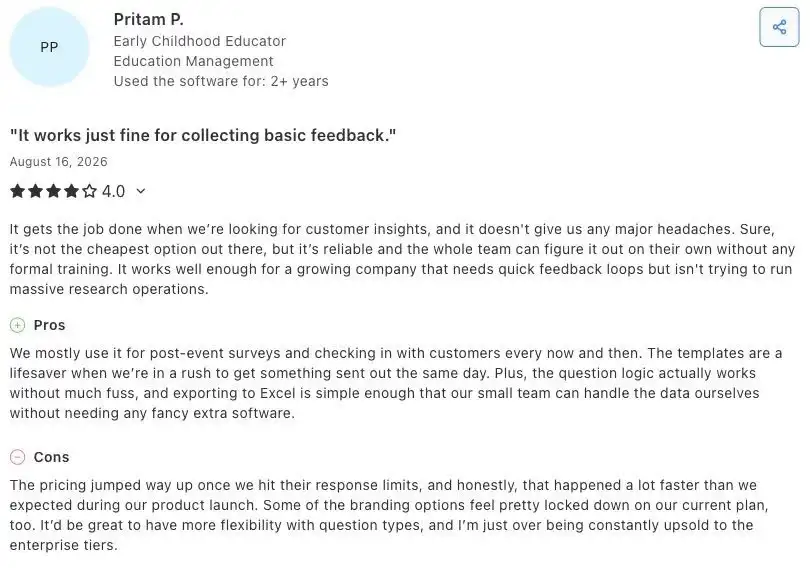
Pritam P. describes using SurveyMonkey for post-event feedback, with templates, logic and Excel exports helping with collection and analysis. Those are the parts most relevant when the survey needs to do more than collect an overall rating.
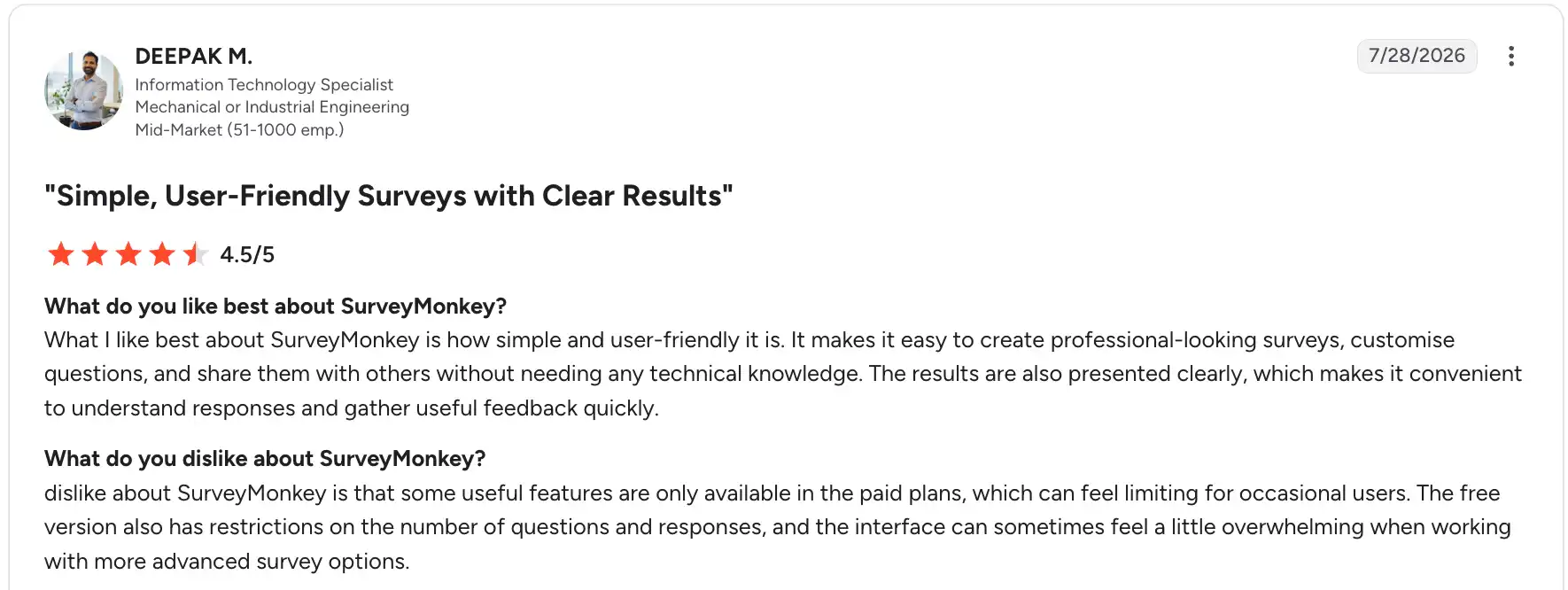
Another user, Deepak, M., also found SurveyMonkey easy to use but said the free plan limits the number of questions and responses, and the interface can be overwhelming during multiple analyses. You should keep an eye out for that.
Pros
- It allows conditional logic in the surveys: This way, attendees only see follow-ups relevant to their experience.
- Set automated email collectors to track invitation and completion status: You can remind non-respondents without emailing everyone again.
- Compare feedback across multiple events: Consistent questions and multi-survey analysis help your team see whether changes to the programme are improving the experience.
- Multiple export formats available: Analysts can continue working in Excel, SPSS or presentation software.
Cons
- You must promote a separate survey through email, slides or signage: Every extra destination adds another hand-off before the first question.
- Session and attendance context require fields or integrations: Without that setup, a low rating may not identify the session involved.
- The Basic plan limits how many responses you can view: A larger event may collect answers you cannot access without upgrading.
Pricing
SurveyMonkey’s individual plans include:
- Basic: Free.
- Standard: $129/month on monthly billing.
- Advantage: $468/year, including 15,000 responses.
- Premier: $1,668/year, including 40,000 responses.
- Additional responses: $0.15 each at published US rates.
- Offline collection: Requires Enterprise; individual plans don’t include it.
Why teams choose it: SurveyMonkey combines tailored follow-up questions, targeted reminders and comparisons across surveys, making it easier to understand what needs to change before your next event.
4. Jotform: best for flexible forms and offline venue collection
Jotform is a good fit when you need the survey to work around an existing process. You can publish a form through a link, QR code or website embed, and use conditional logic to show relevant questions and prefill details you already know. For example, a link sent to workshop attendees can include the workshop name, so they don’t have to select it again before giving feedback.
It’s also useful when your team will collect answers on tablets at the venue. Staff can install Jotform Mobile Forms, download the survey and enable offline collection before the event. This way, the device can keep storing submissions offline and sync them once you have internet access.
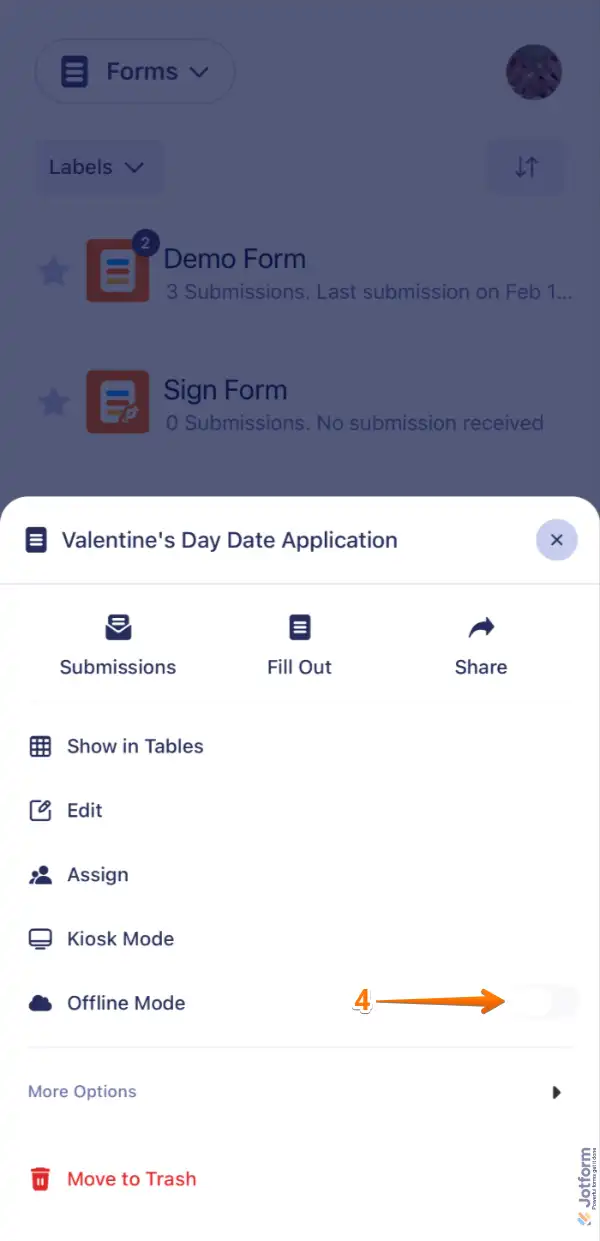
The offline setup screen shows the form being enabled on the collection device.
Once you have the answers, you can manage them in Jotform Tables or route them into a spreadsheet or CRM through integrations. That gives you flexibility if different answers need different follow-up, but you’ll need to set up the event, session and attendee fields yourself.
Key features
- Survey templates and prompt-based creation.
- Conditional logic and rating fields.
- Public, private and company access settings.
- Manual and integration-based prefill.
- Offline collection and kiosk mode in Jotform Mobile Forms for staff-managed phones and tablets.
- Jotform Tables for response management.
- Excel, CSV and PDF exports.
What users say
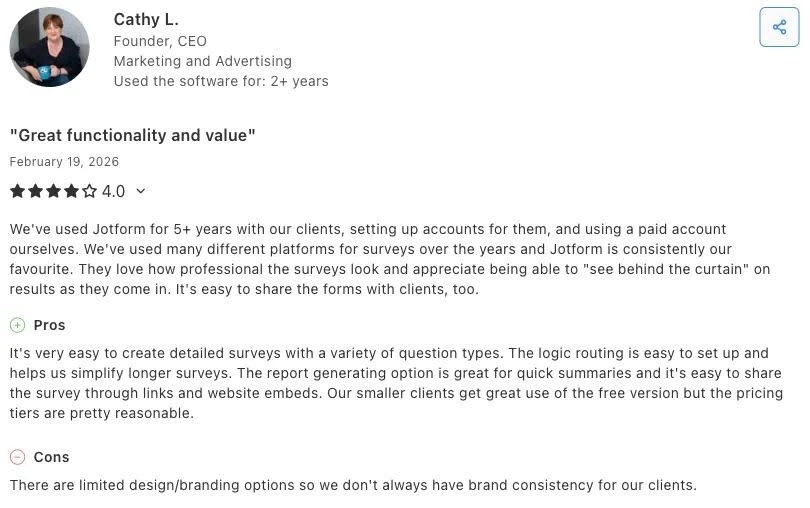
Cathy L. says they can build detailed surveys and use logic to simplify the questions respondents see, helping them accommodate guests with different event experiences.
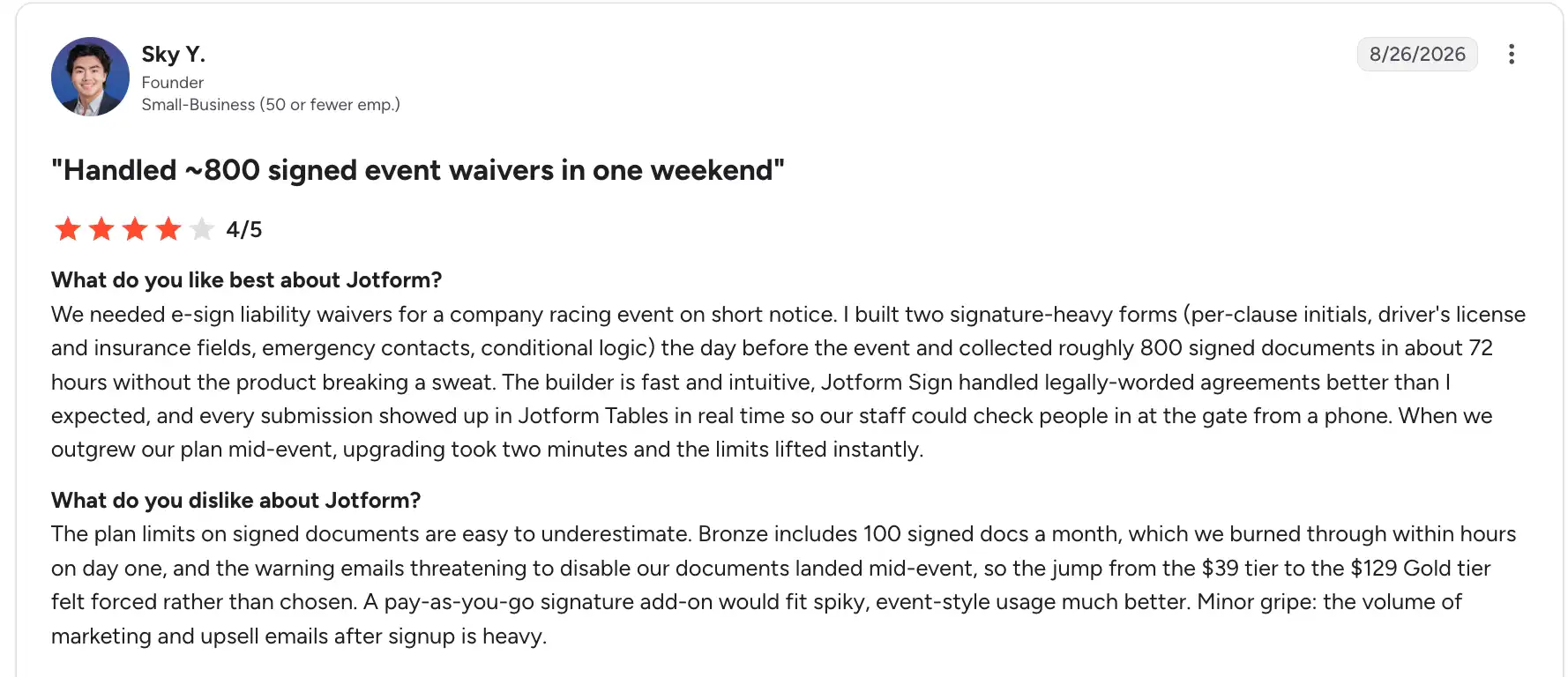
While Jotform handles 800 docs, Sky Y. found the signed-document allowance easy to underestimate, hitting the limit within hours and having to upgrade during a company racing event. If you’re collecting waivers alongside event feedback, check that allowance separately from your survey submission limit.
Pros
- Use public forms without registered respondents: Attendees can answer a QR survey without creating another account.
- Staff can collect responses without venue Wi-Fi: Guests can complete surveys on tablets running Jotform Mobile Forms, so your team can keep collecting feedback without an internet connection.
- Guests don’t have to enter details you already know: Personalised links can prefill attendee information, reducing repeat questions and helping you identify whose feedback you’re reading.
- Responses can go straight to your existing tools: Integrations send survey answers to spreadsheets or CRM systems, so your team can use them for follow-up without copying the data manually.
Cons
- Offline surveys need devices running Jotform Mobile Forms: Sharing a survey link won’t let guests respond offline from their own browsers; you’ll need to provide devices with the app installed.
- Separate staff accounts require Enterprise: Standard plans don’t let you give each organiser their own login to manage surveys and responses, although individual forms support collaboration.
- Other forms use up the same monthly submission allowance: Registration forms and other active surveys count towards your account’s limit, leaving fewer submissions available for event feedback.
Pricing
- Free: Five forms and 100 monthly submissions.
- Bronze: $39/month.
- Silver: $49/month.
- Gold: $129/month.
Why teams choose it: Jotform lets you collect feedback through custom forms or prepared venue tablets and send the answers into your existing systems, reducing the work of moving submissions into the next stage of follow-up.
5. Cvent: best for feedback tied to enterprise event records
Cvent’s survey tools make the most sense when your team already uses Cvent to manage registration and the event itself. Those records can help you ask relevant questions and interpret the answers. Instead of just seeing that a session scored poorly, you can investigate how different attendee groups rated it.
Surveys Premium lets you use event data in dynamic question logic, target different audiences and schedule surveys around an event or session. For example, you can give customer attendees different follow-up questions from sponsors, rather than making both groups work through the same questionnaire.
The value of these rules depends on having the right registration and participation data in Cvent, though. However, you can use the same context in your reporting. You can compare sessions and speakers, segment the answers and share findings through Cvent’s reporting tools. If your registration records live elsewhere, include the integration work in your decision; you won’t get that connected view simply by adding a survey.
Key features
- Registration and attendance-based targeting
- Event-level and session-level surveys
- Scheduled survey availability
- Dynamic question logic
- Session and speaker comparison reports
- Continuing-education assessments
- CRM and marketing-automation integrations
What users say
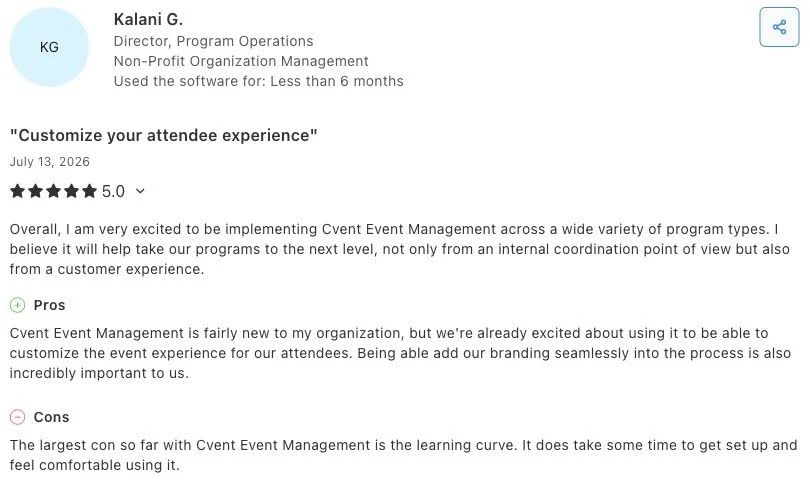
If your team already runs events in Cvent, collecting feedback there can mean one less tool to manage. Jon J. describes using it for registration, agendas, surveys and post-event content, keeping feedback within the platform his team uses throughout the event. 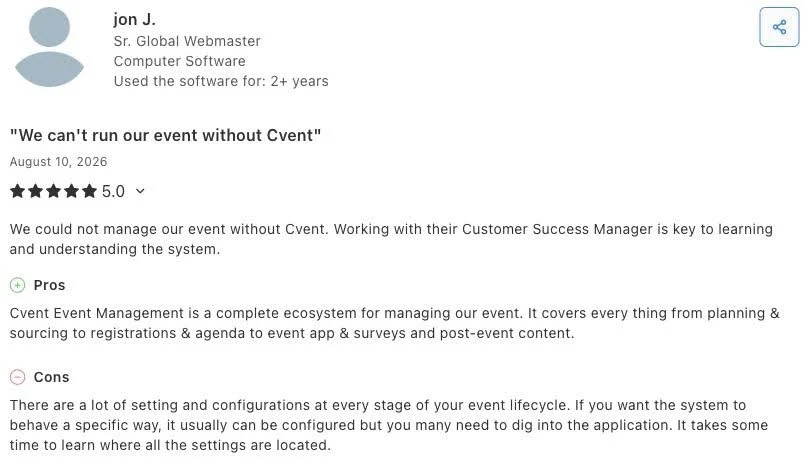
Pros
- See which attendee groups need a better experience: Compare feedback from customers, sponsors or other groups to find out who was dissatisfied and where you need to make changes.
- Avoid asking guests questions that don’t apply to them: Use registration details to show different questions to different audiences, so customers don’t have to work through questions meant for sponsors.
- Use past feedback to plan future events: Compare speaker and session ratings across events to help decide who to invite back and which formats to change.
- Give other teams access to the feedback: Share results through Access Portals or connected systems, so colleagues can review the findings without asking organisers to send reports each time.
Cons
- Getting started takes more than building a survey: If your team is new to Cvent, you’ll need time to learn and configure the wider platform, even if you only want to collect event feedback.
- You can’t check the full cost online: You’ll need a quote covering the survey features, event tools and integrations you want before you can compare costs.
- Attendee details held elsewhere won’t automatically accompany responses: If you use another registration system, you’ll need to connect those records before you can compare feedback by attendee group.
Pricing
- Custom pricing
Why teams choose it: Cvent combines survey responses with event records already in the platform, making it easier to explain differences between attendee groups and decide which sessions or formats to improve.
6. Webex Events: best for item ratings plus embedded survey tools
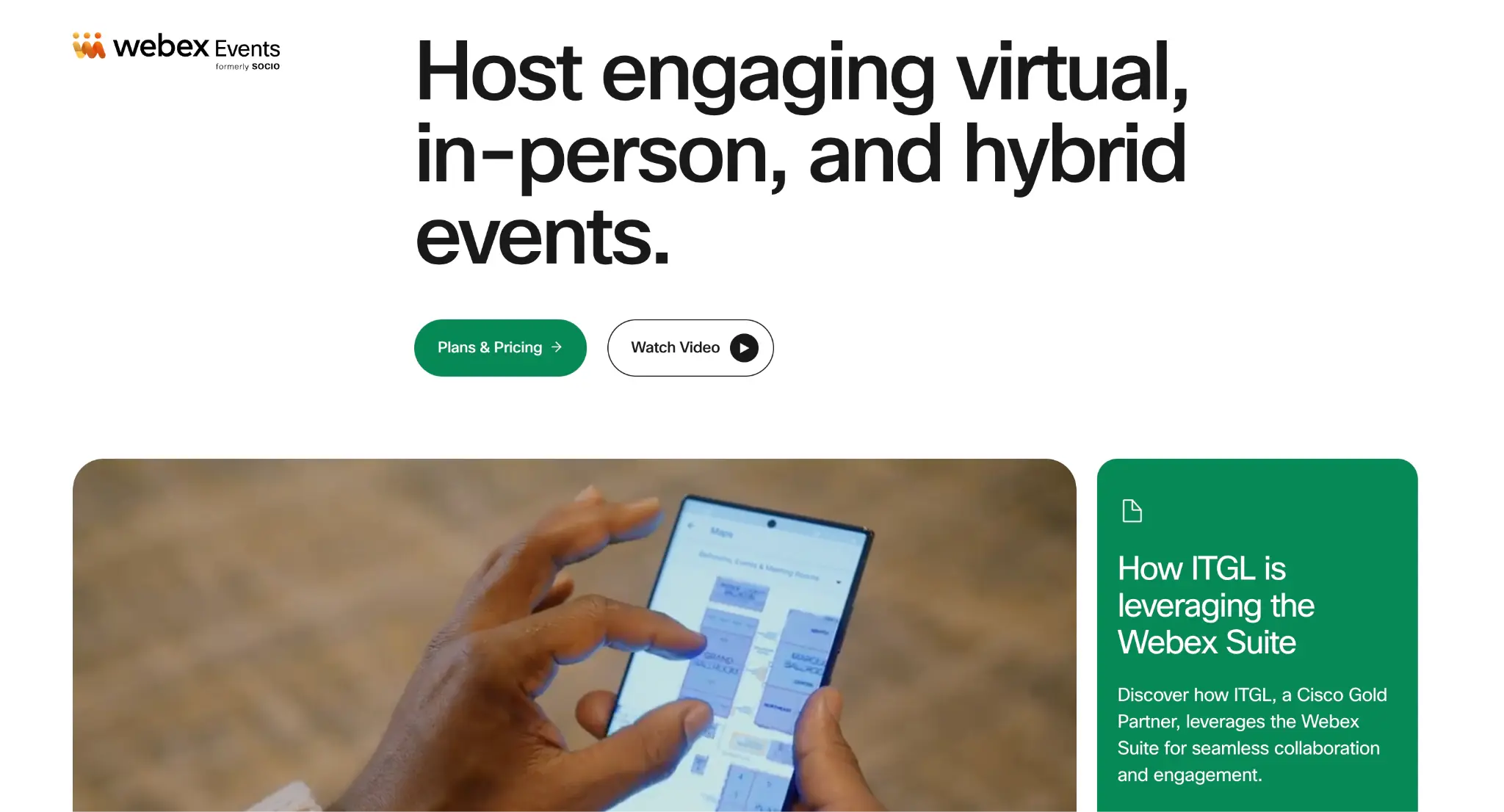
Webex Events gives you two ways to collect feedback inside the wider event experience. Its built-in ratings work for quick responses about sessions, speakers, sponsors and exhibitors. Attendee Insights can also ask guests for an overall rating after selected actions in the app, so the request appears while they are already using it.
For a longer questionnaire, you can bring in a survey from Slido, SurveyMonkey or another provider. A supported embed can appear inside the web event app, while external survey links in the mobile app open in the device’s browser.
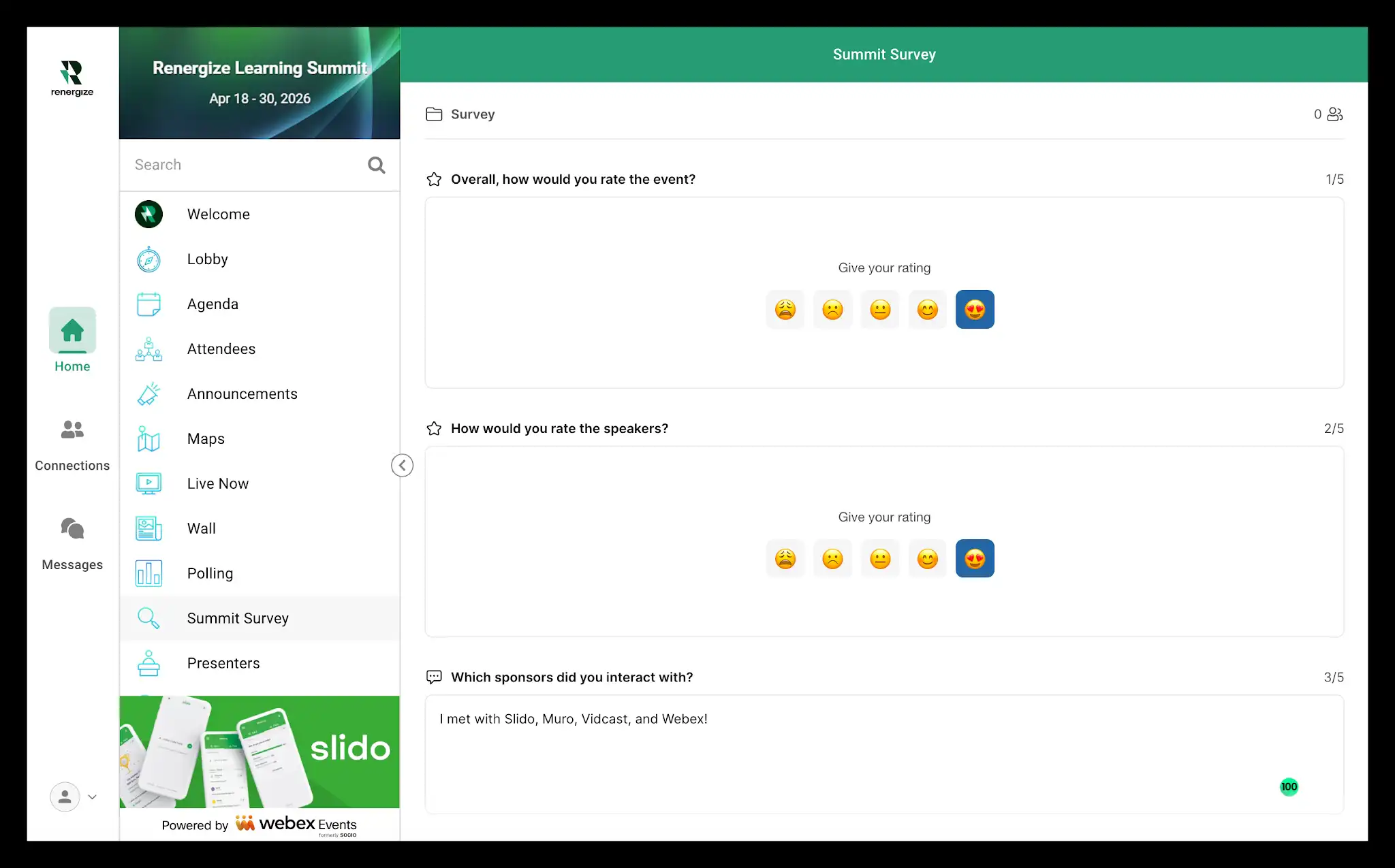
The image above places a Slido survey inside a Web Link feature. The event app provides the placement; Slido still supplies the questions and survey results.
This approach is useful if your organisation already has a survey tool it wants to keep. You can put the request beside relevant event content, but you’ll still manage the detailed questionnaire in that other tool. If answers need to identify the attendee or session, configure how those details are passed to the survey instead of assuming an embed transfers them automatically.
Key features
- Ratings and reviews for individual event items
- Attendee Insights prompts after defined actions
- Anonymous rating options
- Embedded surveys in the web experience
- Session, speaker and sponsor survey links
- Event App metrics and exports
What users say
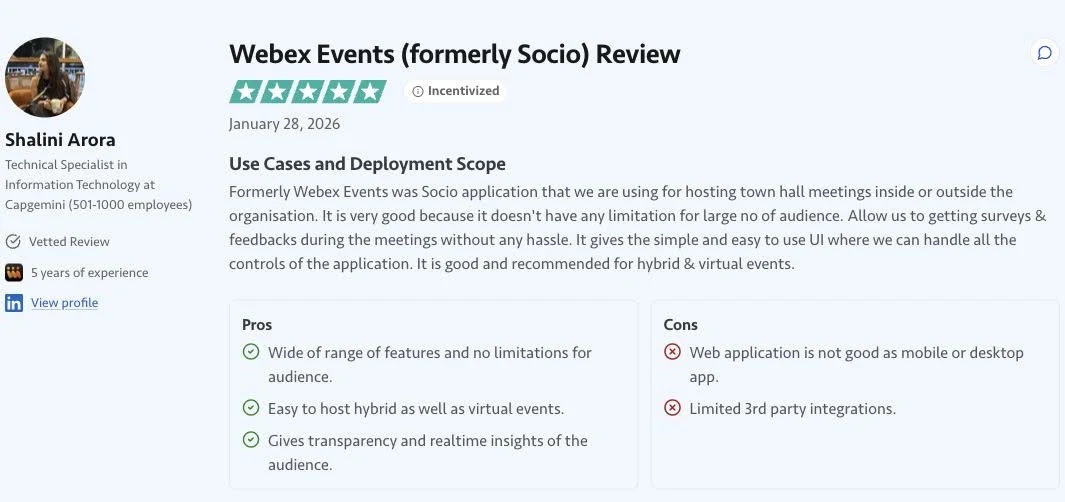
Shalini Arora uses Webex Events for town halls, where her team collects surveys and feedback during the meeting. According to her, she can hear from attendees during the discussion, rather than relying entirely on a follow-up email.
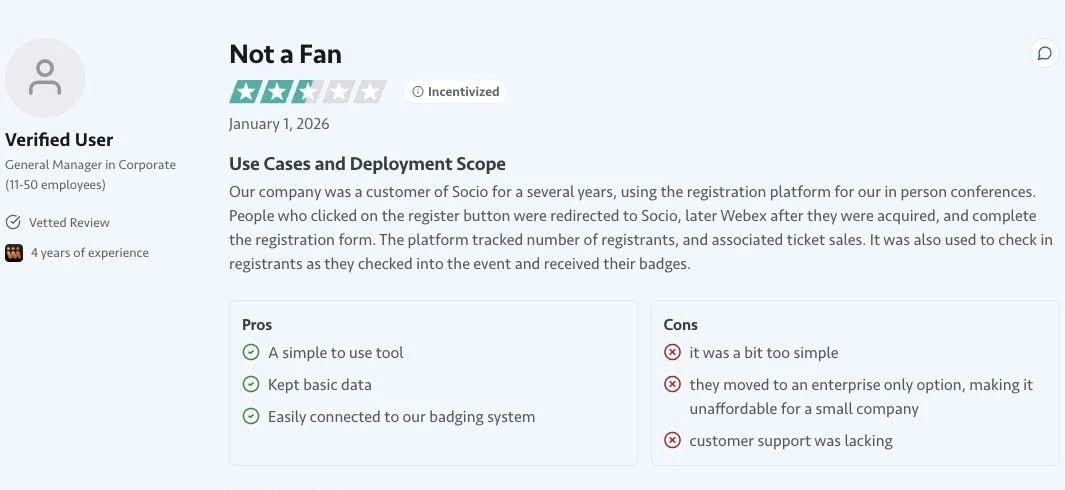
However, a general manager whose company used the platform for conference registration and check-in said they moved to another provider when Webex switched to an enterprise-only offering. Their team didn’t need the additional services, so the full package may be hard to justify for a small company. Look into what you need and whether the tiers they’re in are affordable.
Pros
- See which sessions and speakers need attention: Ratings stay attached to the item being reviewed, so you can identify low-scoring parts of the programme without asking guests to name them in another form.
- Ask for feedback while web attendees are active: Attendee Insights displays a prompt after actions such as joining three sessions, giving guests a chance to respond before they leave the web app.
- Keep using a survey tool your team already knows: Supported surveys can appear inside the web event app, so you can reuse your existing questionnaires without moving desktop attendees to another site.
- Check ratings alongside app activity: Reports include ratings and interactions with event content, helping you distinguish a poorly rated session from one that attracted little attention.
Cons
- Detailed questionnaires still need another survey tool: You can place the survey inside Webex Events, but your team must build the questions and manage its results in the provider's system.
- You can't buy Webex Events on its own: It’s only available through selected Webex Suite Enterprise Agreements, so it won't suit teams looking to purchase just an event survey app.
- Automatic feedback prompts don't reach mobile-app users: Attendee Insights runs in the web app, so you'll need another way to request feedback from guests using the mobile app.
Pricing
- Custom pricing
Why teams choose it: Webex Events keeps quick ratings beside the sessions and speakers being reviewed, while letting you bring in an existing survey tool when you need a longer questionnaire.
7. MeetingPulse: best for anonymous and multilingual meeting feedback
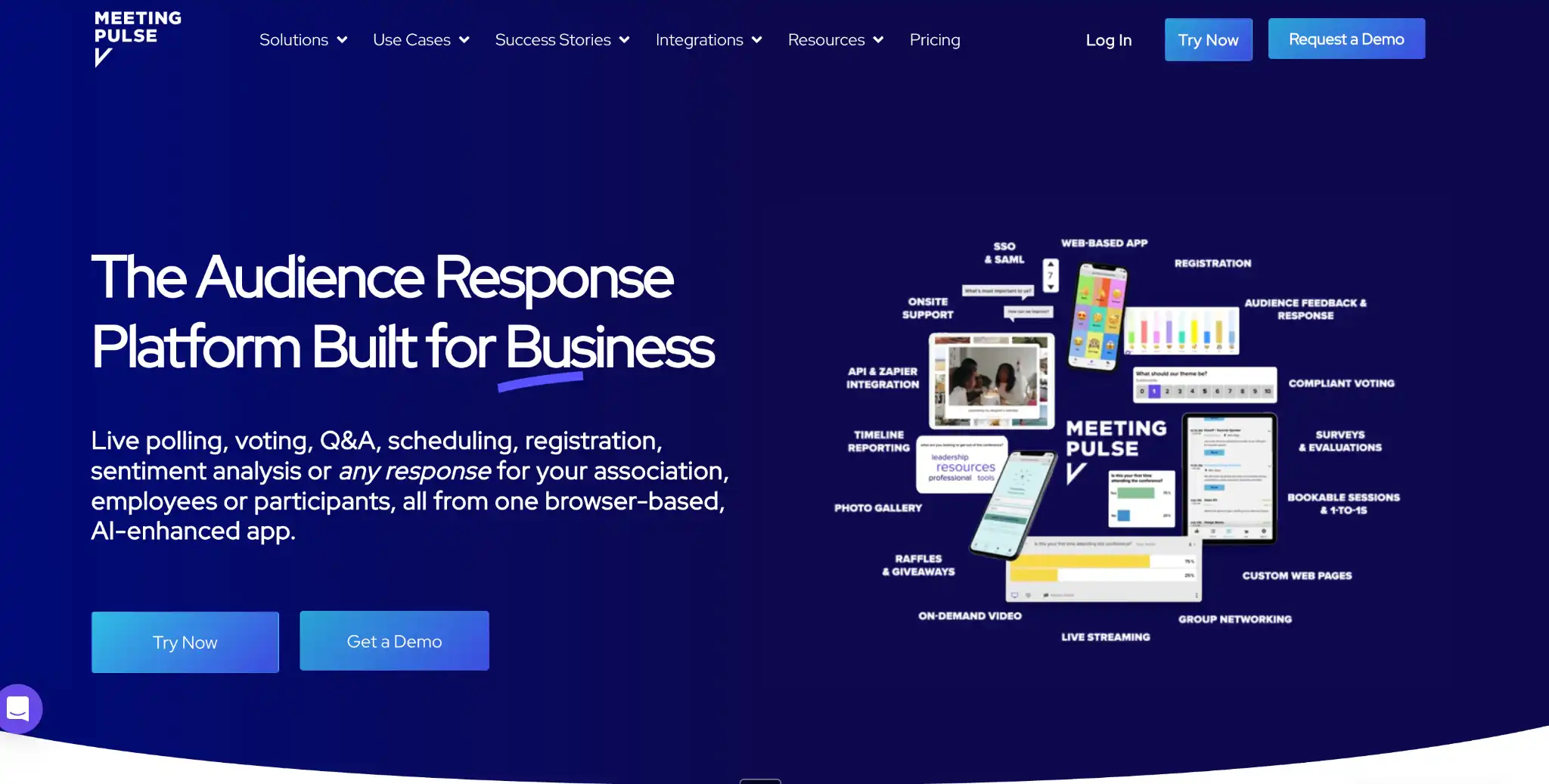
MeetingPulse is primarily a live audience-response platform for facilitated events such as meetings and town halls. It includes agenda and materials modules, and guests can join through a browser link or QR code. You can collect anonymous feedback, questions, and live poll answers, giving people a way to contribute without speaking publicly.
You can use an entry form before participants join the meeting, collect answers during the discussion or share a standalone form afterwards. For example, an entry question can show a facilitator what people want covered, while a closing survey checks whether the session addressed it.
Key features
- Entry, live and exit surveys.
- Anonymous or identified participation.
- Conditional questions and segmentation.
- Timed survey launch.
- PowerPoint and meeting-platform integrations.
- Multilingual interface and translation options, subject to the chosen plan and language pack.
- CSV exports and detailed meeting reports.
Pros
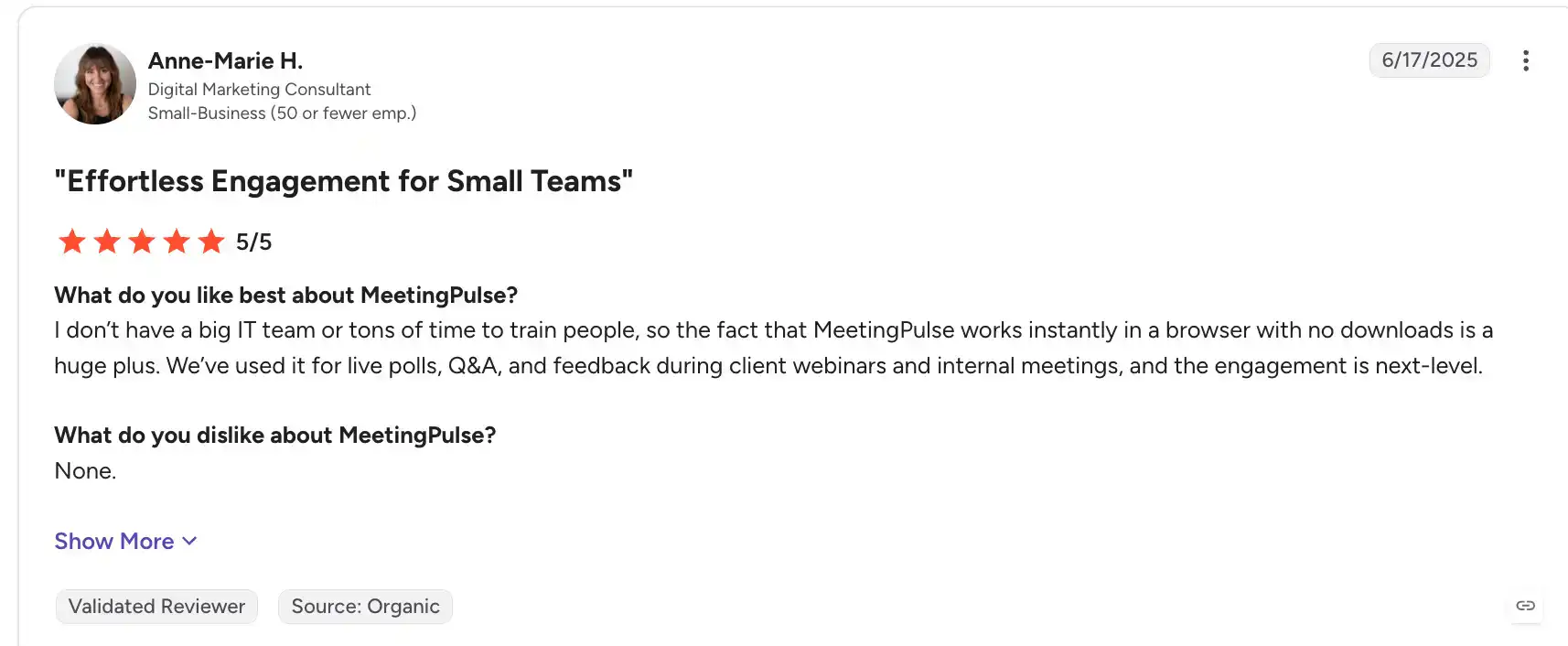
- Guests can respond without installing an app: They join through a browser link or QR code, so you can invite them to participate during a meeting without sending them to an app store.
- Ask each question when it fits the discussion: Moderators can reveal and hide polls as the session progresses, so guests respond to the topic being covered rather than working ahead.
- Give quieter attendees a way to contribute: Anonymous responses let people raise concerns without putting their name beside the answer or speaking in front of the room.
- Compare how different groups responded: Segmented reporting lets you separate answers by participant data or a previous answer, helping you see where opinions differ instead of relying on one overall result.
Cons
- You can't correct a poll once it is running or closed: Changing a question or answer option requires a new poll, and you'll need to combine responses from both versions manually, which can be a hassle.
- Multilingual features depend on the package: Translation and the attendee language selector aren't included in every plan, so don't assume an ordinary survey subscription covers a multilingual audience.
Pricing
- Free trial: 14 days for up to 25 attendees.
- Polling & Surveys: $897/year for 200 attendees and two moderators, including unlimited poll responses, conditional surveys and segmented reporting.
- All Polling, Surveys, and Q&A: $1,697/year.
- Enterprise: Custom pricing for wider requirements.
Why teams choose it: MeetingPulse combines anonymous input with moderator-controlled questions, making it easier to hear concerns and respond to them during a town hall or training session.
8. Whova: best for session feedback inside a networking-led conference app
Whova is a conference app and event-management platform worth considering when you need agenda, networking, and community discussions in one app. Its surveys and session feedback are part of the attendee experience, since you can get responses in the same UI they use throughout the event.
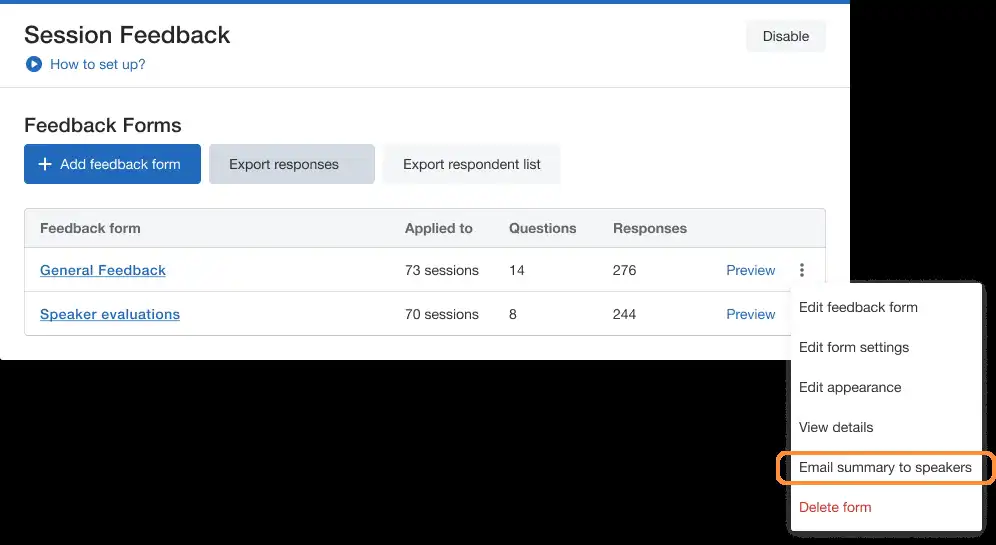
Attendees can use the mobile app or web portal, and for surveys tied to specific sessions, you can view them during those sessions. It also has a follow-up feature that lets you share attendee responses with speakers in your dashboard. This helps you avoid copying comments into separate emails and gets speakers to act on feedback during the session or in a later session, as needed. Here’s what that looks like:
Key features
- General event surveys
- Session feedback forms
- Live polls linked to sessions
- Survey templates and question bank
- Mobile app and web portal access
- Attendee analytics and post-event reports
- Registration and event-app data in one platform
What users say
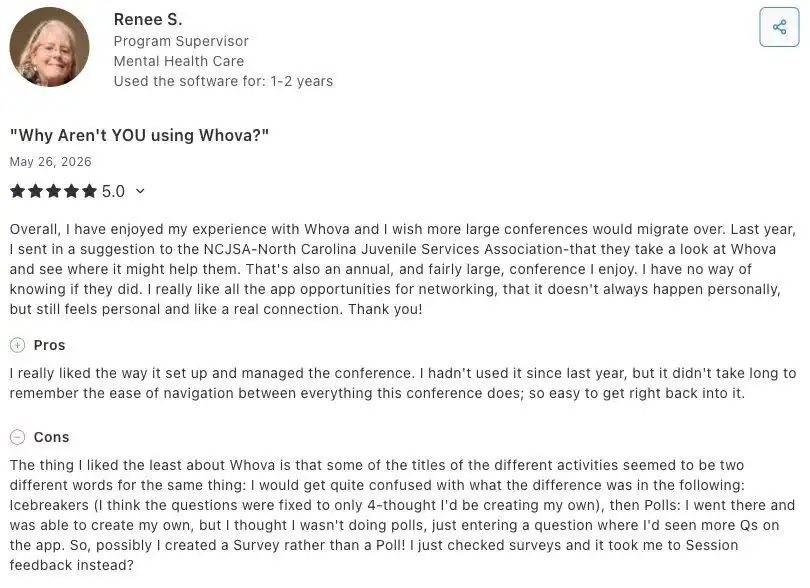
Mo F. used Whova to check the conference agenda, find session documents and complete surveys, and liked having everything in one app. 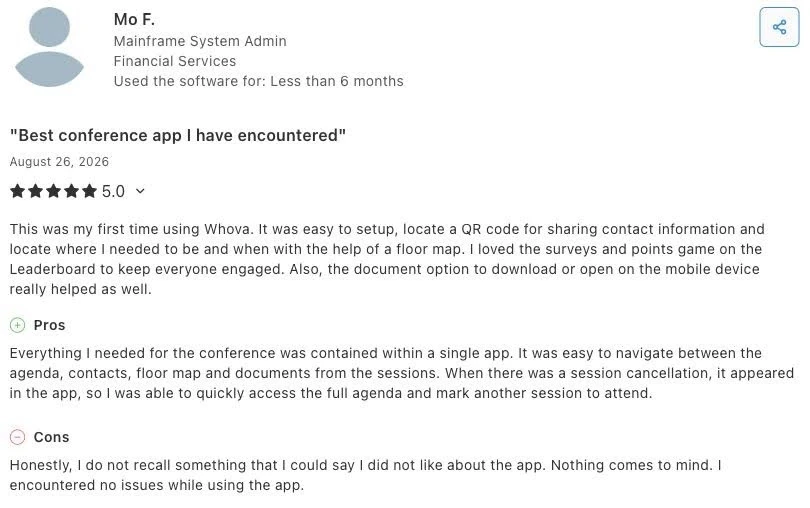
Pros
- Give each speaker feedback on their own session: Responses stay linked to the session, and organisers can send them to the right speaker from the dashboard without sorting comments into separate emails.
- Save time setting up feedback across a large programme: You can apply session-feedback forms across multiple sessions instead of building a separate questionnaire for every talk.
- Let guests respond from a phone or computer: Whova offers both a mobile app and a web portal, giving attendees another way to answer if they aren't using the mobile app.
- Remind guests where they already check event information: Announcements can direct attendees to surveys in the same app they use for the agenda, session documents and networking.
Cons
- Guests need to sign in before using the event app: New users must create an account and access your event before answering, adding steps compared with an open survey link.
- Guests can confuse the different feedback sections: Polls, general surveys, and session feedback appear in different places so an unclear request can send attendees to the wrong form.
Pricing
- Custom pricing
Why teams choose it: Whova keeps session feedback beside the conference agenda and lets organisers share it with speakers, making it easier to turn attendee comments into improvements to the next programme.
Choosing the right event survey app
Now that you’ve read through a list of eight tools, compare your shortlist based on the five criteria that matter:
- How guests find the survey
- What they must do to open it/use it
- When you can trigger the survey to allow responses
- Which event details stay with the response
- How much analysis you need to understand what has happened.
If your shortlist passes this checklist, test the full journey on a mobile device, just to see what it’ll look like and shop for points of failure.
If you want feedback in the same browser-based app as your agenda and event information, you can preview that experience in LineUpr before choosing a paid package. Try a session rating and a general survey, then check that guests can find both when they need them.
You can also start building for free.
FAQs
When should you send a post-event survey?
Send it while guests can still recall the experience, and be specific about what you want them to evaluate. For session feedback, allow a short response window before people leave the room. For a longer post-event survey, a direct email link gives them a way to answer afterwards.
Can attendees answer an event survey without downloading an app?
Yes. LineUpr, Slido and MeetingPulse offer browser access, while SurveyMonkey and Jotform collect responses through public links or QR codes. Whova and Webex Events also offer web experiences, but you need to confirm whether your chosen setup requires a login and whether external surveys are accessible only in another tab.
Can event survey responses be anonymous?
Yes, several tools support anonymous collection, but anonymity depends on the settings and how you distribute the survey. A named invitation, identity field or tracked link can change what the organiser can see. Check the collector and reporting settings to make sure it’s set up the way you want.
What is the difference between a live poll and an event survey?
A live poll usually asks a focused question and lets the presenter discuss the results immediately. A survey combines questions to explore the experience in more detail, whether guests answer during or after the event. Use the shortest format that gives you enough information to act.